ClickFunnels AI Sign Up: 3 Methods, No Card, 500 Credits
- 3 sign-up methods
- No credit card
- 500 credits a month
ClickFunnels AI sign up takes Google, Apple or an emailed 6-digit code. No card, 500 credits a month. My first build used 388. Checked Nov 22, 2026.

ClickFunnels AI sign up takes one of three methods (Google, Apple, or a 6-digit code sent to your email) and no credit card, per clickfunnels.ai/users/sign_up on November 22, 2026. A new account starts on the Free plan with 500 credits a month. A ClickFunnels 2.0 login does not work here.
I read the sign-up page and help articles logged out and did not submit the form. The steps use the vendor’s own button labels. The credit figures come from one funnel I built on the Free plan on November 21, 2026.
| Question | Answer |
|---|---|
| Ways to create an account | Google, Apple, emailed 6-digit code |
| Credit card | ”No credit card” |
| What a new account gets | 500 credits a month, “About 1 full funnel” |
| ClickFunnels 2.0 login | Does not sign you in |
| My first build | 388 of the 500 credits |
Disclosure: ClickFunnels AI pays us nothing. We earn a commission if you join MarketingSecrets.AI through our link. The buttons and screenshots on this page link to the MarketingSecrets.AI trial.
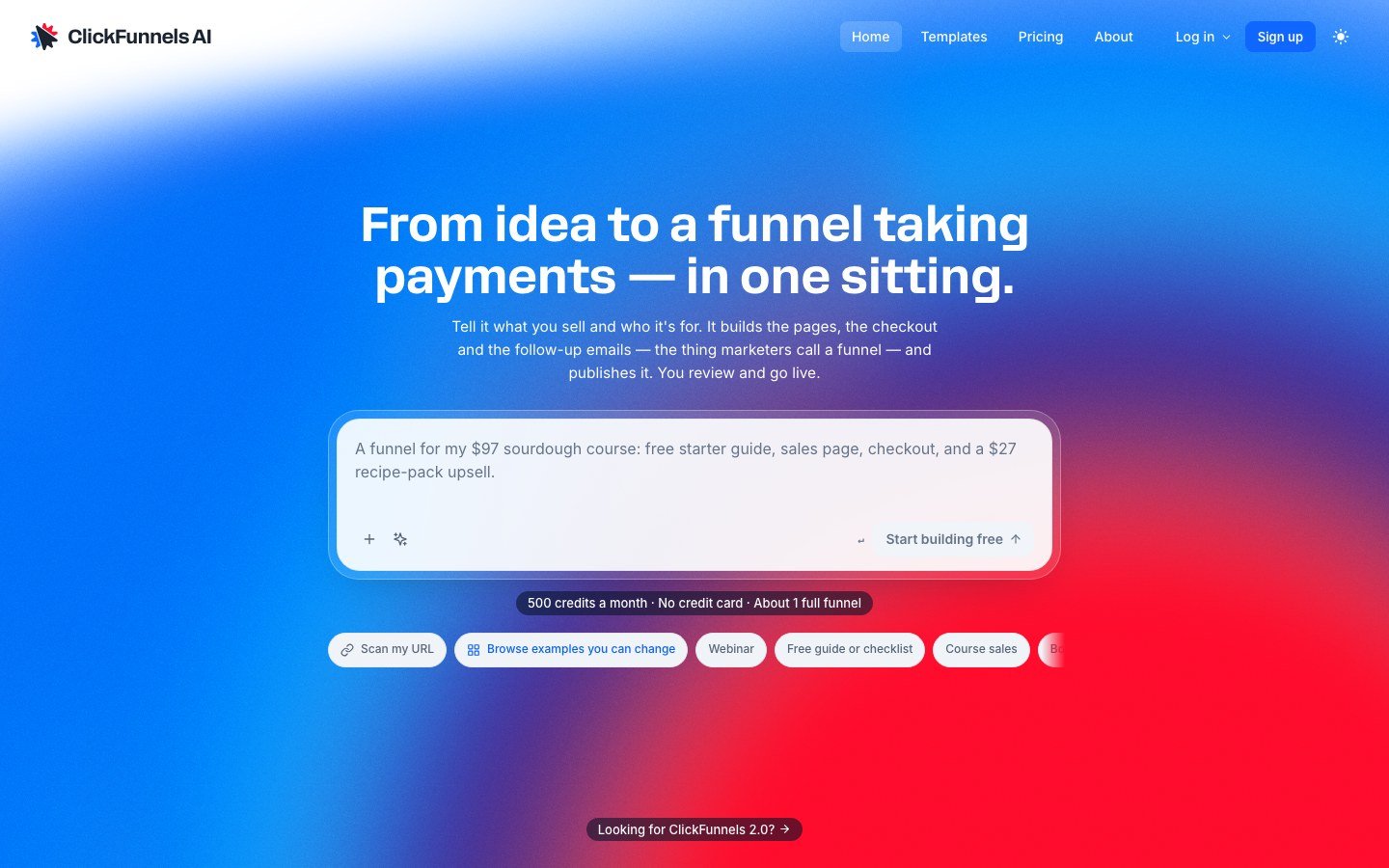
How to sign up for ClickFunnels AI in 4 steps
ClickFunnels AI sign up runs on one page titled “Create your account”. The page says: “No credit card. We’ll email you a code, then you can start building.”
- Open clickfunnels.ai and choose “Sign up” in the top nav.
- On “Create your account”, pick “Continue with Google” or “Continue with Apple”. To use email, type your address and press “Email me a 6-digit code”.
- Enter the 6-digit code from your inbox. Continuing means you accept the terms: “By continuing, you agree to our Terms and Privacy Policy.”
- Describe your funnel. The Getting started help article lists four stages: “Describe the funnel”, “Wait for the first build”, “Preview and click through”, “Edit, then publish”.
No public help article describes the first screen after the code, so I leave it out. The vendor’s /agents page still mentions a “Coming soon” gate, but the sign-up page was open on November 21 and 22.
Which sign-up methods work, and what about a password?
ClickFunnels AI creates new accounts with Google, Apple or the emailed code. The sign-up page also shows a “Continue with a password” link, which the help article says cannot create an account.
| Method | Label on the sign-up page | Creates a new account? |
|---|---|---|
| ”Continue with Google” | Yes | |
| Apple | ”Continue with Apple” | Yes |
| Email code | ”Email me a 6-digit code” | Yes |
| Password | ”Continue with a password” | No, per the help article |
The Signing in article, updated November 13, 2026, reads: “New accounts are created with Google, Apple or the emailed code. You cannot create an account with a password at www.clickfunnels.ai.”
Does a ClickFunnels 2.0 login work on ClickFunnels AI?
No. ClickFunnels AI is a separate product with its own login, subscription and support desk. The help article says: “A ClickFunnels 2.0 or Classic account does not sign you in here, and creating a ClickFunnels AI account does not create one there.”
The article lists three login addresses: www.clickfunnels.ai for ClickFunnels AI, accounts.myclickfunnels.com for ClickFunnels 2.0 and app.clickfunnels.com for Classic.
The article does not say whether one email address can hold an account on both, and I have not confirmed it. The product differences are in ClickFunnels AI vs ClickFunnels 2.0.
Can you buy a paid plan before you have an account?
Yes. The help article “Buying a ClickFunnels AI plan without an account”, updated November 5, 2026, says the checkout “asks for your email and your card, and that’s all.”
- Choose a paid plan on clickfunnels.ai/pricing.
- “Enter your email and your card, then press Subscribe.”
- After the payment, “your account and a new workspace are created, and your plan’s credits are added to it.”
- Enter the emailed 6-digit code, or press “Open my workspace” in the email. If no code arrives, press “Send a new code”.
If your email already has an account, the plan goes on a new workspace in that account. To upgrade a workspace you already use, “choose Sign in at the top of the checkout instead.”
Monthly plans accept a promo code at checkout and annual plans do not. My ClickFunnels AI promo code check found no public code. Paid plans start at $25 a month, per the ClickFunnels AI pricing breakdown.
What happens right after you start: my first build cost 388 credits
My first build used 388 of the Free plan’s 500 monthly credits and took about 6 minutes by the clock, not a stopwatch.
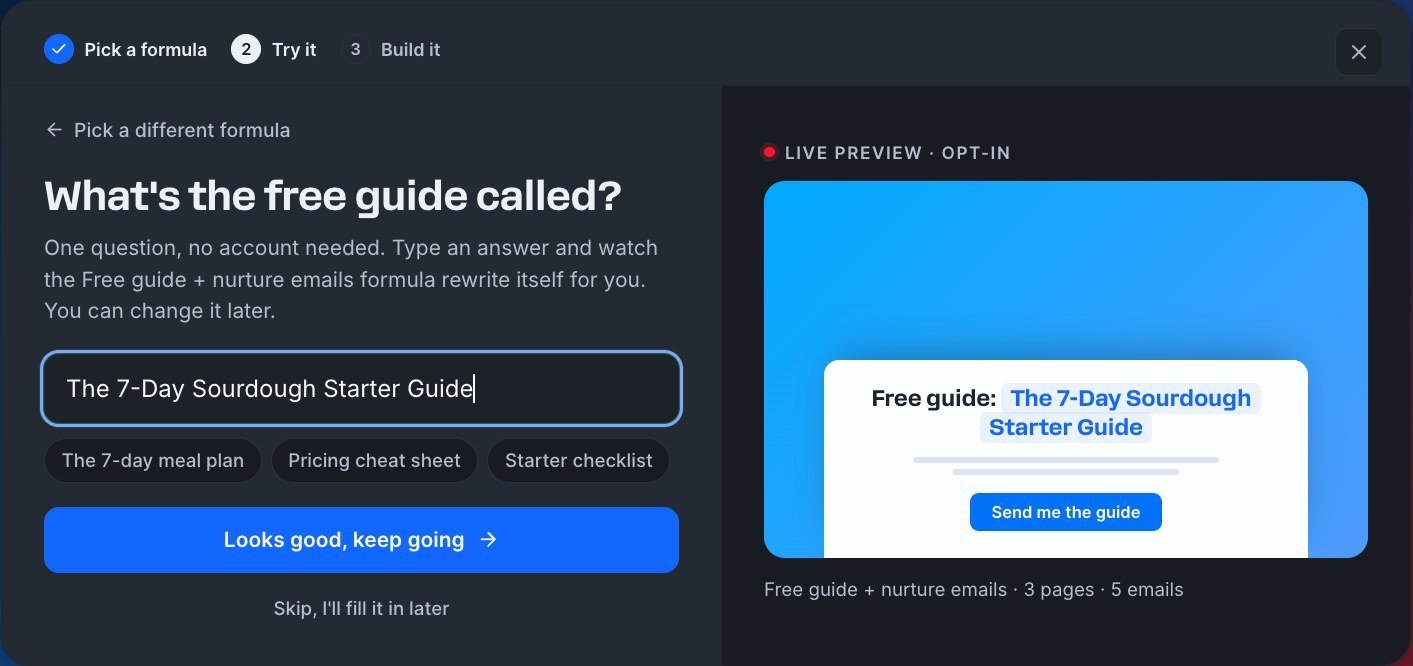
I picked the “Free guide + nurture emails” formula, which makes 3 pages and 5 emails. The builder asked one question, then worked through 7 tasks.
The home page first showed a banner saying the team “isn’t set up for ClickFunnels AI yet”. Starting the build created the workspace.
The help article says to “Stay on the page until the funnel opens in the editor.” The editor said the opposite: “You can leave. We’ll keep building. We’ll email you when it’s ready.” I stayed, so I cannot say which holds.
The billing page read “388 used this month of 500 plan allowance”, “across 24 transactions”. That left 112 credits (calculated), and the pricing page puts one AI edit at about 260. The free allowance covered one funnel and no AI revision after it. My billing page showed the next refill on December 1. The other limits are in Is ClickFunnels AI free?.
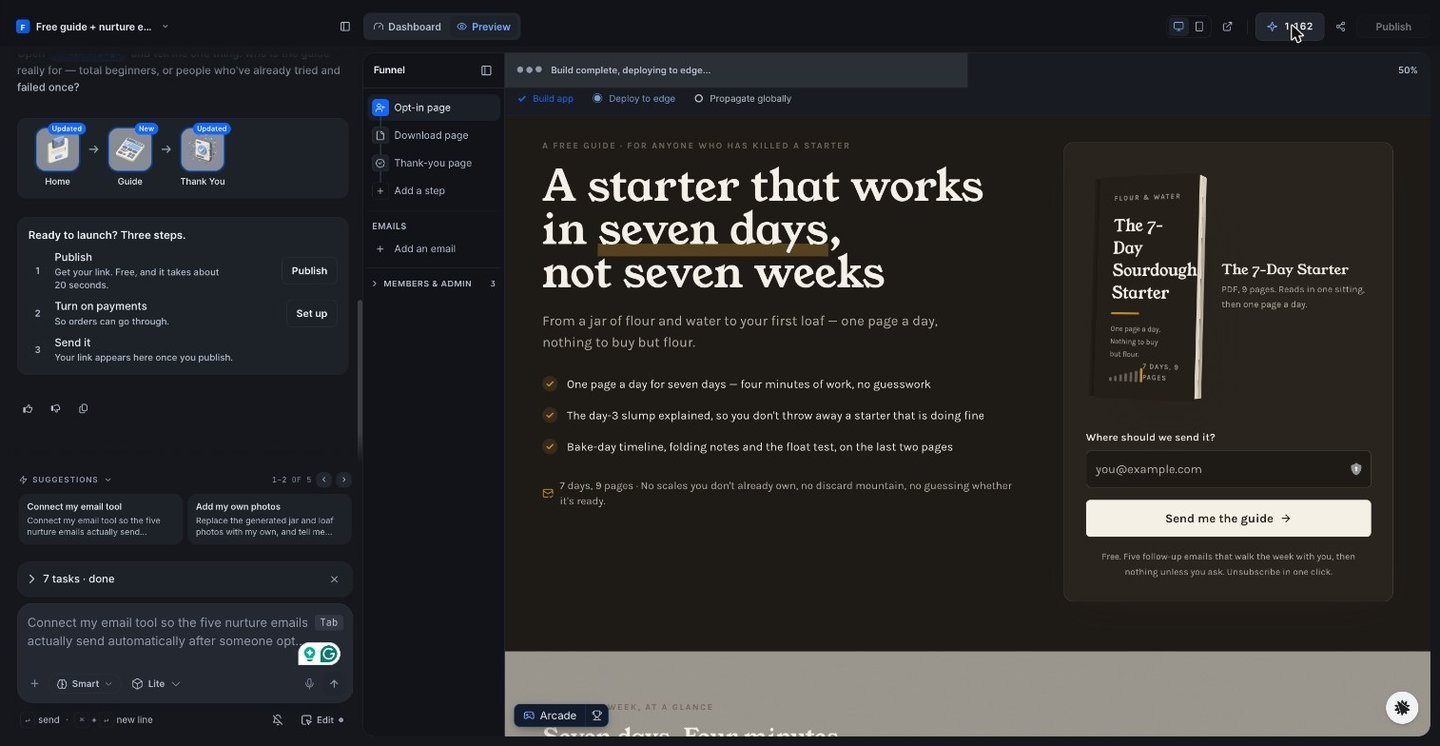
The result was a draft with emails not yet connected to an email service, and I did not publish it. The whole test is in my ClickFunnels AI review.
MarketingSecrets.AI is a different product. Its own page calls it “Your AI Chief of Staff for marketing” and prices it at “Free for 14 days then $97.00 / month”. I have not tested it for this guide, and I compare the two in ClickFunnels AI vs MarketingSecrets.AI. The button below opens MarketingSecrets.AI, not ClickFunnels AI.
Try MarketingSecrets.AI Free →
Workspaces, teammates and seats
A ClickFunnels AI account is your login, and a workspace holds the work. The help article says: “Account is you, the email (or Google login) you sign in with. Workspace is where funnels, credits, and teammates live.” Each workspace has its own credits, team and billing.
To add a teammate, the help article says: “Open the account menu and click Members (under Workspace).” Enter the email, “Pick a role: Member or Admin”, and send the invite.
A Member “can open and work on the workspace’s apps.” An Admin can also invite people, change roles and remove people. Sharing the editor link gives no one editing access.
| Plan | Who can build |
|---|---|
| Free, $0 | Just you |
| Starter, from $25 | You + 1 |
| Growth, from $97 | Up to 5 |
| Scale, from $197 | Up to 10 |
A workspace has no Leave button, so an admin must remove you from its Members page. The error “This workspace doesn’t have ClickFunnels AI access yet” means you are signed in to a workspace that cannot start funnels. Switch workspace from the name in the sidebar, or ask whoever invited you.
Purchased credits are non-refundable, so read how to cancel ClickFunnels AI before you pay.
The button below opens the MarketingSecrets.AI trial, not ClickFunnels AI.
Try MarketingSecrets.AI Free →
ClickFunnels AI Sign Up FAQ
How do I sign up for ClickFunnels AI?
Go to clickfunnels.ai and choose Sign up. Continue with Google or Apple, or press “Email me a 6-digit code”. The page asks for no credit card, and a new account gets 500 credits a month. Checked November 22, 2026.
Does ClickFunnels AI sign up need a credit card?
No. The sign-up page says “No credit card. We’ll email you a code, then you can start building.” Only paid plans, which start at $25 a month, need a card.
Can I create a ClickFunnels AI account with a password?
No. The sign-up page shows a “Continue with a password” link, but the help article says new accounts are created with Google, Apple or the emailed code only.
Can I log in to ClickFunnels AI with my ClickFunnels 2.0 account?
No. The help article says a ClickFunnels 2.0 or Classic account does not sign you in. Whether one email address can be used on both is not stated.
Can I buy a ClickFunnels AI plan without creating an account first?
Yes. The checkout asks for your email and your card. After the payment, the account and a new workspace are created and a 6-digit sign-in code is emailed.
How many teammates can I invite to a ClickFunnels AI workspace?
The plan sets the limit. Free is just you, Starter is you plus 1, Growth is up to 5 builders and Scale is up to 10. Only workspace admins can send invites.
Related Reading
Try it yourself
Ready to put it to the test?
We may earn a commission at no extra cost to you. Affiliate disclosure.
14 days free, then $97/month. Terms say all sales are final. Read Nov 22, 2026.
Reader feedback
Was this review helpful?
Your feedback helps us write better reviews.
Thanks for your feedback.

AI Funnel Insider is an independent review site covering AI tools, Skool communities, and online courses. Every review states what was paid for, what was accessed and what was verified before a verdict goes live. Reviews are independent and may contain affiliate links, at no extra cost to you.
Related Posts

How to Cancel ClickFunnels AI: 81 Help Articles, No Cancel Steps
ClickFunnels AI lists no cancel steps in its 81 help articles. Start in workspace Billing. Access runs to period end. Credits are non-refundable. Read Nov 22.

ClickFunnels AI Pricing: 4 Plans, $0 to $847 a Month
ClickFunnels AI costs $0 for 500 credits a month, then $25 to $847 a month by credit step. Annual billing gives 2 months free. Prices read Nov 21, 2026.

ClickFunnels AI Review (Russell Brunson): 388 Credits, 1 Funnel
We built one funnel on ClickFunnels AI, from Russell Brunson's company: 6 minutes, 388 of 500 free credits, emails not connected. Tested Nov 21, 2026.

ClickFunnels AI vs ClickFunnels 2.0: $0 Start vs $97 a Month
ClickFunnels AI builds a funnel from a prompt and starts at $0. ClickFunnels 2.0 adds courses and CRM from $97 a month. Price table and who should pick each.

ClickFunnels AI Black Friday 2026 → Deal Status + Prices
No ClickFunnels AI Black Friday deal yet, checked Nov 22, 2026. Annual billing gives 2 months free: Starter $21 a month vs $25. All 4 plan prices inside.

ClickFunnels AI Promo Code: No Code, but 2 Months Free Yearly
No ClickFunnels AI promo code was visible on Nov 21, 2026. Annual billing gives 2 months free, a saving of $50 to $300 a year, and the Free plan costs $0.
The Insider Newsletter
Funnel software price drops and trial changes.
One email when a funnel or course platform changes its pricing or trial, plus our Sunday review.