MakeUGC AI Review 2026: I Tested the 500+ Actors
I ran MakeUGC AI across multiple niches with its 500+ actors and $1 trial. Here is what actually held up and what flopped before you spend a cent.

Starts at $59/mo, about half of Arcads' entry price
500 credits/month on Startup disappears fast on premium models
- Last verified
- August 2026
- Evidence reviewed
- Trustpilot profile, ~200 reviews · Vendor pricing page
- Affiliate relationship
- Yes, disclosed above
MakeUGC AI turns a 60-second script and a click into a photorealistic UGC spokesperson video for $59/month. We ran a batch of videos through the platform over about a month, testing several niches, three video models, and the product-in-hand feature that competitors still fake with green-screen overlays.
The short answer: it’s the best entry point into AI UGC in 2026 if you run paid ads on a $20 to $100/day budget. The $1 trial is real. The actor library is deep. The credit system is the one thing that will trip you up. Here’s everything you need to decide.
TL;DR: MakeUGC AI costs $59 to $149/month and delivers photorealistic UGC ad videos in about 2 minutes. The library held 500+ AI actors when we tested it in April 2026 and has since grown past 1,000. The output is convincing enough that it’s hard to spot at scroll speed. It’s the most affordable entry point into AI UGC production for paid-ad teams in 2026, but the 500-credit Startup ceiling goes faster than you’d expect.
Featured Snippet: MakeUGC AI in 40 Seconds
MakeUGC AI is an AI UGC video generator that produces photorealistic spokesperson ads from a written script in roughly 2 minutes. Pricing starts at $59/month for 500 credits, scaling to $149/month for 2,000 credits on Pro. The library holds 1,000+ AI actors, and a $1 72-hour trial previews the full feature set before any real commitment (MakeUGC pricing page, August 2026).
What Is MakeUGC AI?
MakeUGC AI is an AI UGC video generator that costs about half of Arcads’ entry price (MakeUGC pricing page, August 2026). You write or auto-generate a 30 to 60 second script, pick an AI actor, and a photorealistic spokesperson video lands in your download folder in about 2 minutes. It’s the same workflow Arcads popularized, at a much lower entry cost. People search for this tool as MakeUGC, MakeUGC.ai, and “make ugc ai,” but it is one product: a script-to-video AI actor generator for paid-ad creative.
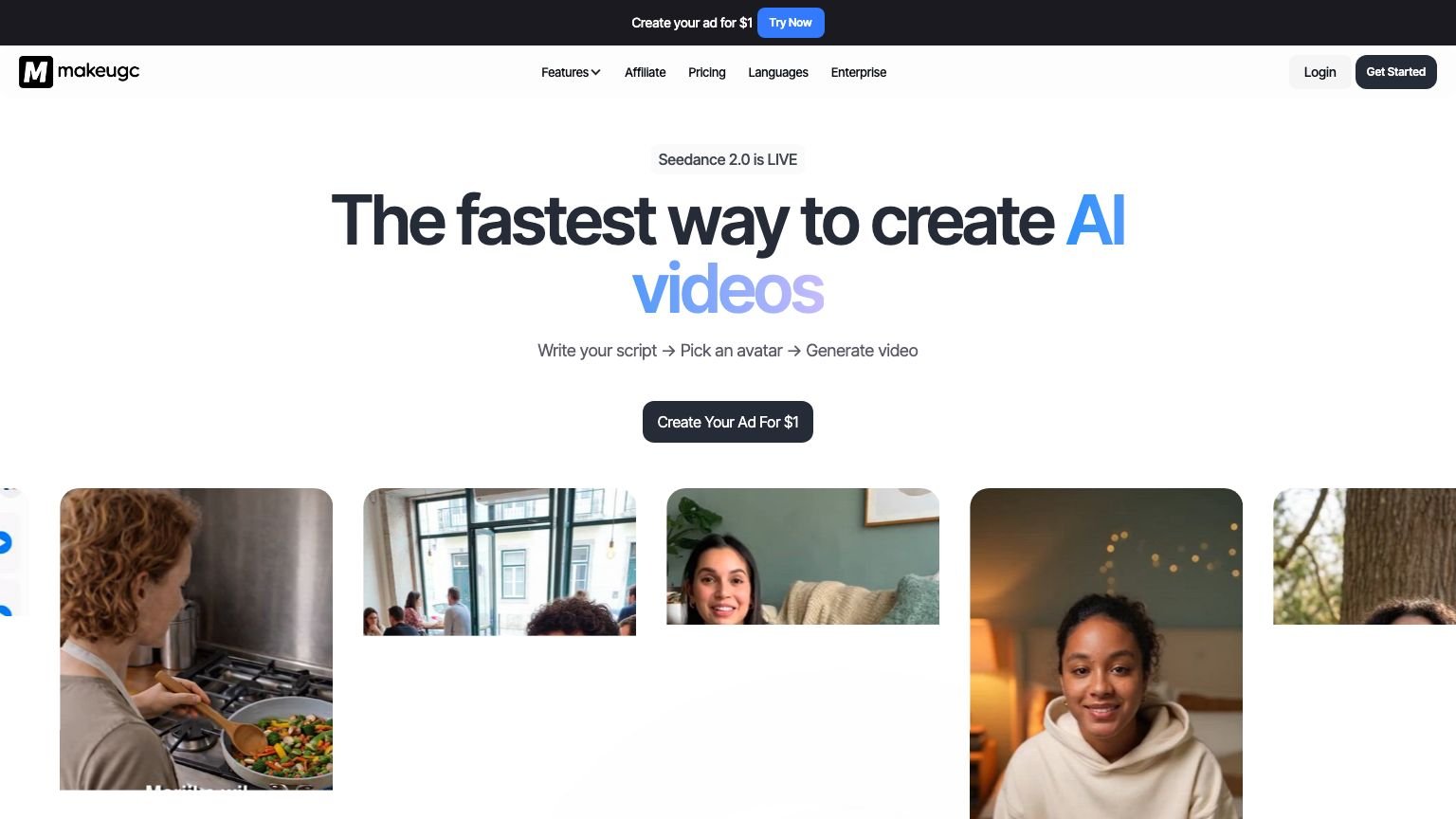
The platform also generates B-roll across multiple AI video models under one login. When we tested in April 2026 the roster included Sora 2, Veo 3.1, Kling 2.6, WAN 2.6, Pixverse V5, and Seedance 2.0. The lineup rotates as new models ship; as of August 2026 the pricing page leads with Seedance 2.5 and Nano Banana Pro. Most competitors lock you into a single model. If one model fails your prompt, switching here takes a click.
Who Is MakeUGC AI Built For?
MakeUGC targets performance marketers running $20-$100/day paid ad budgets who need 10-20 fresh hooks per week without paying human UGC creator rates of $300-$800 per video (Influencer Marketing Hub, 2025). If you’re hitting creative fatigue on Meta or TikTok and need volume fast, this is the tool.
Best fit:
- Solopreneurs and affiliates testing paid ads on tight budgets
- E-commerce brands needing 10-20 fresh creative hooks per week
- Media buyers scaling to multiple creative angles per campaign
- Anyone currently paying $500+/month for human UGC creators
Skip it if:
- You only need one or two videos per year. The subscription won’t pay for itself.
- Your winning ad format requires real hands opening packages or genuine emotional reactions
- Your brand requires specific, consistently castable real faces
How Does MakeUGC Work?
MakeUGC follows a three-step loop any media buyer can execute in under 10 minutes from sign-up to downloaded video. Model selection is where most new users get confused, and where you can accidentally burn credits.
Here’s the exact workflow:
Step 1, Script. Paste your own script or use the built-in AI generator. Keep it under 60 seconds. Scripts over 90 seconds started showing lip-sync drift in the back half in our testing.
Step 2, Actor + Model Selection. Browse the actor library filtered by age, ethnicity, gender, and style. Then choose your video model. The hierarchy we saw in April, by quality and credit cost:
- Talking Actor (Normal): 1 credit, solid for most ad work
- Talking Actor (OmniHuman): 1-2 credits, noticeably better micro-expressions
- Premium models: multiple credits per render, overkill for most direct-response ads
Step 3, Render and Download. Click generate. Renders typically land in 2 to 3 minutes in real-world use. Download the MP4 and upload directly to your ad platform.
The product also includes product-in-hand shots, gesture clips, custom AI avatar cloning, and B-roll generation. The core ad workflow lives in those three steps.
How Much Does MakeUGC Cost?
As of August 2026, MakeUGC runs three credit-based tiers plus Enterprise (MakeUGC pricing page). This is a change from when we first tested in April, when plans were sold as fixed video counts ($49 for 5 videos). The current prices display with a 50% off badge, so treat them as the promo rate and check the page before you buy. The $1 72-hour trial auto-converts to the full plan price after three days, so set a calendar reminder.
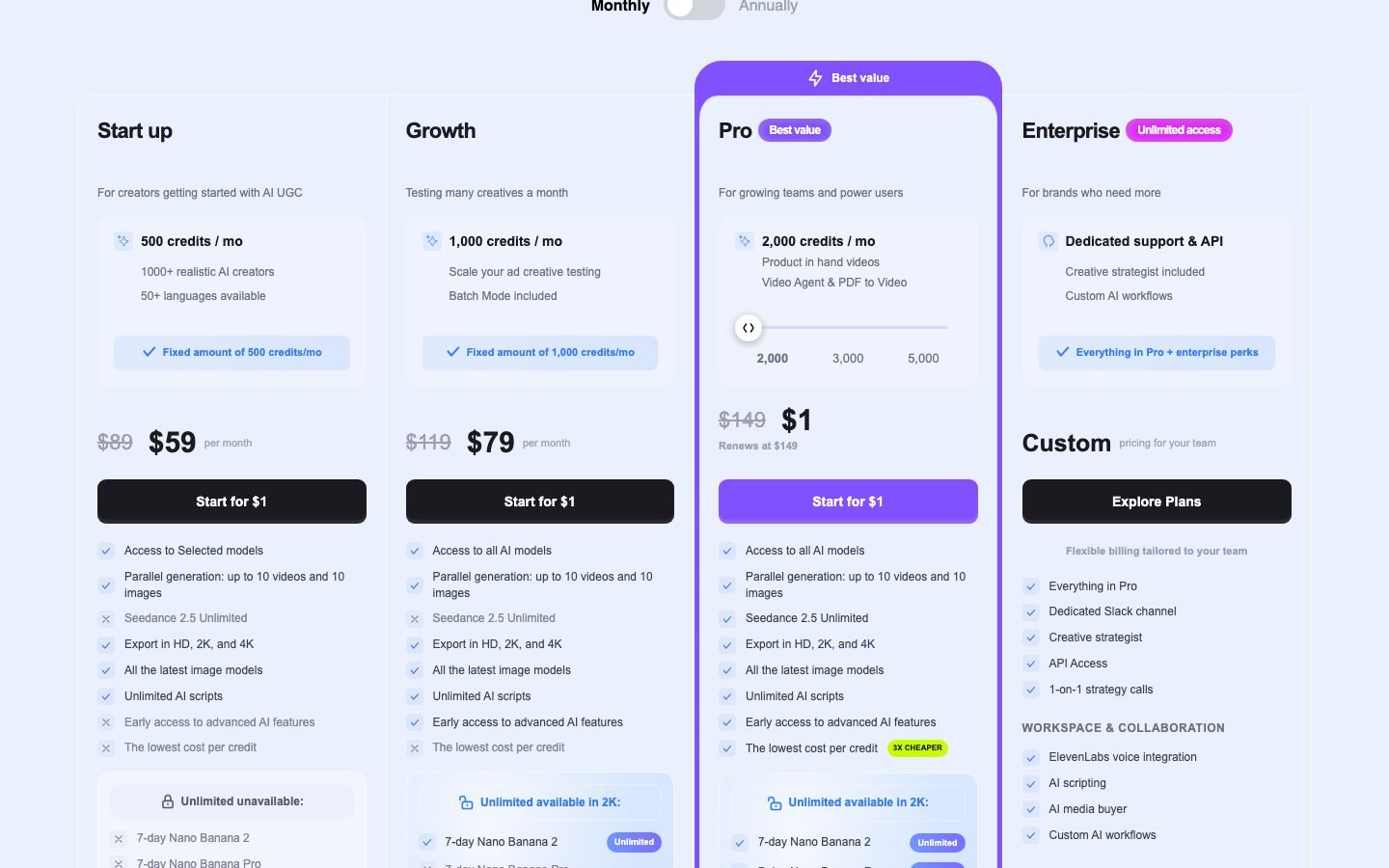
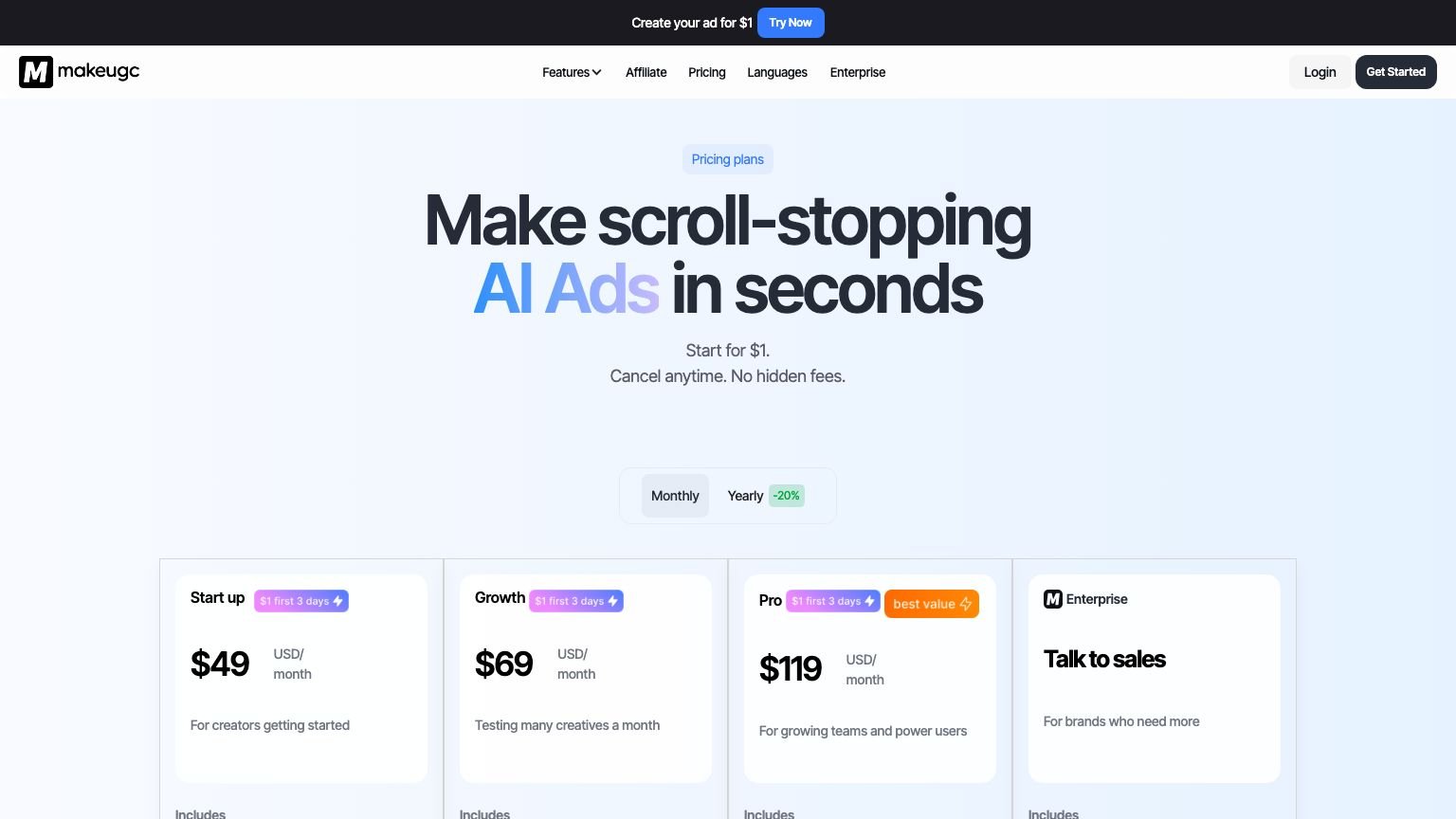
Here’s the breakdown from the pricing page pulled in August 2026:
| Plan | Monthly | Credits/mo | Standout features |
|---|---|---|---|
| Startup | $59 | 500 | Selected models, unlimited AI scripts, HD/2K/4K export |
| Growth | $79 | 1,000 | All AI models, batch mode |
| Pro | $149 | 2,000 | Product-in-hand, Video Agent, PDF to Video |
| Enterprise | Custom | Custom | Volume pricing, contact sales |
Two things worth flagging before you buy.
The credit system is the fine print that matters. One “video” isn’t always one credit. In our April testing a Talking Actor (Normal) render burned 1 credit, OmniHuman burned 1-2, and premium 1080p renders could eat several. Read the credit table on the pricing page before you commit, or you’ll run out mid-month without noticing. Higgsfield plays the same credit game, and the lesson transfers: price the render, not the plan.
Startup gates the model roster. Only Growth and Pro list “access to all AI models.” If you signed up for the multi-model flexibility, the $59 tier only gives you part of it. Budget for Growth at $79 if model choice is the draw.
MakeUGC vs Arcads vs HeyGen: Which Wins for UGC Ads?
MakeUGC beats Arcads and HeyGen on entry price and trial accessibility. Arcads leads on delivery consistency for 50+ videos per month. HeyGen has the deepest corporate localization features and a 700+ actor library (HeyGen pricing page, 2026). For budget paid-ad testers, MakeUGC is the clearest starting point.
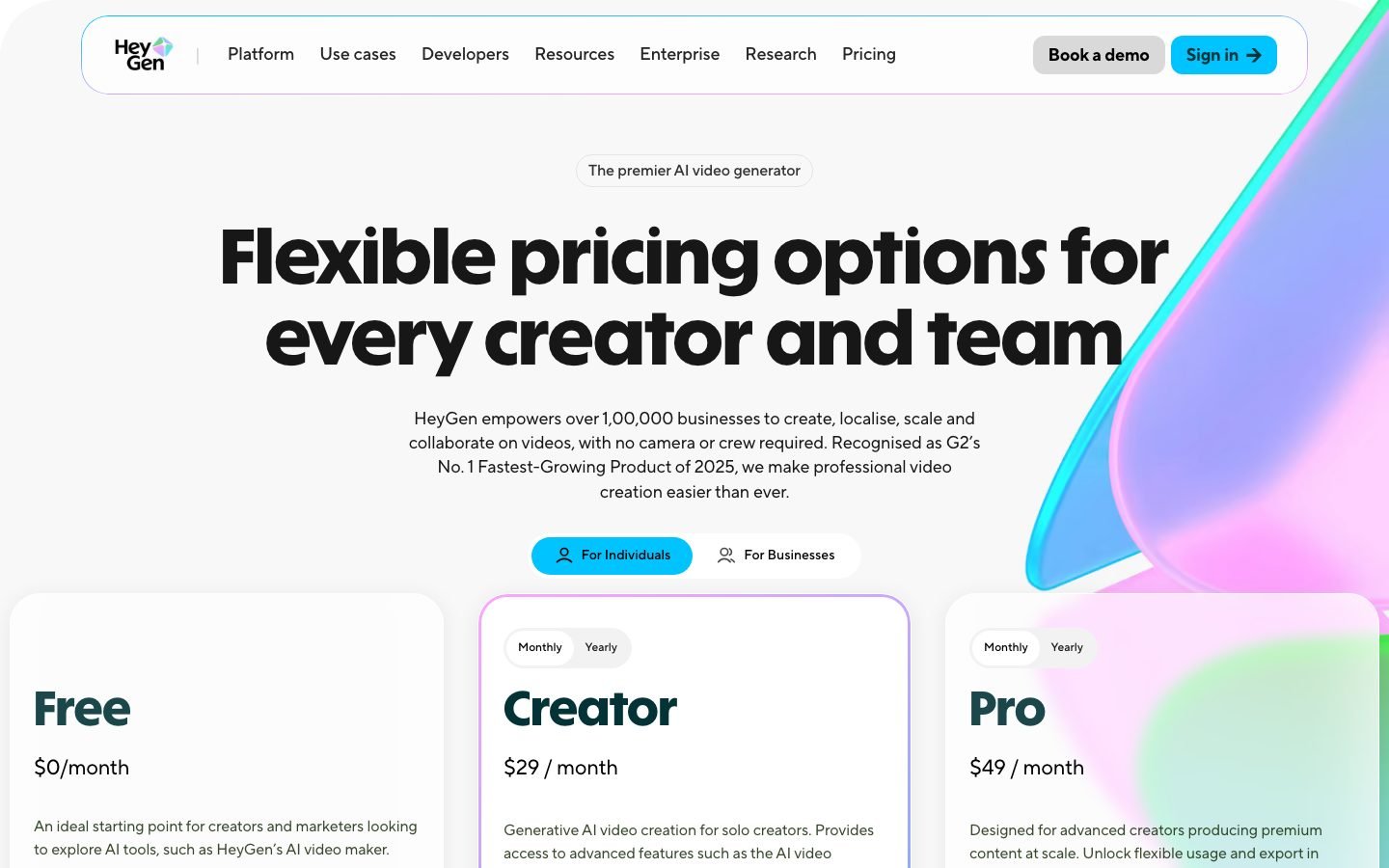
| Feature | MakeUGC | Arcads | HeyGen | Creatify |
|---|---|---|---|---|
| Entry price | $59/mo | $110/mo | $29/mo | $33/mo |
| AI actors | 1,000+ | 300+ | 700+ | 300+ |
| Pricing model | Credits (500/mo entry) | ~$11/video | Unlimited* | Credit-based |
| Custom avatar cloning | Yes | Yes | Yes (Business) | Yes (paid add-on) |
| Free trial | $1 / 72h | None | Free (watermarked) | Free (limited) |
| Product-in-hand shots | Yes (Pro) | Partial | No | Partial |
| Multi-model B-roll | Yes | No | No | Limited |
| Best for UGC ads | Budget paid-ad testing | Agencies, high volume | Corporate, localization | Short-form UGC |
*HeyGen’s Creator plan has a monthly minute cap. Check the fine print.
The comparison that matters most for direct-response advertisers is cost-per-test, not actor count. Arcads works out to roughly $11 per video at entry. On MakeUGC’s Startup plan, 500 credits at the 1-credit standard render rate we saw in April buys far more testing volume per dollar, even if premium models eat credits faster. A media buyer testing 4 angles a week will not exhaust either plan’s ceiling; one testing 20 a week should compare Growth ($79) against Arcads’ $220 tier before deciding.
My take by use case:
- Lowest barrier to test: MakeUGC ($1 trial, no upfront risk)
- Most enterprise polish and localization: HeyGen
- Best for scaling to 50+ ads per month: Arcads still wins on delivery consistency
- Cheapest free-forever plan: Creatify
What Did Our Testing Actually Show?
We ran a batch of videos through MakeUGC over roughly a month, testing scripts across several niches: AI tools, affiliate course promotion, a mock DTC coffee brand, and a B2B SaaS demo. Three wins, two real frustrations.
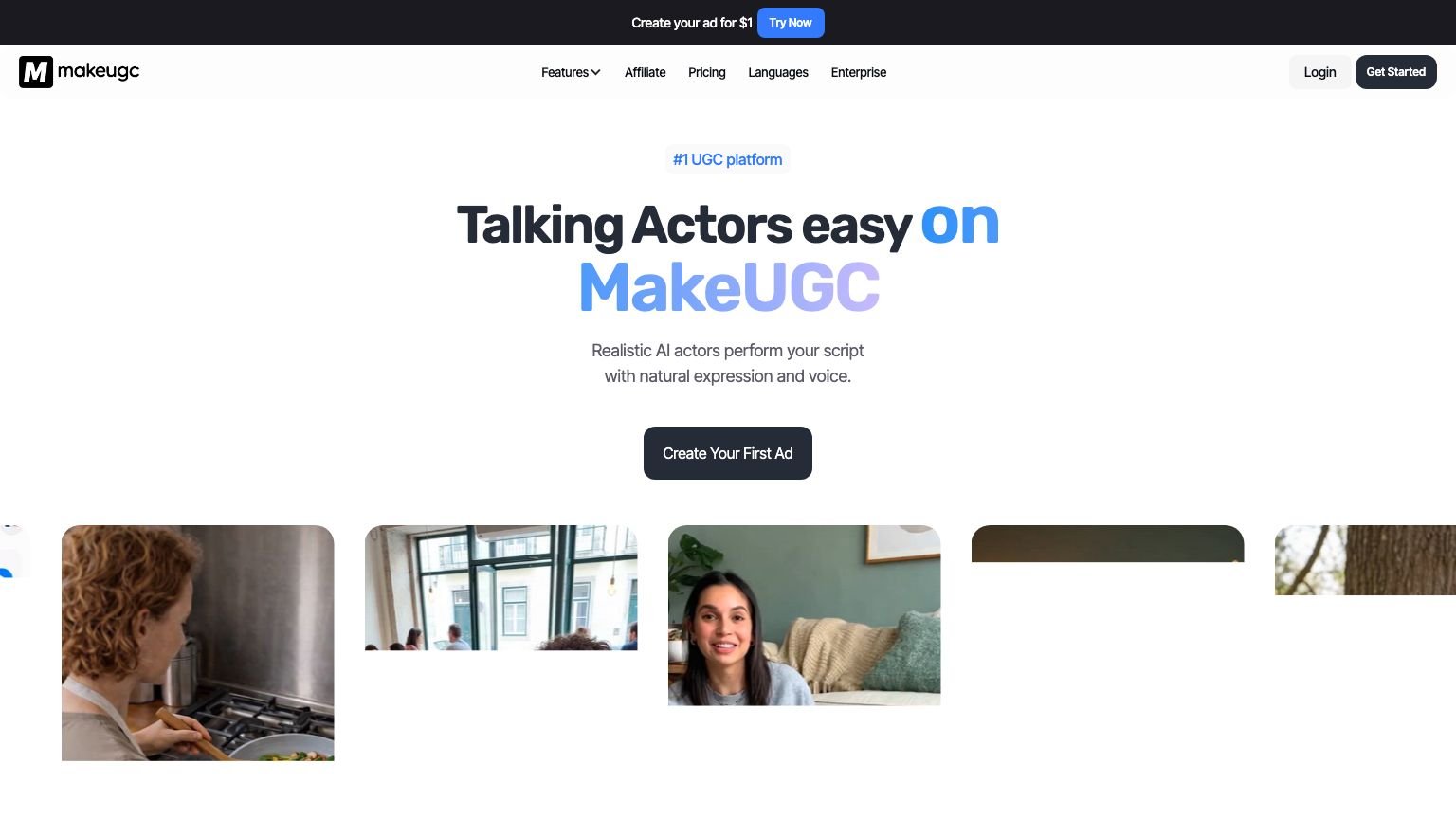
Win 1, the actor library is deeper than advertised. We found a credible actor match for each niche quickly. The age range runs from early 20s to mid-50s. The ethnic mix is noticeably broader than Arcads’. You can filter by gender, skin tone, apparent age, and vibe (casual, professional, energetic) without scrolling through hundreds of irrelevant options. The library claimed 500+ actors when we tested; the homepage now claims 1,000+.
Win 2, render speed is real, not marketing copy. Real-world renders landed in roughly 2 to 3 minutes. Fast enough to iterate on a few angles while drinking a coffee. Arcads averaged about the same in our testing.
Win 3, the OmniHuman model is the sweet spot. Normal Talking Actor looks fine for most ads. OmniHuman’s facial micro-expressions are visibly better. The actor blinks naturally, makes subtle eyebrow movements, and doesn’t have the uncanny-valley stillness that gives away cheaper AI video. It costs 1 to 2 credits instead of 1, but it’s worth it for any ad where the actor is on screen more than 10 seconds.
Frustration 1, scripts over 90 seconds drift. Lip-sync started losing accuracy in the back half of longer scripts. Keep every script under 60 seconds and you won’t notice. Go longer and the actor’s mouth falls slightly out of sync.
Frustration 2, B-roll was inconsistent. The Seedance B-roll generator produced a usable clip only some of the time, and regeneration costs another credit. If you’re planning B-roll-heavy content, budget for the waste or use a separate B-roll tool.
MakeUGC AI Reviews: What Users Say
MakeUGC AI reviews are split. On Trustpilot the profile holds around 200 reviews, roughly half five-star and nearly half one-star, and Trustpilot has flagged the profile with a guideline warning, so read the raw reviews rather than the averaged score (Trustpilot, 2026). My own month of testing lines up with the pattern.
- What positive reviewers praise: render speed, how real the AI actors look, and how little skill it takes to ship a first video. That matches our testing.
- The dominant one-star theme is billing, not output: trouble cancelling and charges continuing after cancellation.
- Quality gripes are specific: lip-sync slipping on longer scripts and credits draining faster than expected, both of which we saw too.
Practical takeaway across the makeugc.ai and “make ugc ai” reviews: the video output earns its price, but treat the $1 trial as a hard deadline. Cancel from the billing dashboard before the 72-hour mark and keep the confirmation email.
Is the $1 MakeUGC Trial Legit?
The MakeUGC $1 trial is genuine, and it’s still live on every plan as of August 2026 (MakeUGC pricing page). One condition trips up new users: it auto-converts to the full plan price after 72 hours. Worst-case exposure is about $59 if you forget and signed up on Startup.
Our recommended trial strategy:
- Sign up on Startup ($59/mo post-trial, cheapest exposure if you forget)
- Generate 5 to 8 test videos across your actual ad niches
- Run a quick blind test: send the videos to someone unfamiliar with AI video and ask if they look real
- Decide to keep or cancel before the 72-hour mark
- If you’re keeping it: move up to Growth or Pro before your first billing cycle if you need the full model roster or product-in-hand
The $1 is a genuine commitment signal, not a scam. You get real access to the feature set of the tier you pick. Just set the calendar reminder.
What Features Set MakeUGC Apart?
MakeUGC separates itself from cheaper competitors on three features that most alternatives either don’t offer or lock behind enterprise pricing (MakeUGC features page, 2026). Each one earns its place in a direct-response ad workflow.
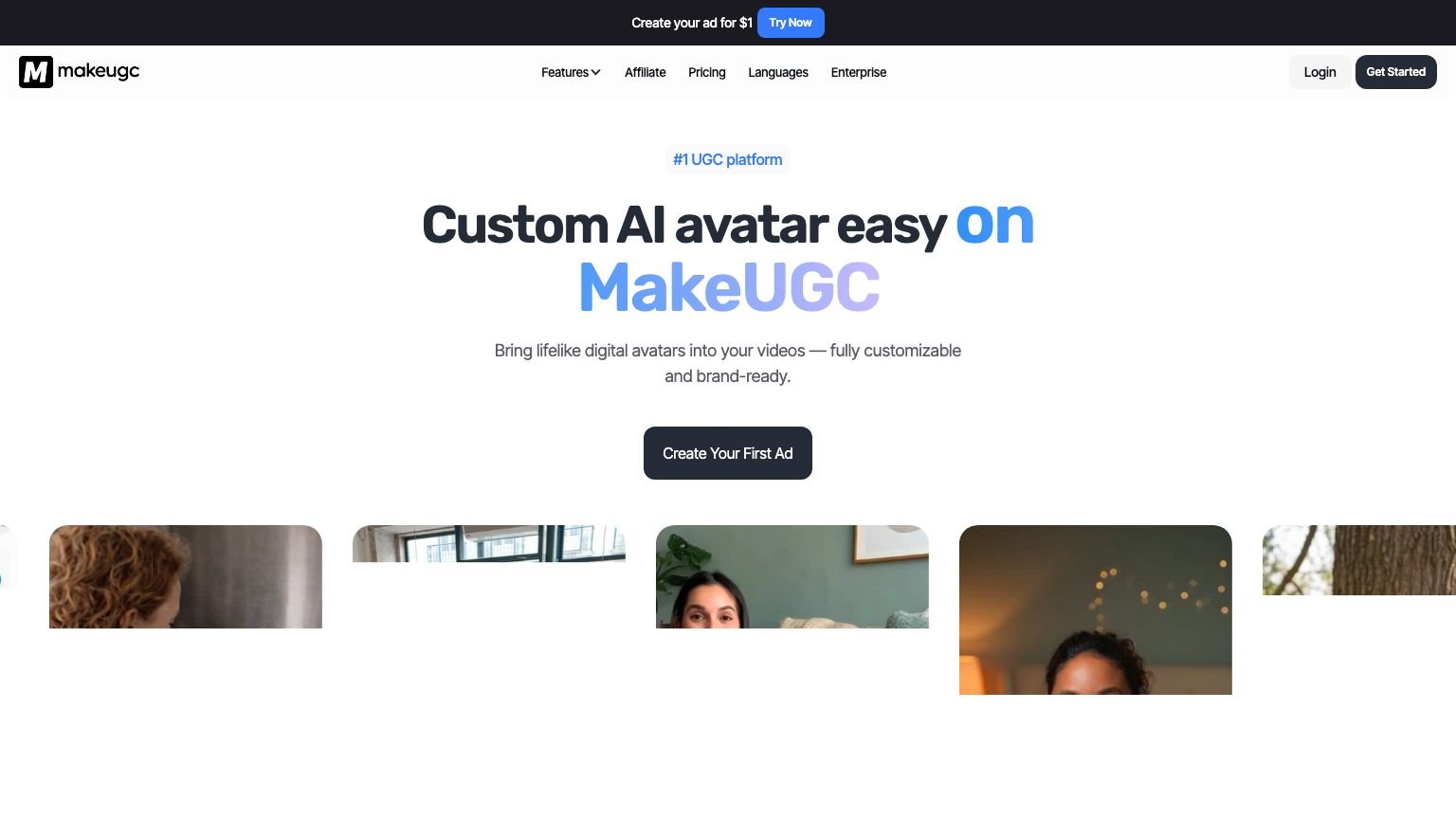
Custom AI Avatar Cloning
Upload a short video of yourself and MakeUGC builds a digital clone you can script against indefinitely. Useful if you’re building a personal brand and don’t want to appear on camera every week. Clone quality depends heavily on the source video. Well-lit, stable footage produces a noticeably better result than a phone selfie.
Product-in-Hand Rendering
Upload a product image and MakeUGC inserts it realistically into an actor’s hand. Most competitors still fake this with green-screen overlays that look obvious to anyone who’s run enough paid-ad creative. MakeUGC’s rendering is convincing enough to use in production ads. It sits on the Pro tier ($149/mo), not Startup or Growth.
Multi-Model B-Roll Coverage
Under one login you get several AI video models instead of one. In our April testing that meant Sora 2 for abstract and lifestyle scenes, Kling 2.6 Pro for product shots, and Veo 3.1 for outdoor real-world footage. The roster has shifted since (Seedance 2.5 and Nano Banana Pro headline the current pricing page), but the principle holds: if one model fails your prompt, switching takes a click instead of a second subscription.
Can MakeUGC Replace a Human UGC Creator?
MakeUGC can replace a human UGC creator for most performance-marketing use cases. AI-generated UGC video is now hard to distinguish from real creator content at scroll speed, and the economics make the switch hard to argue against.
Human creators still have a genuine edge in two specific situations: actual product unboxing and opening shots (you need real hands for that), and emotional reaction content where genuine surprise or laughter drives the hook. For both of those, keep a human on retainer.
For everything else (talking-head hooks, testimonials, direct-response scripts, explainers, benefit-driven sales monologues) AI output is performance-equivalent or better. You can generate 10 angle variants in an hour. The same volume from a human creator takes two weeks and $3,000+.
At $59-$149/month versus $500-$2,000/month for a capable human UGC roster, the math is lopsided. Scale is the deciding factor: if you need 5 videos per year, hire people. If you need 5 videos per week, AI wins on cost and speed.
What Would Improve MakeUGC?
Three changes would move MakeUGC’s rating from 4.3 to 4.8 without requiring any new AI models or major infrastructure work.
1. Show credit cost before the render button. We burned unexpected credits on a premium 1080p render because the credit cost wasn’t visible before clicking generate. A simple “this render will cost X credits” preview would prevent the most common user complaint in review threads.
2. Unlock all models on Startup. The $59 tier only includes “selected models” while Growth gets the full roster. Model flexibility is the product’s best argument against single-model competitors, so gating it at the entry tier undercuts the pitch. Even a limited monthly allowance of premium-model renders on Startup would fix it.
3. A proper script editor. The current interface is a basic textarea. Competitors let you break scripts into scenes, set timing per line, and preview pacing before rendering. MakeUGC makes you eyeball everything, which adds iteration time when a script runs long or short.
Pros and Cons
| Pros | Cons |
|---|---|
| $59/mo entry, about half of Arcads’ price | 500 credits on Startup goes fast on premium models |
| 1,000+ AI actors, broad age and ethnic range | Credit math confusing (premium renders = multiple credits) |
| $1 72-hour trial with real feature access | Product-in-hand locked to Pro ($149/mo) |
| ~2-3 minute render time in real-world use | Lip-sync drifts on scripts over 90 seconds |
| Multiple B-roll models under one login | No free forever plan |
| Custom AI avatar cloning available | Startup tier gates the model roster |
| Full commercial use rights on all plans | Basic textarea script editor |
Is MakeUGC Worth It?
MakeUGC is worth it for anyone running paid ads who needs a steady flow of UGC creatives every month. The $59 Startup entry point is about half of Arcads’ price, the actor library covers most niches, and the $1 trial removes the risk from the evaluation. For $149/month you get 2,000 credits, product-in-hand, and enough volume to run a serious creative-testing program at a quality level that holds up at scroll speed.
Summary scores:
- Realism: 4.4/5
- Render speed: 4.8/5
- Value for money: 4.5/5
- Ease of use: 4.2/5
- Overall: 4.3/5
Buy it if: You run paid ads and need 10+ fresh UGC creatives per month.
Skip it if: You only produce 1-2 videos per year, or your top-performing ad format requires real product handling or genuine emotional reactions.
MakeUGC AI FAQ
What is MakeUGC AI?
MakeUGC AI is a script-to-video ad generator that produces photorealistic UGC-style spokesperson videos using 1,000+ AI actors. You write a script, pick an actor, choose a video model, and receive a downloadable MP4 in about 2 minutes. Plans start at $59/month with a $1 72-hour trial. It’s built for paid-ad marketers on Meta, TikTok, and YouTube.
Is MakeUGC worth it?
MakeUGC is worth it for performance marketers who need a steady supply of UGC creatives. At $59-$149/month versus $500-$2,000/month for human UGC creators, the cost case is strong. The $1 trial lets you validate output quality in your specific niche before committing. The credit system is the main thing to watch: premium models burn credits faster than the standard talking-actor renders.
How does MakeUGC work?
MakeUGC follows three steps: paste or generate a 30-60 second script, select an AI actor and a video model, then click render. Videos complete in 2-3 minutes. You download the MP4 and upload directly to your ad manager. The platform also supports B-roll generation, product-in-hand shots, and custom AI avatar cloning for more complex creative formats.
How much does MakeUGC cost?
As of August 2026, MakeUGC costs $59/month (Startup, 500 credits), $79/month (Growth, 1,000 credits), or $149/month (Pro, 2,000 credits), with those prices shown as a 50% off promo. Enterprise plans are available by contacting sales. A $1 72-hour trial is available and auto-converts to the full plan after three days.
MakeUGC vs Arcads: which is better in 2026?
For budget paid-ad testing, MakeUGC wins. It costs about half of Arcads’ entry price ($59 vs $110), offers a $1 trial versus no trial, and has a wider actor library (1,000+ vs 300+). Arcads holds the edge for agencies running 50+ videos per month who need strict delivery consistency. For most advertisers testing under 20 creatives per week, MakeUGC is the better starting point.
Can I cancel MakeUGC anytime?
Yes. Cancel from the billing dashboard before your next renewal date. No cancellation fees. The $1 trial auto-converts to the full plan after 72 hours, so cancel inside the trial window if you don’t want to continue. Starting the trial on Startup ($59 post-trial) limits your worst-case exposure to about $60 if you forget to cancel.
Key Takeaways
- MakeUGC starts at $59/month, about half of Arcads’ entry price
- $1 72-hour trial auto-converts after three days, so set a reminder
- 1,000+ AI actors as of August 2026; OmniHuman was the quality sweet spot in our testing
- Plans are credit-based now: 500 credits on Startup, 2,000 on Pro
- The stack that worked for us: scripts under 60 seconds, OmniHuman model, Growth or Pro plan
- Biggest user mistake: burning credits on premium models without checking the credit table first
Related Reading
Full pros & cons
- Starts at $59/mo, about half of Arcads' entry price
- 1,000+ AI actors as of August 2026 (vs Arcads' 300+)
- $1 72-hour trial lets you test real output before committing
- Renders in roughly 2 minutes per video
- Multiple AI video models under one login
- 500 credits/month on Startup disappears fast on premium models
- Credit math gets confusing (premium renders burn multiple credits)
- Product-in-hand only unlocks on Pro ($149/mo)
- Lip sync on non-English scripts can miss
- No free plan; the trial costs $1
Try it yourself
Ready to put it to the test?
We may earn a commission at no extra cost to you. Affiliate disclosure.
Reader feedback
Was this review helpful?
Your feedback helps us write better reviews.
Thanks for your feedback.

AI Funnel Insider is an independent review site covering AI tools, Skool communities, and online courses. Every community and tool reviewed here is personally joined, paid for, and tested before a verdict goes live. Reviews are independent and may contain affiliate links, at no extra cost to you.
Related Posts

Arcads AI Review 2026: I Tested 24 Scripts (Pricing)
I ran Arcads AI across 24 scripts and 8 AI actors to see if the UGC ads hold up. Real output quality, pricing, and who should skip it.

AI Video Skool Review 2026 (Andy Han's $9/mo Contest Community)
Andy Han's AI Video Skool offers a price locked for life, weekly cash contests, and a UGC Lab. Is it worth it in 2026? My honest breakdown before you join.

Syllaby Review 2026: AI Video That Gets Leads?
Can Syllaby turn content into consistent traffic and leads? An honest take on faceless video, scripts, scheduling, pricing, and who it fits.

AI Video Creators Skool Review 2026: $9 Now, $49 Later
AI Video Creators Skool has 3,100+ members and 4.4/5 on Trustpilot. Is $9/mo worth it before the price jumps to $49? Honest 2026 review.

Higgsfield AI Review 2026: Pricing, Credits, the Catch
Higgsfield AI's credit pricing looks cheap until the 90-day expiry kicks in. Real plan costs, the credit trap, and how it compares to Kling and Veo.

AI Video Bootcamp Review 2026: Worth $9/mo?
AI Video Bootcamp is Daniel Riley's $9/mo Skool with 26,600+ members and a 9-phase AI video curriculum. Is it worth joining? Full review inside.
The Insider Newsletter
One honest review, every Sunday.
Get our weekly breakdown of which AI tools and Skool communities are worth buying. Built for marketers, founders & solopreneurs.