Higgsfield AI Review 2026: Pricing, Credits, the Catch
Higgsfield AI's credit pricing looks cheap until the 90-day expiry kicks in. Real plan costs, the credit trap, and how it compares to Kling and Veo.

120+ image, video and voice models (Sora 2, Veo 3.1, Kling 3.0, Seedance 2.5) under one subscription
Veo 3.1 costs ~29 credits per 4-second clip and Sora 2 Pro 30-54; only base Sora 2 is cheap
Quick Decision
👍 Best for: Creators shipping cinematic shorts, reels, and product ads who want Sora 2, Veo 3.1, and Kling 3.0 in one dashboard.
👎 Skip if: You need a full video editor, unlimited premium-model generations, or eCommerce-specific UGC ad templates.
💡 Bottom line: Higgsfield is the strongest multi-model video platform in 2026, but only if you understand the credit math. Current pricing runs $19/month (Starter), $47/month (Plus, annual), and $99/month (Ultra, annual). Start on the $3 one-time pass, then Plus is the sweet spot. Ultra only makes sense if you’re shipping 15+ premium clips a week.
Last updated: September 8, 2026
TL;DR: Based on vendor documentation and verified user reports, Higgsfield AI earns 4.3/5 as the strongest multi-model AI video platform for cinematic short-form work. The Plus tier ($47/month annual, 1,200 credits) produces roughly 34-57 usable Kling 3.0 clips a month at 720p once you factor in retries. Skip it if you need a built-in editor or unlimited premium-model generations.
Pricing snapshot (verified September 8, 2026, US catalogue):
| Plan | Monthly billing | Annual billing | Credits / mo |
|---|---|---|---|
| $3 one-time pass | $3 once | n/a | 40 credits + 2-day unlimited Soul 2.0 |
| Starter | $19/mo | $19/mo | 270 |
| Plus | $59/mo | $47/mo | 1,200 |
| Ultra | $129/mo | $99/mo | 3,000 |
Want to make money with AI video, not just generate it? Higgsfield is a great generator. The tool itself won’t teach you how to turn faceless AI video into income. That’s a different skill set. If that’s your real goal, this is what I actually use: AI Video Bootcamp for the playbook and community, and Blotato to post faceless video across every platform on autopilot.
What is Higgsfield AI and who is it for?
Higgsfield AI is a multi-model AI video platform that puts 15+ generation engines, including OpenAI Sora 2, Google Veo 3.1, Kling 3.0, WAN 2.6, and Seedance, under one credit-based subscription. Founded in 2023 by ex-Google Brain engineers, the company was reportedly valued near $1B in a 2025 funding round (TechCrunch, 2025).
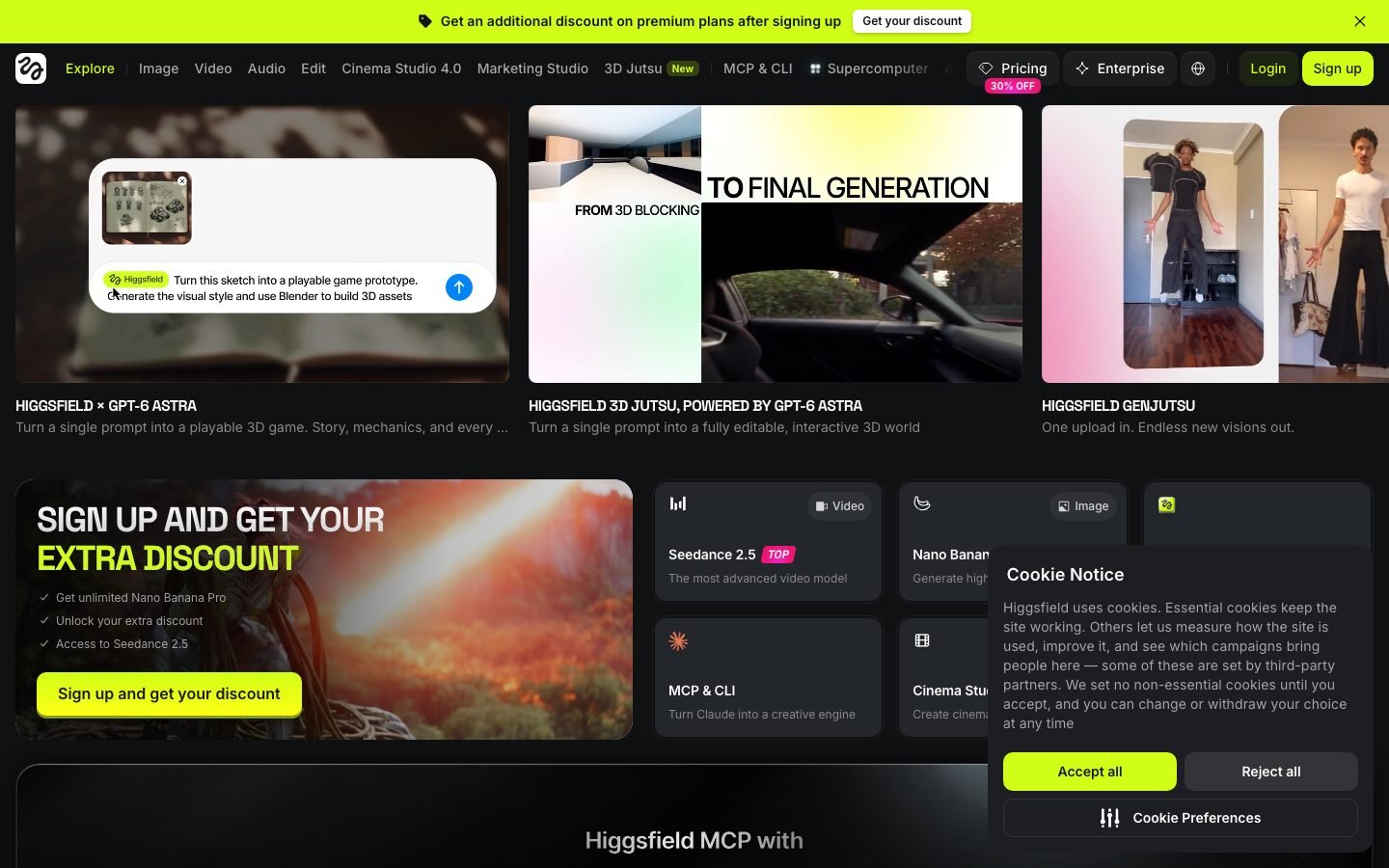
The platform sits in a different lane from tools like Runway (generalist creative suite) or Arcads (talking-head UGC). Where most AI video tools give you one house model, Higgsfield gives you a model switcher. Pick Kling 3.0 for realistic human motion, Sora 2 for story beats, Veo 3.1 for high-gloss ad shots, or Soul 2.0 for cheap iteration, all from the same project. The 70+ cinematic camera presets (Crash Zoom, Bullet Time, 360 Rotation, Dolly) layer on top.
It also bundles image generation (Nano Banana Pro, Flux 2, Seedream), character consistency (Soul ID), lipsync, voice cloning via ElevenLabs integration, and a small Cinema Studio for optical physics. One trade-off matters most: you get a clip generator without an editor. You still need CapCut, Premiere, or DaVinci to stitch anything together.
What is Higgsfield AI used for?
Higgsfield AI is used for generating short cinematic video clips (up to 30 seconds) for social media, short-film pre-viz, AI-native storytelling series, product ads, and UGC-style content. It’s popular for cinematic human motion, branded character work, and music-video-style edits where camera movement matters. Creators export the clips to external editors for final assembly.
Higgsfield AI features and updates in 2026
Higgsfield expanded from 15 to 120+ image, video and voice models in 2026 (the September 2026 pricing page counts 120) and added native lip-sync and multi-shot tools that used to need separate software. The platform now runs Sora 2, Veo 3.1, Kling 3.0, Seedance 2.0, WAN 2.6, and MiniMax Hailuo 02 under one subscription (Higgsfield features guide, 2026).
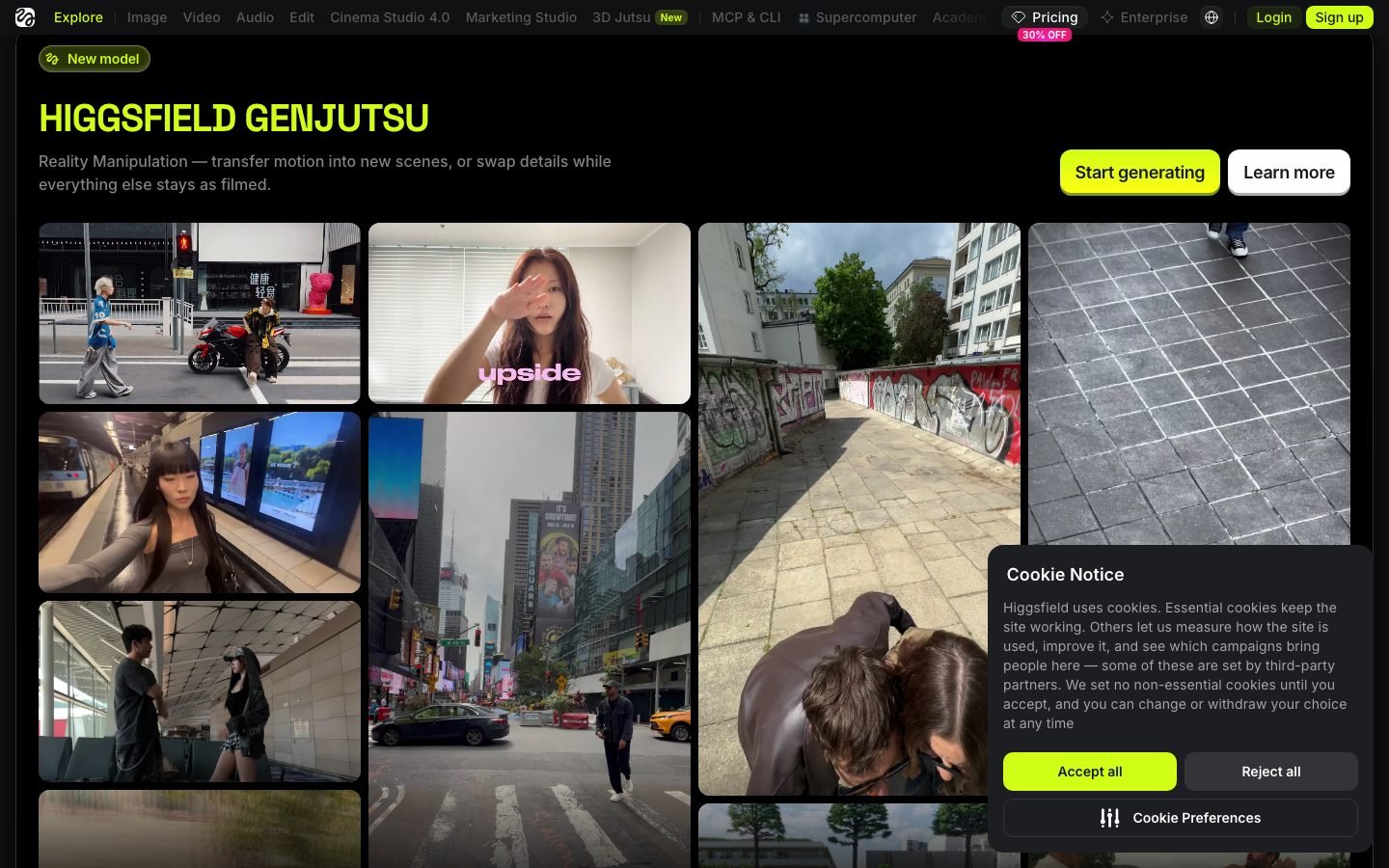
- Seedance 2.0 generates phoneme-level lip-sync in 8+ languages in the same render pass, so a talking UGC clip no longer needs a separate audio step.
- Kling 3.0 added multi-shot storyboarding with Voice Binding, which holds one character’s voice across up to six cuts and five languages.
- The Apps library passed 80 purpose-built tools (Face Swap, Lipsync Studio, Product Placement, Outfit Swap, Angles 2.0), and an MCP connector now lets Claude Code trigger generations directly.
- Plan prices held at $19, $47, and $99 annual through September 2026, unchanged since the mid-2026 increase (Higgsfield pricing, verified September 2026).
How much does Higgsfield AI cost in 2026?
Higgsfield AI pricing as of September 8, 2026 runs three main tiers on the US catalogue: Starter at $19/month (270 credits), Plus at $59/month or $47/month on first-year annual billing (1,200 credits), and Ultra at $129/month or $99/month annual (3,000 credits). The pricing page no longer lists a free plan. The cheapest listed entry is a $3 one-time access pass with 40 credits, two days of unlimited Soul 2.0 and access to the top models (Higgsfield pricing page, checked September 8, 2026). Annual billing saves 20-23% on Plus and Ultra. Higgsfield’s own credit-per-dollar figures: Starter $1 = 15 credits, Plus $1 = 26, Ultra $1 = 31, Team $1 = 33.
Two expiry rules do the damage. Subscription credits die at the end of each credit cycle with zero rollover, and annual plans refresh credits every 30 days rather than handing you a year’s worth up front. Top-up credit packs expire 90 days after purchase (Higgsfield Terms of Use, checked September 8, 2026). Buy credits you can’t burn and you’ve donated the money.
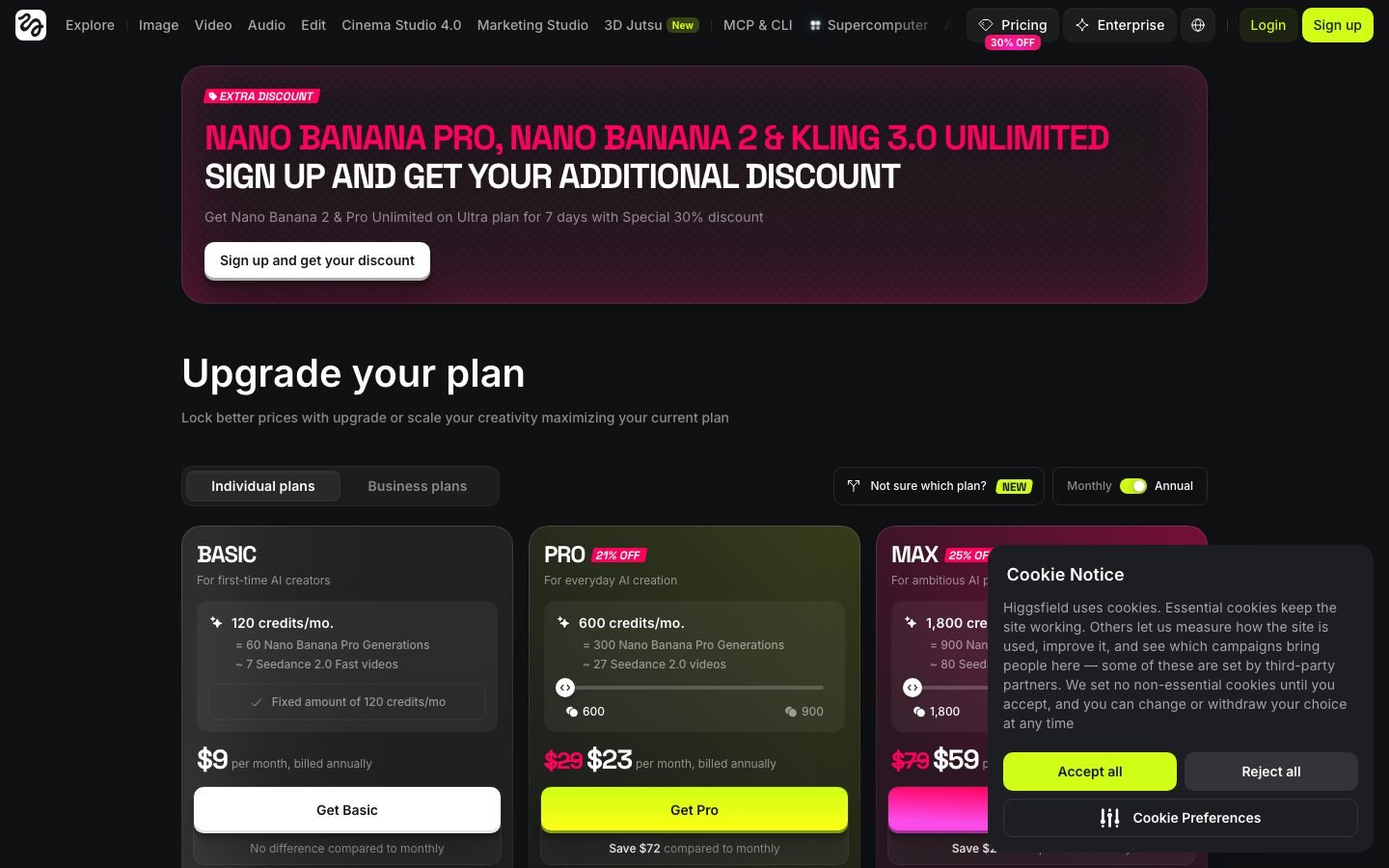
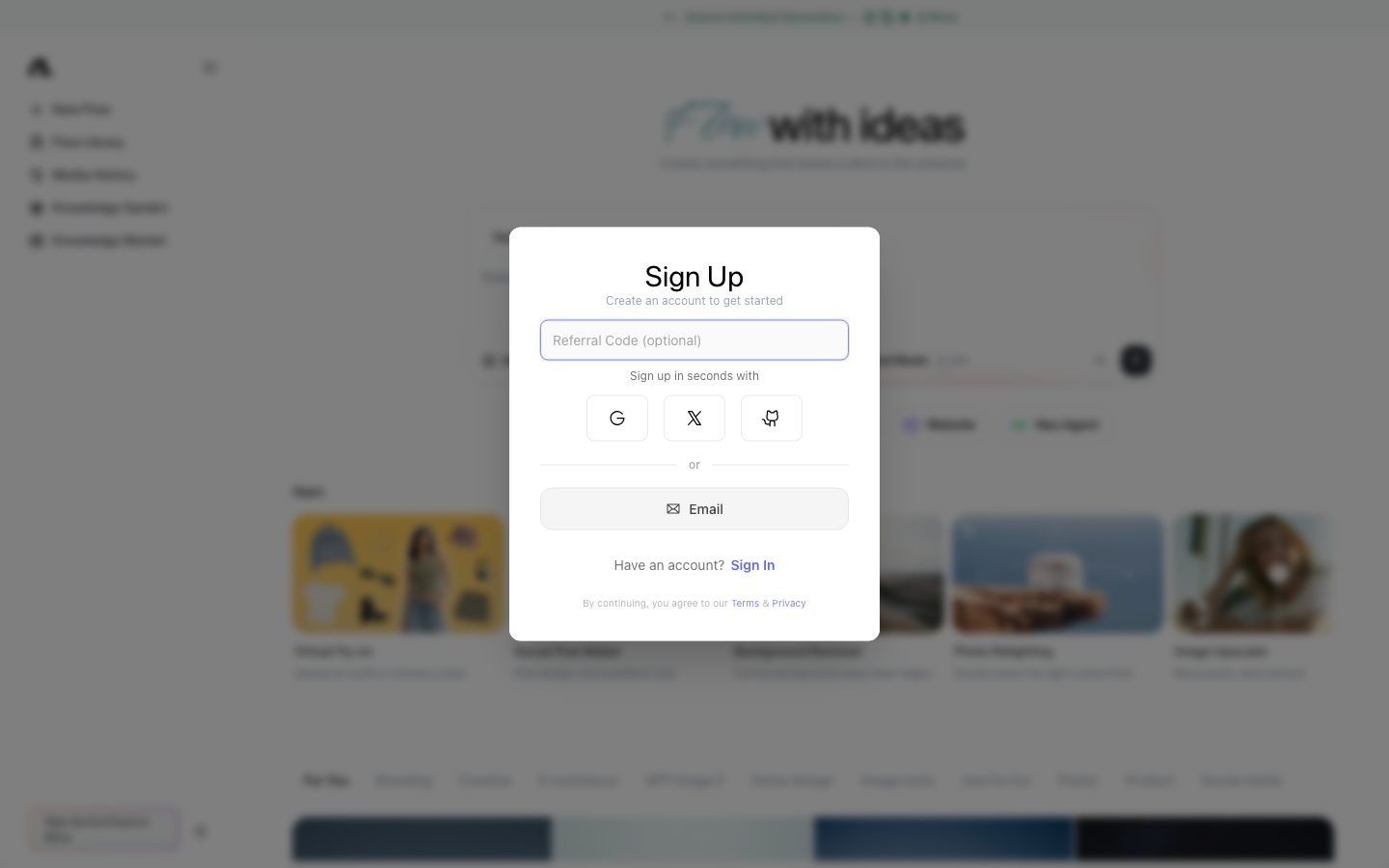
Note that prices moved up in mid-2026. Earlier in the year the annual tiers ran $15 / $39 / $99, and older third-party guides still quote those numbers. Higgsfield also serves a second catalogue by country and test segment (the pricing page sets cookies named for country and variant). From India on September 8, 2026 the same page showed Basic at $9/month (120 credits), Pro at $43/month or $23/month annual (900 credits) and Max at $79/month or $59/month annual (1,800 credits). Your checkout screen may not match every review you read. The figures above are the US catalogue.
Credit cost per generation, the part most reviews skip. These per-clip costs come from the model table on Higgsfield’s pricing page, checked September 8, 2026:
- Nano Banana Pro image: ~2 credits
- Seedance 2.0 video: ~17 credits per 5 seconds on Fast 720p, ~22 standard, ~45 at 1080p
- Kling 3.0 video: ~7 credits per 5-second clip at 720p, ~8 at 1080p, ~30 at 4K
- Sora 2 video: ~10 credits per 4 seconds at 720p; Sora 2 Pro 30-50; Sora 2 Pro Max 34-54
- Veo 3.1 video: ~11 credits per 4 seconds on Fast, ~29 standard; Veo 3 ~58 per 8 seconds
- Cinema Studio with camera motion + upscale: 80+ credits
- Face swap and VFX templates: 5-20 credits
On the Plus plan ($47/month annual), 1,200 monthly credits translate to roughly 170 raw Kling 3.0 generations at 720p. After the typical 3-5x iteration rate, that’s 34-57 usable clips, or about $0.82-$1.38 per usable clip. Plus also includes a 7-day unlimited window on Kling 3.0, so front-load your Kling work into the first week of a cycle and the math improves.
How much does Higgsfield AI actually cost per usable video?
Higgsfield AI costs roughly $0.82-$1.38 per usable Kling 3.0 video on the Plus plan and about $3-8 per usable Veo 3.1 or Sora 2 Pro clip on Ultra, once you factor in the 3-5x iteration rate most creators hit. The headline plan prices are misleading until you apply real-world retry math.
Higgsfield AI plan-by-plan math
| Plan | Price (annual) | Credits / mo | Kling 3.0 usable clips (720p) | Veo 3.1 / Sora 2 Pro usable clips | Best for |
|---|---|---|---|---|---|
| $3 pass | $3 once | 40 | 1-2 | 0 | Kicking tires |
| Starter | $19/mo | 270 | 8-13 | 1-3 | Testing the platform |
| Plus | $47/mo | 1,200 | 34-57 | 5-13 | Regular creators (sweet spot) |
| Ultra | $99/mo | 3,000 | 85-143 | 12-34 | High-volume production |
| Business | Custom / per-seat | Shared pool | Shared | Shared | Agencies, team workspaces |
Refund policy gotcha: refunds are only available within 7 days of your initial purchase, and only if absolutely zero credits have been used. Renewals are non-refundable. A service fee up to 6% may apply to the refund where local law allows it.
Is the “365-Day Unlimited” plan actually unlimited?
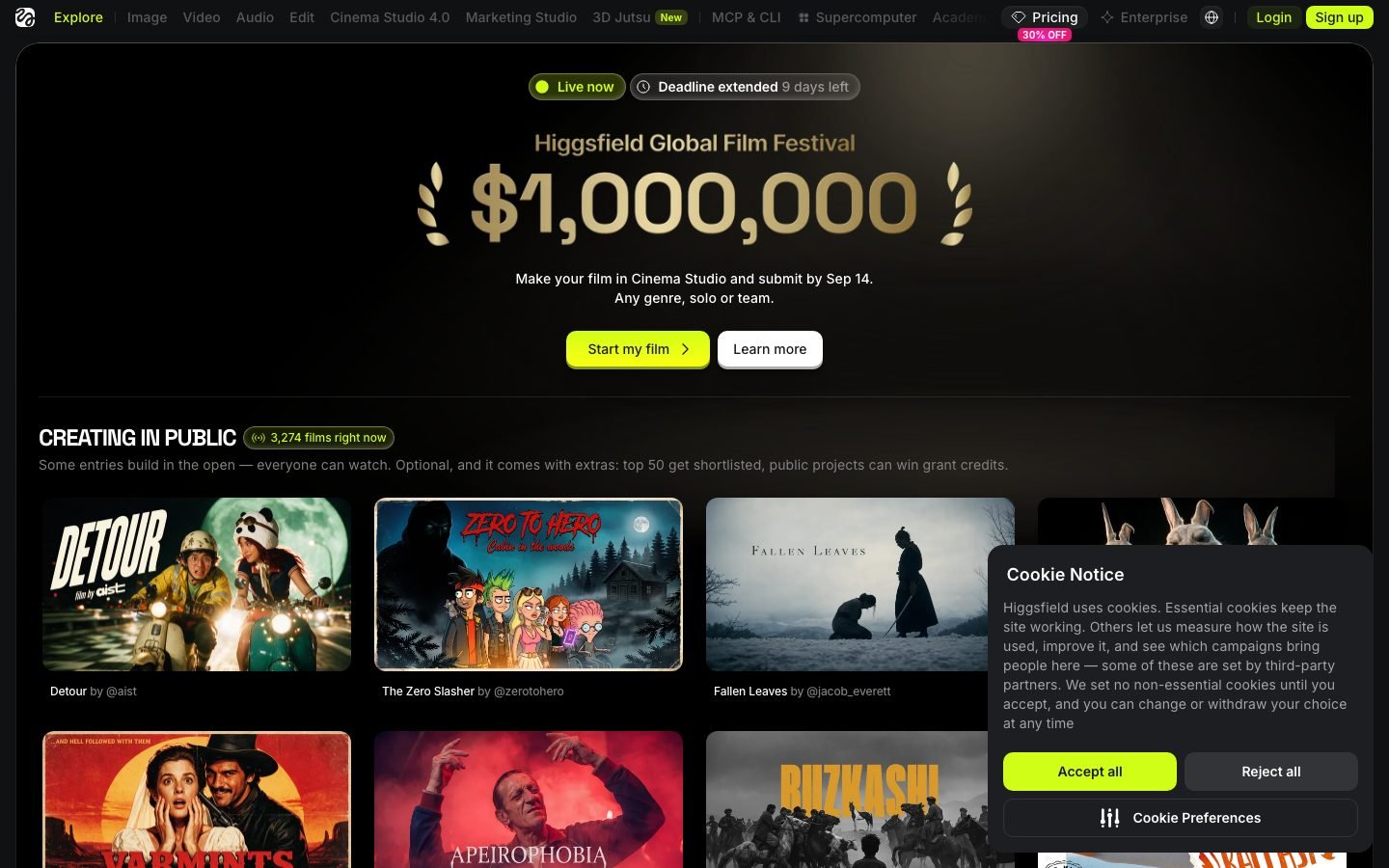
No. Higgsfield’s “365-Day Unlimited” headline is mostly an image-generation perk, not video. The promo gives one year of unlimited generations on the models listed on each plan card, and that list is image-led. Unlimited jobs also run in the standard queue with “dynamic speed adjustment” at peak hours, while credit jobs get the priority queue (Higgsfield pricing FAQ, checked September 8, 2026). Premium video works differently. Kling 3.0, Nano Banana 2 and Nano Banana Pro get a 7-day unlimited window on Plus and Ultra, then revert to credits. Sora 2 and Veo 3.1 cost credits on every generation.
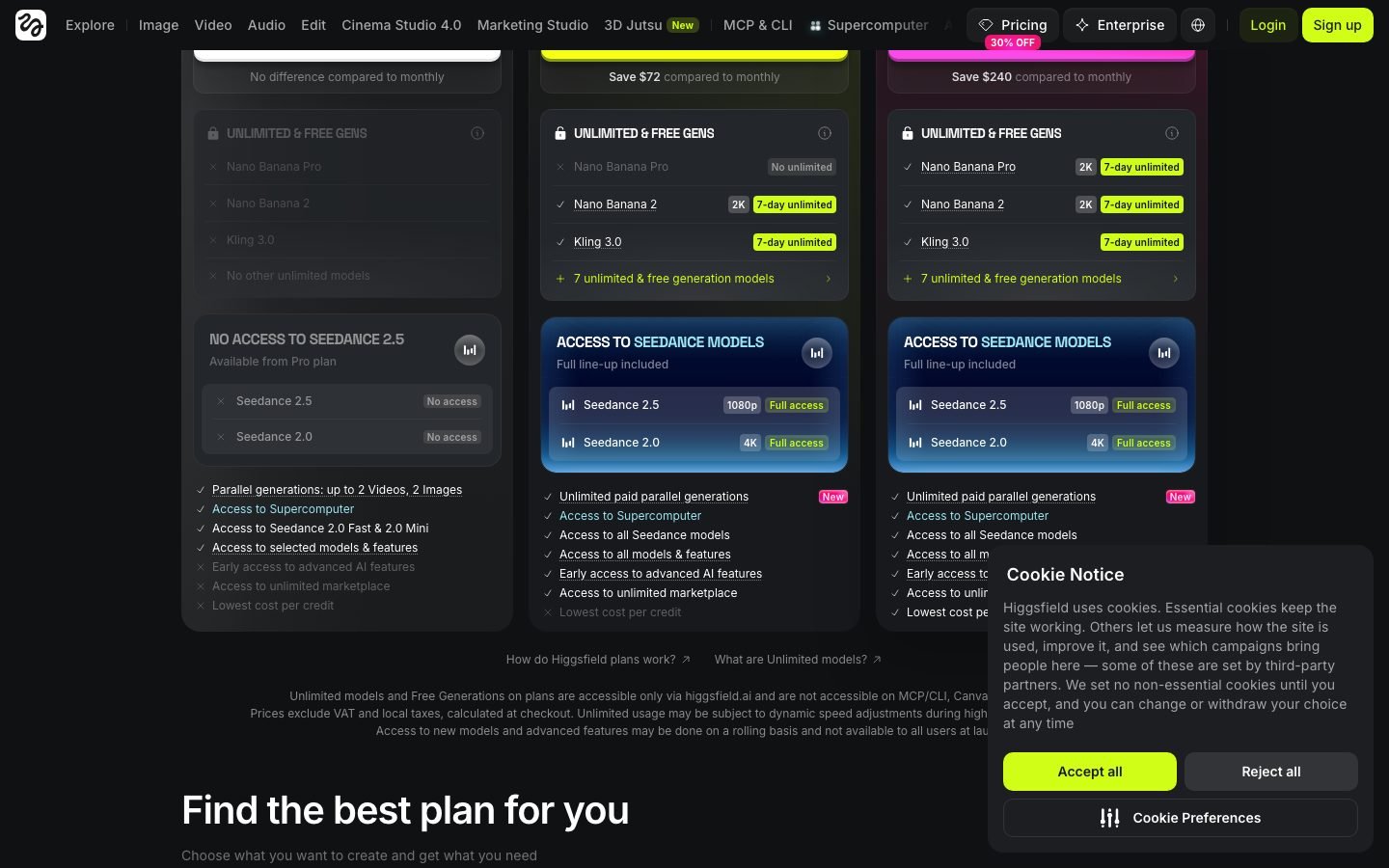
That’s the single biggest reason new subscribers feel cheated in month two. Kling 3.0, the model that actually produces cinematic output, is unlimited for 7 days and then costs credits. Sora 2 and Veo 3.1 have no free allocation on any tier. Every premium-model clip outside that window eats credits.
What is genuinely useful on Plus and Ultra: the 7-day unlimited Kling 3.0 window, plus 300 (Starter) or 5,000 (Plus) free Soul 2.0 generations a month. Soul 2.0 isn’t as clean as Kling 3.0 or Veo 3.1, but it’s serviceable for drafting a prompt or camera path before spending credits on the final render. If you use the Seedance-draft-then-Kling-final workflow (which every experienced Higgsfield creator does), you can cut your credit burn by 50-70%.
Is Higgsfield AI really unlimited?
Higgsfield AI has no true unlimited access for premium video. The “365-Day Unlimited” offer covers the image-led model list on each plan card. Kling 3.0 gets a 7-day unlimited window each cycle, and Sora 2 and Veo 3.1 consume credits on every generation.
How does Higgsfield perform across its video models?
This review is built from Higgsfield’s published documentation, the platform’s pricing terms, and verified user reports on Reddit, Trustpilot, and creator tutorials, not a paid first-hand test. Higgsfield exposes several video engines under one subscription: Kling 3.0, Sora 2, Veo 3.1, Seedance, and Soul 2.0. Each carries a different credit cost and quality profile.
Hit rate matters more than raw output. Published user reports and creator tutorials indicate roughly 1 in 4 Kling 3.0 generations lands as a keeper, with the rest needing re-prompting, seed swaps, or model changes (Roboverse tutorial, March 2026). On Sora 2 and Veo 3.1, that ratio tends to drop closer to 1 in 5. Creators commonly use Soul 2.0 as a low-cost pre-viz draft engine to test compositions before spending premium credits.
On render times, user reports indicate turbo-class models (Seedance, Soul 2.0) return a 5-second clip fastest. Kling 3.0 runs slower. Sora 2 and Veo 3.1 stretch longest during peak hours (18:00-23:00 UTC). Paid-tier priority helps, but multiple users report jobs sitting in queue for 12+ minutes even on the Ultra plan (Trustpilot, spring 2026).
What is Higgsfield Original Series and does it matter?
Higgsfield Original Series is the company’s AI-native streaming platform showcasing full episodic content produced entirely inside the platform, including Hell Grind (a 22-minute uncensored AI-generated action series), MORK (Viking action), and Arena Zero (billed as the first AI action series). Higgsfield claims “$100M of production value in 4 days” with zero traditional crew (Higgsfield Originals page, 2026).
Watching the Originals matters because it shows what the platform can stretch to in the hands of the team that built it. Episode 1 of Hell Grind has real continuity. Characters survive scene changes without morphing, lighting stays consistent across coverage shots, and the camera work (drone pulls, fight choreography, slow-mo hits) leans on Higgsfield’s preset library. It doesn’t feel AI the way a 2024-era Pika clip did.
Be honest about what this proves, though. The Originals were made by the in-house team using the top of the Ultra tier plus, almost certainly, custom workflows. Your Plus plan will not replicate a 22-minute series. It will get you a good 5-second ad shot or reel. Use the Originals as inspiration for what’s now possible, not as a promise of what you’ll ship next Tuesday.
Higgsfield vs Runway vs Kling vs Veo: which one wins?
Higgsfield, Runway, Kling, and Veo solve different problems. Higgsfield aggregates models and prioritizes cinematic human motion. Runway is the generalist suite with a mature editor. Kling ships as the model itself (and is also available inside Higgsfield). Veo 3.1 is Google’s flagship model available inside Higgsfield and a handful of partners. Runway reported 15M+ users in 2025 (Runway, 2025), while Higgsfield’s paid base sits smaller and more cinematic-focused.
| Criteria | Higgsfield AI | Runway (Gen-4) | Kling AI (direct) | Veo 3.1 (Google) |
|---|---|---|---|---|
| Starting paid price | $19/mo (270 credits) | $12/mo Standard (625 credits) | Free tier + credit packs | Inside Higgsfield / Gemini |
| Pro tier | $47/mo annual (1,200 credits) | $35/mo Pro | Varies | N/A direct |
| Best-in-class at | Human motion, camera presets, multi-model | Generalist creativity, ecosystem, API | Realistic motion, cheap per-clip | High-gloss ad shots, prompt fidelity |
| 4K support | Yes (Ultra) | Yes | Yes (3.0) | Yes |
| API access | Yes (higher tiers) | Yes (mature) | Yes | Via Google |
| Commercial use | All paid plans | All paid plans | Paid plans | Yes |
| Weak spot | Credit anxiety, no editor | Weaker human motion | Single-model lock-in | Limited interface, no presets |
| Best for | Cinematic creators, ad shops | Agencies, filmmakers, API builders | Volume Kling users on budget | Enterprise ad polish |
On human motion specifically (walking, gestures, multi-character interactions), published benchmarks give Higgsfield a measurable lead over Runway Gen-4, with cleaner biomechanical foot-strike and weight-transfer detail (flowith.io benchmark, 2026). On abstract, landscape, or object-centric content, Runway wins. For non-human B-roll and composite work, Runway remains the stronger pick.
For pure cost-per-Kling-clip, going direct to Kling AI can be cheaper per generation. You lose the camera preset library, Soul ID character consistency, and model-switching that make Higgsfield worth paying for in the first place.
What UI quirks should you know before day one?
Based on vendor docs and creator tutorials, these are the Higgsfield-specific things that save credits and headaches. Most of this list maps to mistakes new users report in public forums.
- Model switcher is in the top-right of the Generate panel, not the sidebar. Many first-time users miss it and default to Soul 2.0, which wastes budget on prompts meant for Kling 3.0.
- “Mix” button blends multiple references. Upload 2-4 images, hit Mix, and it creates a composite reference. Best way to lock character look before a Soul ID run.
- Credit cost is not shown until you hit Generate. Users report Sora 2 Pro prompts burning 50+ credits because the “Cinema + camera motion + upscale” toggles were left on.
- Seedance draft → Kling 3.0 final is the pro workflow. Draft on cheap Seedance to nail the prompt and composition, then spend the credits on the Kling final. Cuts burn by 50-70% (Roboverse tutorial, March 2026).
- Soul ID character consistency needs 3-5 seed images minimum. One image gives you drift by clip 3. Five gives you a usable “actor” across 15+ clips.
- Export formats: MP4 at 1080p default, 4K on Ultra. No ProRes. No alpha channel. No timeline export. You’re dropping clips into CapCut/Premiere downstream.
- Peak-hour queues (18:00-23:00 UTC) stretch 4-12 minutes even with priority. Generate in the mornings or run batches overnight.
- Subscription credits do not roll over. Unused credits are gone at renewal. Plan your production sprints around the billing date.
- 90-day top-up expiry. Pack credits disappear 90 days after purchase. Don’t stockpile.
- Trustpilot sits at 4.0/5 across 4,224 reviews as of September 8, 2026 (Trustpilot). 19% are one-star. Most complaints cite credit costs, credits that expire without rollover, and signup flows that hide the paid plans.
What does Higgsfield do genuinely well?
Multi-model access is the real moat. Switching between Kling 3.0, Sora 2, Veo 3.1, and WAN 2.6 inside one project is a workflow few competitors match. When a scene isn’t working in Kling, creators report dropping the same prompt into Veo 3.1 and often landing the shot in one pass. That collapses the model-shopping tax that would otherwise cost creators 3-4 separate subscriptions (flowith.io benchmark, 2026).
Camera presets carry enormous value for solo creators. Crash Zoom, Bullet Time, 360 Rotation, Whip Pan, Dolly Out: applying these with one click replicates rigs that would cost $5K-$15K to shoot traditionally. Not every preset lands every time, but user reports put the first-pass hit rate around 60-70%, high enough to beat gimbal day-rates.
Soul ID is among the best character consistency in the category, per published benchmarks and user reports. Drop 5 reference images of a character, generate across 15+ clips, and the face, hair, and body proportions hold. It’s not perfect, with reported drift on profile shots and closed-mouth expressions, but it’s the difference between “AI video that feels like a moodboard” and “AI video that feels like a character.”
The $3 pass is a cheap way to test. As of September 2026 the pricing page lists no free plan. The $3 one-time pass gives you 40 credits, two days of unlimited Soul 2.0 and access to the top models. It’s enough to feel out the interface and see if your taste lines up with the platform’s strengths before you spend $19.
Where does Higgsfield fall short?
Credit anxiety is real, and it’s by design. Every generation, you’re doing mental math. That pressure kills creative iteration, which is exactly what you need most when you’re starting. The Seedance-draft-then-Kling-final workaround helps, but it’s still a workaround.
No scene-level editor. You generate clips. You export. You open CapCut or Premiere. For creators who expected an end-to-end “type prompt, get finished video” flow, this gap is the single biggest expectation mismatch. Runway does better here with its built-in editor, even though Runway’s clips are weaker on human motion.
Higgsfield’s Trustpilot sits at 4.0/5 across 4,224 reviews as of September 8, 2026, with 19% one-star ratings. The complaints cluster around three themes: credit costs and credits that expire without rollover, signup flows that obscure the paid plans, and refunds that ignore failed generations (Trustpilot).
Ad workflows for eCommerce aren’t the target. No competitor-ad ingestion, no product-SKU-linked B-roll generation, no ad platform integrations. If your job is cranking out Meta or TikTok ad creative tied to a product catalog, a dedicated tool like Arcads (UGC talking heads) or Potion Ads (eCommerce-specific) will get you to ROAS faster. Higgsfield is a creative tool before it is a performance-marketing tool.
Who should use Higgsfield (and who shouldn’t)?
Use Higgsfield AI if you are:
- A short-form creator shipping reels, shorts, or TikToks with cinematic camera moves
- A solo filmmaker pre-visualizing scenes before a traditional shoot
- A brand/ad creative making “cinematic hero” spots for DTC, fashion, or lifestyle brands
- A storyteller building AI-native narrative content (anime, sci-fi, thriller)
- Already paying for Runway + Kling + a Sora API and want one bill
Skip Higgsfield AI if you are:
- A creator expecting a full timeline editor and final export in one tool
- An eCommerce brand needing UGC ad volume (use Arcads or Potion Ads instead)
- On a sub-$20/month budget (Starter’s 270 credits burn in 2-3 days of real use)
- Primarily shooting talking-head content (dedicated UGC tools beat Higgsfield on lip-sync realism)
- Unwilling to learn credit math and workflow optimization (credit anxiety will kill your fun)
How should you approach Higgsfield from day one?
First week: buy the $3 pass. Burn the 40 credits and the two days of Soul 2.0 to learn the tool’s taste, bookmark 3-5 camera presets that clicked, and decide if your content actually benefits from cinematic motion. Some content doesn’t, and that’s fine.
Second week: upgrade to Plus ($47/mo annual). Lock one character with Soul ID using 5 reference images. Use the free Soul 2.0 generations to draft compositions and run your Kling 3.0 finals inside the 7-day unlimited window. After that, spend Kling 3.0 credits only on the final renders. Aim for 30 keeper clips in the first month, enough to ship 10-12 finished pieces after edits.
Only move to Ultra ($99/mo annual) when you’re regularly hitting 100+ Kling 3.0 final renders per month and you’re using the premium models (Sora 2, Veo 3.1) commercially. Below that usage, Ultra is money you should put into better prompt engineering or a dedicated editor instead.
👉 Start Higgsfield with the $3 pass →
Why does the AI video market matter in 2026?
The global AI video generator market grew from $788.5M in 2025 to a projected $1.04B-$1.9B in 2026, depending on methodology (The Business Research Company and Digital Applied, 2026). Adoption has followed: 89% year-over-year growth in AI video tool usage and 124M+ monthly users across AI video platforms (ngram.com, 2026). Higgsfield is one of roughly 10 platforms with meaningful share in that pie.
The practical takeaway: the tool you learn in 2026 is a skill that compounds. The creators who got deep on one multi-model platform this year are the ones shipping ads, shorts, and series that don’t need a $20K traditional shoot.
Higgsfield AI Frequently Asked Questions
Is Higgsfield AI legit?
Higgsfield AI is a legitimate, well-funded company founded in 2023 by ex-Google Brain engineers, reportedly valued near $1 billion. It’s used by creators, agencies, and ad studios worldwide. Its Trustpilot sits at 4.0/5 across 4,224 reviews as of September 8, 2026, with 19% one-star reviews that mostly cite credit costs and expiry. The platform is real; read the pricing page carefully before annual billing.
Is Higgsfield AI free?
Higgsfield AI no longer lists a free plan on its pricing page as of September 8, 2026. The cheapest entry is a $3 one-time pass with 40 credits, two days of unlimited Soul 2.0 and access to the top models. For ongoing use on premium models, you’ll need at least the $19/month Starter plan.
Can I use Higgsfield AI videos commercially?
Yes. Higgsfield’s Terms of Use state that the company does not claim ownership of your inputs or outputs and does not restrict commercial use of outputs, with no split between free and paid users (checked September 8, 2026). You still carry the usual risk on likeness, trademarks and third-party IP in your prompts. Always read the current Terms of Use at higgsfield.ai/terms-of-use-agreement for specific clauses.
What’s the difference between Higgsfield AI and Runway?
Higgsfield AI aggregates 120+ image, video and voice models (Sora 2, Veo 3.1, Kling 3.0) with cinematic camera presets and superior human motion. Runway uses its own Gen-4 model with a mature editor, better ecosystem, and stronger generalist quality for landscapes and abstract content. Higgsfield wins for human-centric cinematic video; Runway wins for versatility and workflow polish.
Is Higgsfield AI better than Sora?
Higgsfield AI includes Sora 2 as one of its 120+ available models, so you can use Sora directly inside Higgsfield. The difference is access: OpenAI’s Sora is gated to ChatGPT Pro subscribers ($200/month), while Higgsfield unlocks Sora 2 from the Plus plan at $47/month annual (base Sora 2 runs ~10 credits per 4-second clip, Sora 2 Pro 30-50). For most creators, Higgsfield is the cheaper path to Sora 2 generation.
How much does Kling 3.0 cost on Higgsfield?
Kling 3.0 costs approximately 7 credits per 5-second clip at 720p on Higgsfield AI (8 at 1080p, 30 at 4K), per the pricing page model table checked September 8, 2026. On the $47/month annual Plus plan (1,200 credits), that’s roughly 170 raw Kling 3.0 generations or 34-57 usable clips after typical 3-5x iteration, plus a 7-day unlimited Kling 3.0 window each cycle. Cost-per-usable-Kling-clip on Plus works out to $0.82-$1.38, among the best Kling value on any platform.
Do Higgsfield AI credits expire?
Yes. Subscription credits do not roll over; any unused credits at your billing cycle end are forfeited. Top-up credit packs expire 90 days after purchase. Cancelled accounts lose all remaining credits with no cash value.
Can I get a refund on Higgsfield AI?
Higgsfield AI offers refunds only within 7 days of your initial purchase, and only if absolutely no credits have been used. A service fee up to 6% may apply where local law permits. Subscription renewals are entirely non-refundable. This is stricter than most SaaS refund policies, so do not auto-renew without checking your usage.
What’s the best Higgsfield AI alternative?
The best Higgsfield AI alternative depends on your use case. For general creative work and a mature editor, choose Runway ($12/mo Standard). For cheap Kling-only access, go direct to Kling AI. For UGC talking-head ads, use Arcads. For social-first all-in-one posting and editing, see Blotato. For eCommerce product ads, Potion Ads is purpose-built.
Is Higgsfield AI worth it in 2026?
Higgsfield AI is worth it in 2026 if you ship cinematic short-form video regularly and want multi-model access (Sora 2 + Veo 3.1 + Kling 3.0) under one subscription. The Plus plan at $47/month annual is the sweet spot for most creators. It’s not worth it for budget creators under $20/month, or creators who need a full timeline editor, unlimited premium generations, or eCommerce-specific UGC ad workflows.
Higgsfield AI user reviews: what creators actually say
Higgsfield AI holds a 4.0/5 Trustpilot score across 4,224 reviews as of September 8, 2026 (62% five-star, 19% one-star), and creator sentiment on Reddit and YouTube runs high on output quality and low on the credit system (Trustpilot, September 2026).
- What users praise: multi-model access in one dashboard, the camera-preset library, and Soul ID character consistency across shots.
- What users complain about: credit costs, credits that vanish at renewal, signup flows that hide the paid plans, and refunds that ignore failed generations.
- The pattern across reviews: creators who learn the Seedance-draft-then-Kling-final workflow stay happy, while those who expected unlimited Sora 2 or Veo 3.1 feel misled by month two.
Final Verdict: Higgsfield AI Rating
Higgsfield AI: 4.3/5
Higgsfield is the strongest multi-model AI video platform on the market as of September 2026. Video quality on Kling 3.0, Sora 2, and Veo 3.1 is category-leading when you know how to prompt it. Camera presets and Soul ID are genuine creative differentiators. The credit system, the “unlimited” marketing, and a 19% one-star share on Trustpilot drag the score from “5-star” to “4.3-star.”
Start with the $3 pass. Upgrade to Plus when you’re ready to ship. Don’t pay for Ultra until you’re shipping 100+ Kling 3.0 clips a month.
👉 Start Higgsfield with the $3 pass →
Related reads
- Arcads AI Review: Worth $110/Month? for the UGC talking-head alternative
- Blotato Review for multi-platform content distribution
- MakeUGC AI Review for another UGC ad creation tool
- Syllaby Review for faceless AI video aimed at leads and traffic
- AI Video Bootcamp Skool Review for the community side of AI video
Full pros & cons
- 120+ image, video and voice models (Sora 2, Veo 3.1, Kling 3.0, Seedance 2.5) under one subscription
- 70+ cinematic camera presets (Bullet Time, Crash Zoom, 360 Rotation)
- Soul ID character consistency across multiple shots
- $3 one-time pass to test the interface before subscribing
- Annual billing cuts Plus and Ultra by 20-23%
- Veo 3.1 costs ~29 credits per 4-second clip and Sora 2 Pro 30-54; only base Sora 2 is cheap
- '365-Day Unlimited' is image-led; Kling 3.0 gets a 7-day window, Sora 2 and Veo 3.1 always cost credits
- Subscription credits vanish at each billing cycle; top-up packs die at 90 days
- Slow queues during peak hours, even on paid tiers
- No built-in timeline editor. Clips only, export to CapCut/Premiere
Try it yourself
Ready to put it to the test?
We may earn a commission at no extra cost to you. Affiliate disclosure.
Reader feedback
Was this review helpful?
Your feedback helps us write better reviews.
Thanks for your feedback.

AI Funnel Insider is an independent review site covering AI tools, Skool communities, and online courses. Every community and tool reviewed here is personally joined, paid for, and tested before a verdict goes live. Reviews are independent and may contain affiliate links, at no extra cost to you.
Related Posts

AI Video Creators Skool Review 2026: $9 Now, $49 Later
AI Video Creators Skool has 3,100+ members and 4.4/5 on Trustpilot. Is $9/mo worth it before the price jumps to $49? Honest 2026 review.

Syllaby Review 2026: AI Video That Gets Leads?
Can Syllaby turn content into consistent traffic and leads? An honest take on faceless video, scripts, scheduling, pricing, and who it fits.

AI Video Skool Review 2026 (Andy Han's $9/mo Contest Community)
Andy Han's AI Video Skool offers a price locked for life, weekly cash contests, and a UGC Lab. Is it worth it in 2026? My honest breakdown before you join.

MakeUGC AI Review 2026: I Tested the 500+ Actors
I ran MakeUGC AI across multiple niches with its 500+ actors and $1 trial. Here is what actually held up and what flopped before you spend a cent.

Blotato Review 2026: Real Pricing and the Credit Catch
I broke down Blotato's 8 tools and the credit math: what the free plan really includes, the true monthly cost, and who should skip it before paying.

AI Video Bootcamp Review 2026: Worth $9/mo?
AI Video Bootcamp is Daniel Riley's $9/mo Skool with 26,600+ members and a 9-phase AI video curriculum. Is it worth joining? Full review inside.
The Insider Newsletter
One honest review, every Sunday.
Get our weekly breakdown of which AI tools and Skool communities are worth buying. Built for marketers, founders & solopreneurs.