Skool Review 2026: Honest Verdict and the Catch
Evidence Review Built from public, vendor and customer evidence. We did not buy or use it.Is Skool worth it in 2026? My honest verdict on the platform: real pricing, Hobby vs Pro, the catch nobody mentions, and who should skip it.

- Review type
- Evidence Review. Built from public, vendor and customer evidence. We did not buy or use it.
- Last verified
- September 6, 2026
- Affiliate relationship
- Yes, disclosed above
| Closest alternatives | Price | Score |
|---|---|---|
| AI SEO Rainmakers | $319/month for new members (checked October 12, 2026) | 4.2/5 |
Quick Decision
👍 What stands out: The points, levels, and leaderboard drive some of the highest daily login rates in the paid-community category. That is the whole reason to be here. 👎 What falls short: The course layer stops at “watch the video, post in the feed.” No drip, no quizzes, no certificates, no native email. 💡 Bottom line: Creators and coaches who want one feed-first community with courses bolted on should buy Skool. Anyone running corporate training, multi-tier programs, or email automation should skip it.
Verdict first: Skool is worth $9 a month for almost any solo creator testing a paid community, and worth $99 a month once you clear roughly $1,400 in monthly member revenue. Below that number the Hobby plan wins on pure math. Above it, the 10% transaction fee quietly costs you more than the upgrade.
That transaction fee is the catch. Half the reviews still online quote “$99 flat, zero transaction fees,” which stopped being true when Skool split the plans. Here is the current version, checked against the live pricing page in August 2026.
Last updated: August 2026
What Is Skool?
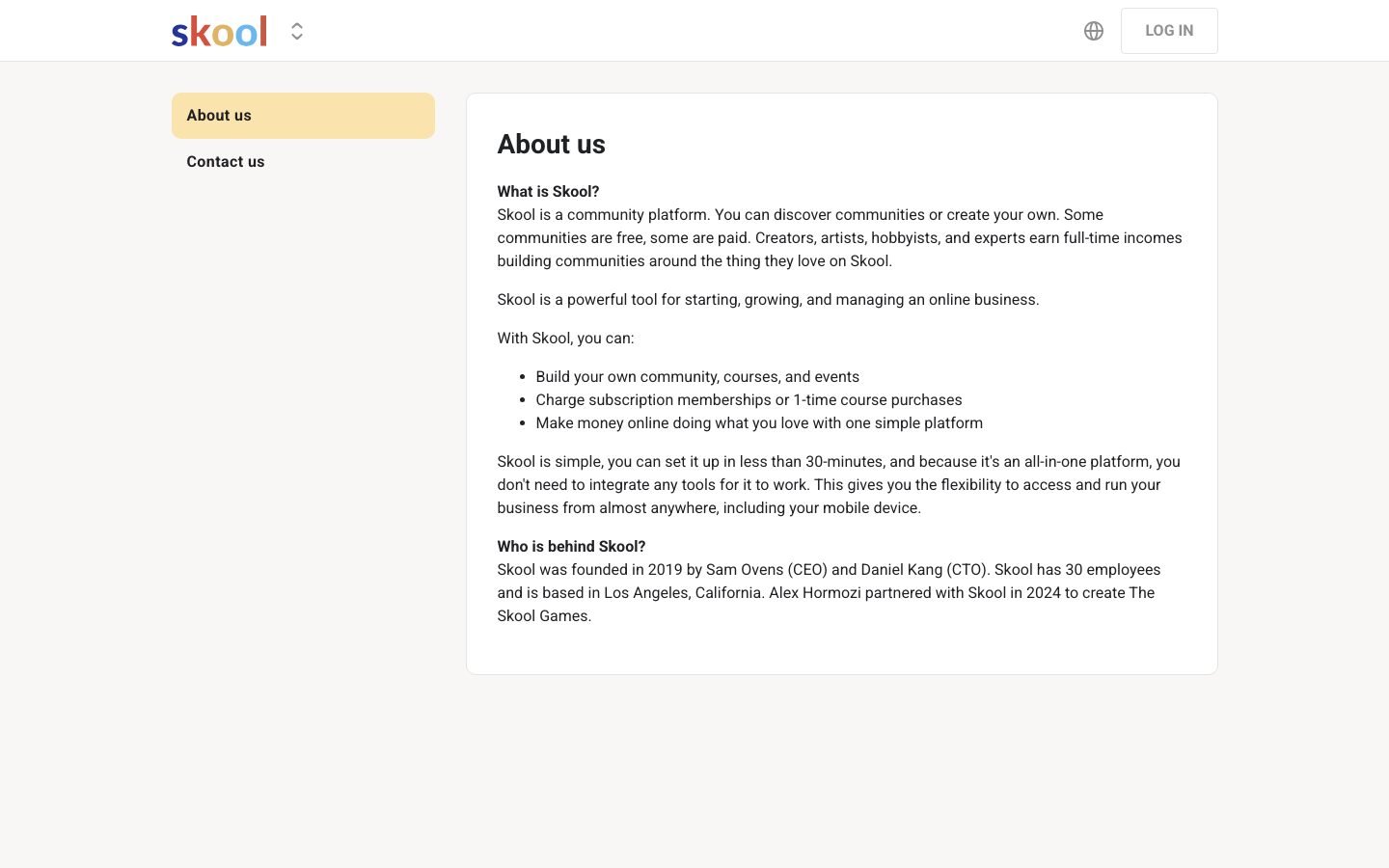
Skool is a community and course platform founded in 2019 by Sam Ovens and Daniel Kang, with entrepreneur Alex Hormozi joining as an investor in January 2024. It puts a threaded community feed, native course hosting, live events, and gamified leaderboards into one dashboard, pitched as the simpler option next to Facebook Groups, Circle, Mighty Networks, and Kajabi.
Skool is feed-first. The homepage of every community is a threaded discussion feed that looks like a stripped-down Facebook Group, not a curriculum. Courses live in a side tab. Events live in another. That hierarchy is the whole point of view of the product.
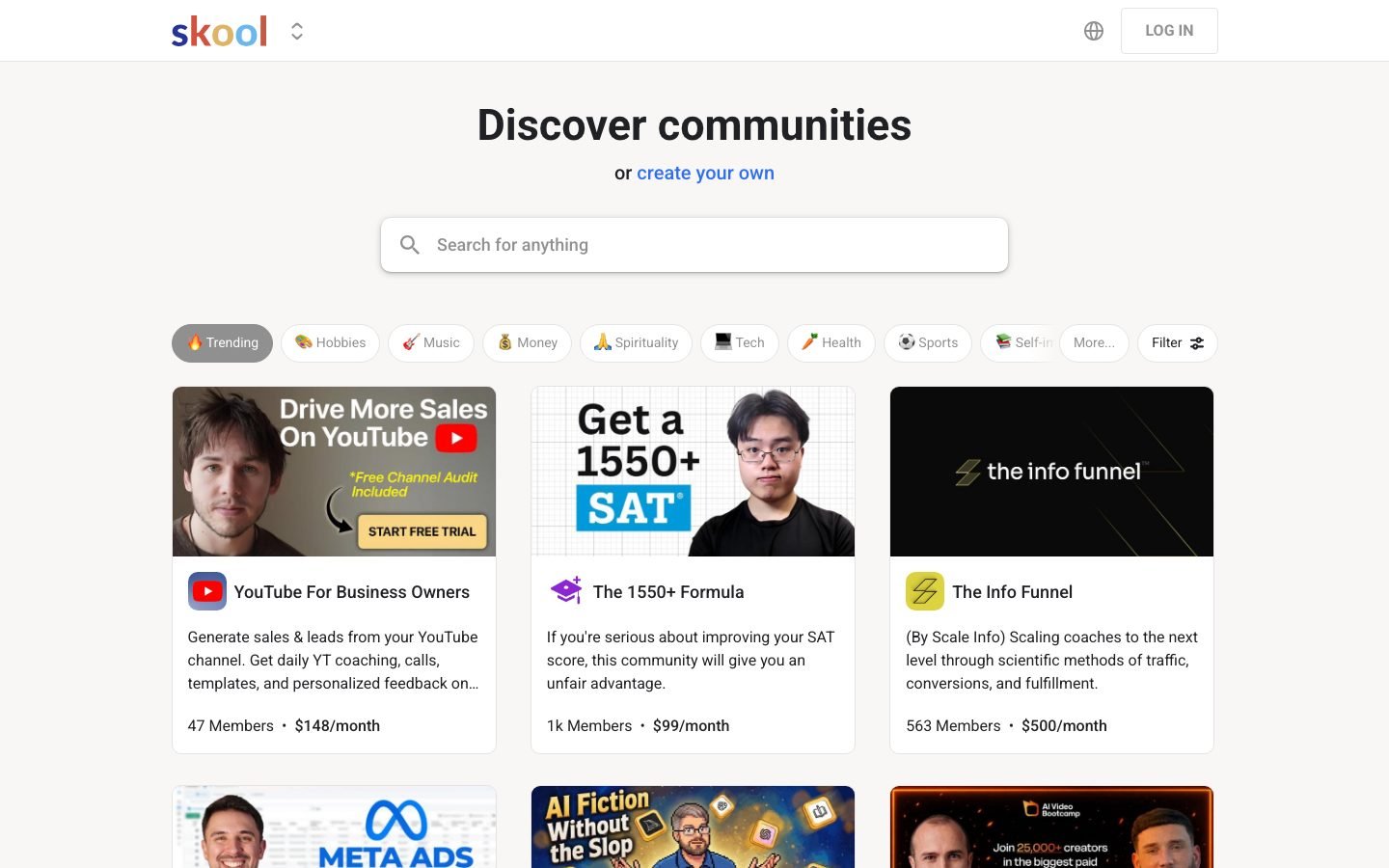
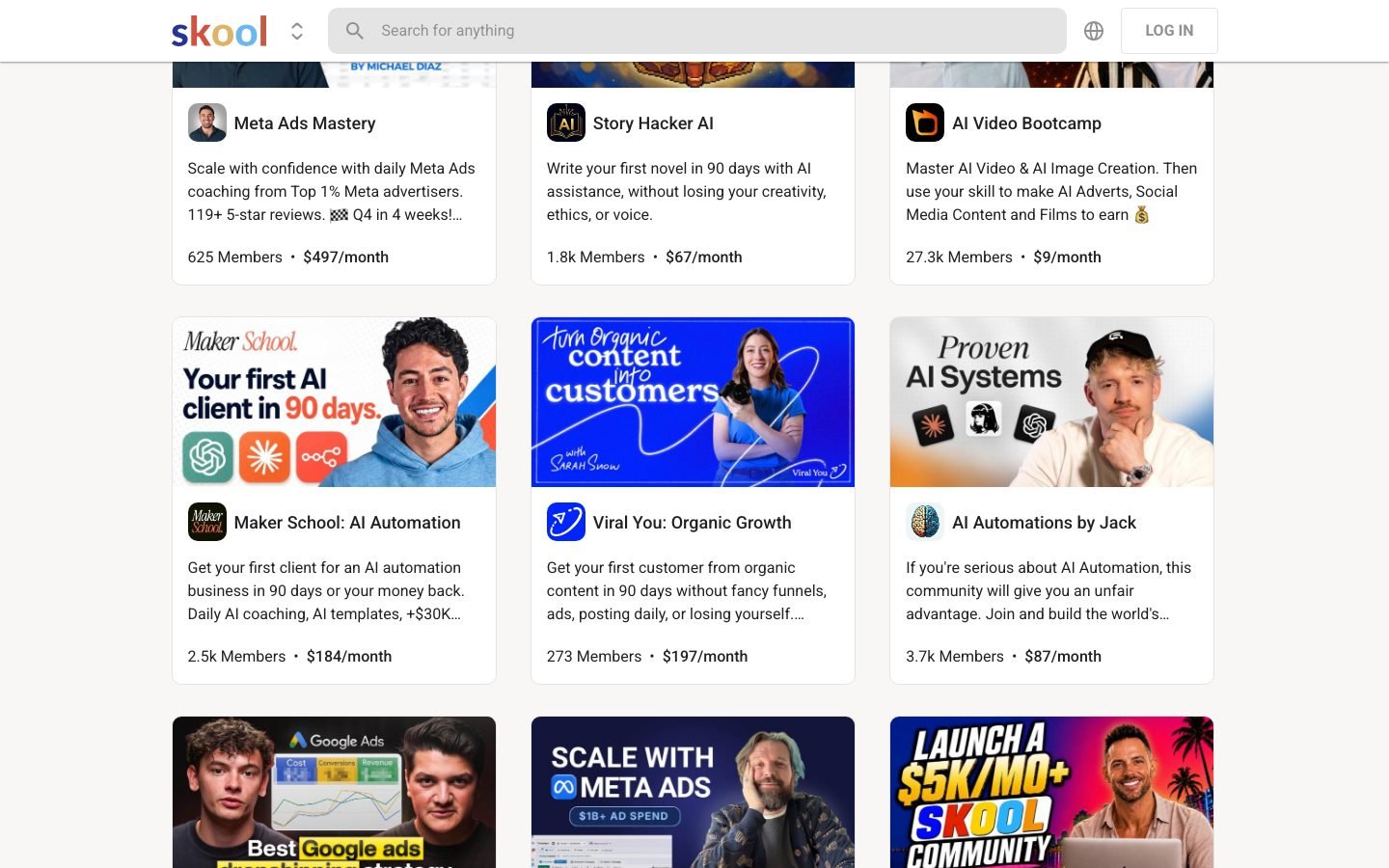
Skool’s public Discovery page lists communities like AI Automation Society (340,900 members), Skoolers (194,800 members), and The AI Advantage (112,500 members), with paid communities running from $9/month to $6,000/year. The platform has reached a scale where an active community pulls real traffic from Skool’s own Discovery algorithm. Circle and Mighty Networks have nothing equivalent.
Founder context matters. Sam Ovens built Consulting.com into a nine-figure business before Skool. Hormozi came in during 2024 alongside The Skool Games, a monthly competition where community creators compete for coaching and prizes. That partnership is why Skool has cash, ships features quickly, and is not going anywhere.
Core features out of the box:
- Threaded community feed with topics, tags, and member-level visibility
- Course hosting with unlimited video (no file size limits, no overage fees)
- Calendar and live event scheduling with timezone-aware reminders
- Points, levels, and a leaderboard, where members unlock rewards by posting and completing modules
- Payments: free, paid one-time, subscription, and tiered (Pro only)
- iOS and Android native apps with push notifications, included in both plans
You will not find 47 settings menus. That is a deliberate decision, and it is both the biggest strength and the biggest limitation, depending on what you need.
Skool Pricing 2026: Hobby vs Pro
Skool pricing in 2026 is $9/month for the Hobby plan and $99/month for the Pro plan, both with a 14-day free trial. Hobby charges a 10% transaction fee on member payments. Pro charges 2.9% plus $0.30 per transaction in processing. No annual discount is offered on Pro.
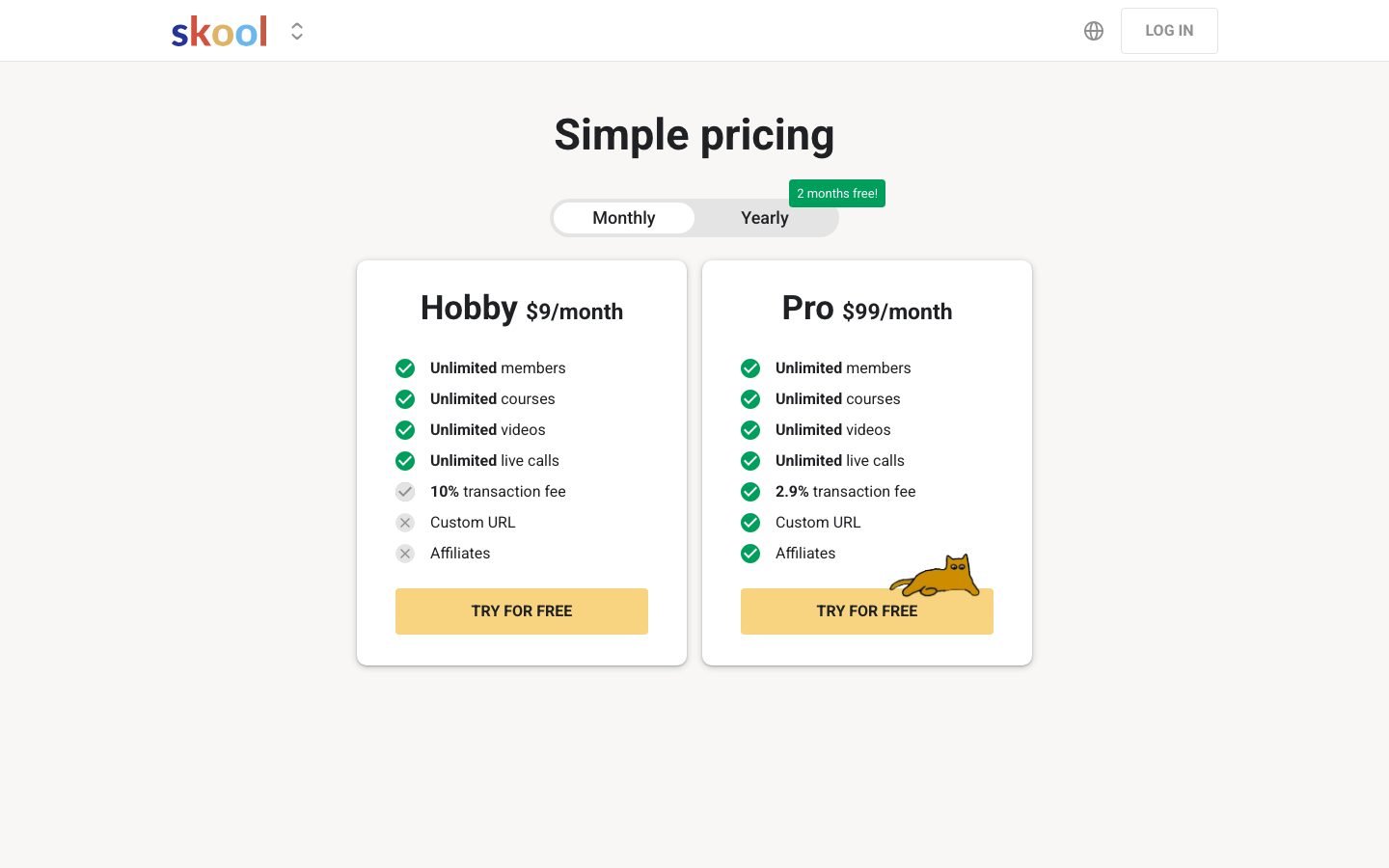
Here is the live pricing from skool.com/pricing as of August 2026:
| Feature | Hobby | Pro |
|---|---|---|
| Price | $9/month | $99/month |
| Unlimited members | Yes | Yes |
| Unlimited courses | Yes | Yes |
| Unlimited video hosting | Yes | Yes |
| Unlimited live calls | Yes | Yes |
| Transaction fee | 10% | 2.9% + $0.30 |
| Custom URL | Yes | Yes |
| Affiliates | Yes | Yes |
| 14-day free trial | Yes | Yes |
The fee math most reviewers get wrong
Almost every roundup says Pro pays for itself at $1,000/month in member revenue. Run the numbers and it does not. The subscription gap is $90. The fee gap is 10% minus 2.9%, so 7.1%, and Pro also adds $0.30 per charge that Hobby does not itemize.
Assume a $49/month membership, which is close to the middle of what paid Skool communities charge. Here is what each plan actually costs you:
| Monthly member revenue | Members at $49 | Hobby total cost | Pro total cost | Cheaper plan |
|---|---|---|---|---|
| $490 | 10 | $58 | $117 | Hobby |
| $980 | 20 | $107 | $133 | Hobby |
| $1,470 | 30 | $156 | $151 | Pro |
| $2,450 | 50 | $254 | $185 | Pro |
| $4,900 | 100 | $499 | $271 | Pro |
The flip lands near $1,400 in monthly member revenue, not $1,000. At $4,900/month the Pro plan saves you $228, which is the real argument for upgrading. Below the flip, paying $99 to feel professional is just a donation.
Both plans include unlimited members, unlimited courses, unlimited video, unlimited live calls, custom URL, affiliate support, mobile apps, and Discovery feed placement.
There is no free tier and no trial workaround. There is no annual discount on Pro either. The “2 months free” toggle you may still see applies to legacy grandfathered plans, so confirm what you are charged at checkout. For every tier and the annual-versus-monthly math, read our Skool pricing 2026 guide.
Start Your 14-Day Free Trial →
Skool Features: What’s Actually in the Box
Skool ships five core modules: Community (threaded feed), Classroom (courses and video), Calendar (events), Leaderboard (gamification), and Members (directory and DMs). Skool Games is an external monthly competition, not a feature inside your community.
Community Feed
The default landing tab. Members post, comment, attach images, videos and links, and tag topics. Admins pin, categorize, and moderate. Reactions are a single “like.” There are no Slack-style emoji reactions and no threaded replies past one level. The constraint keeps the feed readable.
Classroom is the weak spot
Courses are built from modules and lessons. Each lesson is a video plus a markdown body plus optional resources. There are no quizzes, no certificates of completion, no drip scheduling, and no prerequisite gating. You cannot lock Lesson 3 until Lesson 2 is done. Course completion is tracked per member and feeds their level-up points, and that is the entire progress mechanic.
Calendar
Live calls, workshops, and recurring events. Members see events in their local timezone, RSVP, and get email and push reminders. Zoom and Meet links embed inline. Recordings can go back to the feed or into a Classroom module.
Leaderboard and levels do the heavy lifting
Most people underestimate this one. Members earn points for posting, commenting, receiving likes, and completing modules. Points feed levels 1 through 9. Admins can gate specific Classroom modules, community sections, or DM privileges behind a level. It works. Most serious Skool communities run a visible “Level 3+ unlocks” badge in the feed, and members chase it.
Skool Games
A separate monthly competition run by Hormozi and the Skool team, open to paid Pro owners. Top finishers get coaching, prizes, and public marketing co-signs. It drives traffic to existing owners rather than being something you switch on inside your app.
What’s Missing
No native email marketing, CRM, or automation. No quizzes, certificates, or drip. No A/B testing, whitelabel, or multi-workspace. No API past a lightweight webhook that fires on new members. Every one of those gaps is a choice, not a backlog item.
Running a Skool Community: What to Expect
Setup is fast, usually under two hours from signup to first paying member. Engagement runs higher than most competing platforms. The admin side breaks the moment you need more than one membership tier or basic email automation.
Setup time. From first click to a publicly joinable paid community with Stripe connected, one course uploaded, and a welcome post pinned, owners commonly report under two hours. Video transcoding is the slowest step, and Skool handles it server-side with no file size warnings.
UI quirks worth knowing. The course editor saves on blur rather than on an explicit save. Close a tab mid-edit and a lesson body can vanish. The category picker for feed posts hides inside a three-dot menu. The member directory has no bulk-action checkboxes, so tagging 50 members costs you 50 clicks.
Member onboarding. The default is raw. A new member joins, lands on the feed, and sees a welcome post if you pinned one. No guided tour, no profile nudge, no first-week email sequence. If you want onboarding structure you build it yourself as a pinned “Start Here” post with a checklist. Most owners wire ConvertKit through Zapier and send the welcome sequence outside the platform.
Analytics. Pro only. You get member growth, revenue, active members over 7 and 30 days, top contributors, course completion rates, and per-post engagement. Enough for directional calls. Not enough for cohort analysis or LTV tracking, which means exporting to a spreadsheet.
Discovery traffic. A meaningful share of new signups on active communities arrive from people browsing skool.com/discovery by category. That is free platform traffic you do not get on Circle or Mighty. The ranking appears to reward posts per day, paid conversion rate, and weekly active members.
The one thing worth changing. Make the course engine drippable. That single missing feature is why plenty of five-figure course creators keep their real curriculum on Kajabi or Teachable and bolt Skool on as the community layer.
Skool Pros: What Actually Wins
The three real moats are gamification that moves daily logins, a Discovery feed that sends free platform traffic to active communities, and a setup flow simple enough for non-technical creators to launch in under two hours.
- Gamification changes behavior. Points, levels, and the leaderboard shift how often members show up. Owner reviews consistently report daily active rates above what feed-only platforms like Circle produce.
- Discovery feed sends free traffic. Active paid communities get found by people browsing categories on skool.com. No direct competitor offers this.
- Sub-2-hour setup. Zero to paying community in an afternoon. Nothing else in the category is this fast for non-technical users.
- Mobile apps included. iOS and Android with push notifications on both the $9 and $99 plans. Circle charges extra for branded mobile, and Mighty’s app is less polished.
- Financial stability. Hormozi-backed, with $26M+ in 2024 revenue per public reporting and 174k+ community creators. You are not betting on a platform that disappears next year.
- Skool Games. A standing competition gives Pro owners real upside. Winners publicly post large revenue jumps for the month they competed.
Skool Cons: Where It Breaks Down
The weak points are a thin LMS layer, zero native email or automation, the 10% Hobby transaction fee, and a one-community-per-subscription structure that pushes multi-brand creators onto multiple $99 accounts.
- The course engine is the worst in the category. No drip, quizzes, certificates, or prerequisites. Sell a structured 12-week program where Week 3 unlocks after Week 2 and Skool cannot do it natively.
- No native email marketing. Kajabi, Teachable, Podia, and Thinkific all include at least a broadcast tool. Skool does not. Budget for ConvertKit or Mailchimp plus a Zapier connection.
- The Hobby fee is high. Marketing leads with “$9/month.” Once you are past about $1,400/month in member revenue, that 10% costs more than upgrading.
- One community per subscription. Three brands means three separate Skool Pro accounts. There is no workspace or parent-account concept.
- Limited theming. You pick a color and a logo. No custom fonts, no custom page layouts, no CSS hooks, so every Skool community looks like every other Skool community.
- No real API. A webhook fires on new member signup and that is the extent of programmatic access. Anyone integrating Skool into a larger stack hits the wall fast.
- Mobile apps are unbranded. Members download “Skool” from the App Store, not your community. Pro does not unlock a whitelabel app.
Skool vs Circle vs Mighty Networks
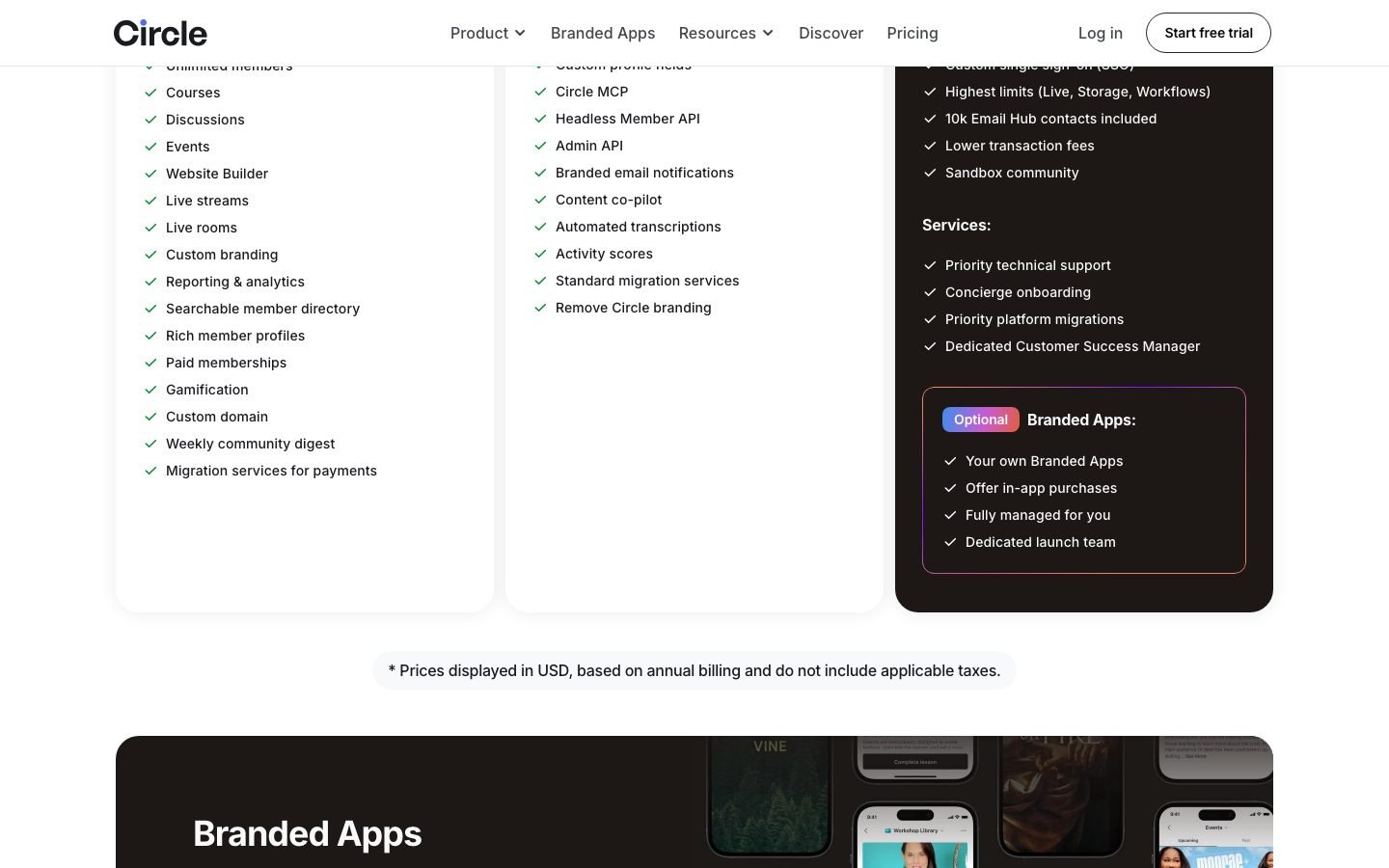
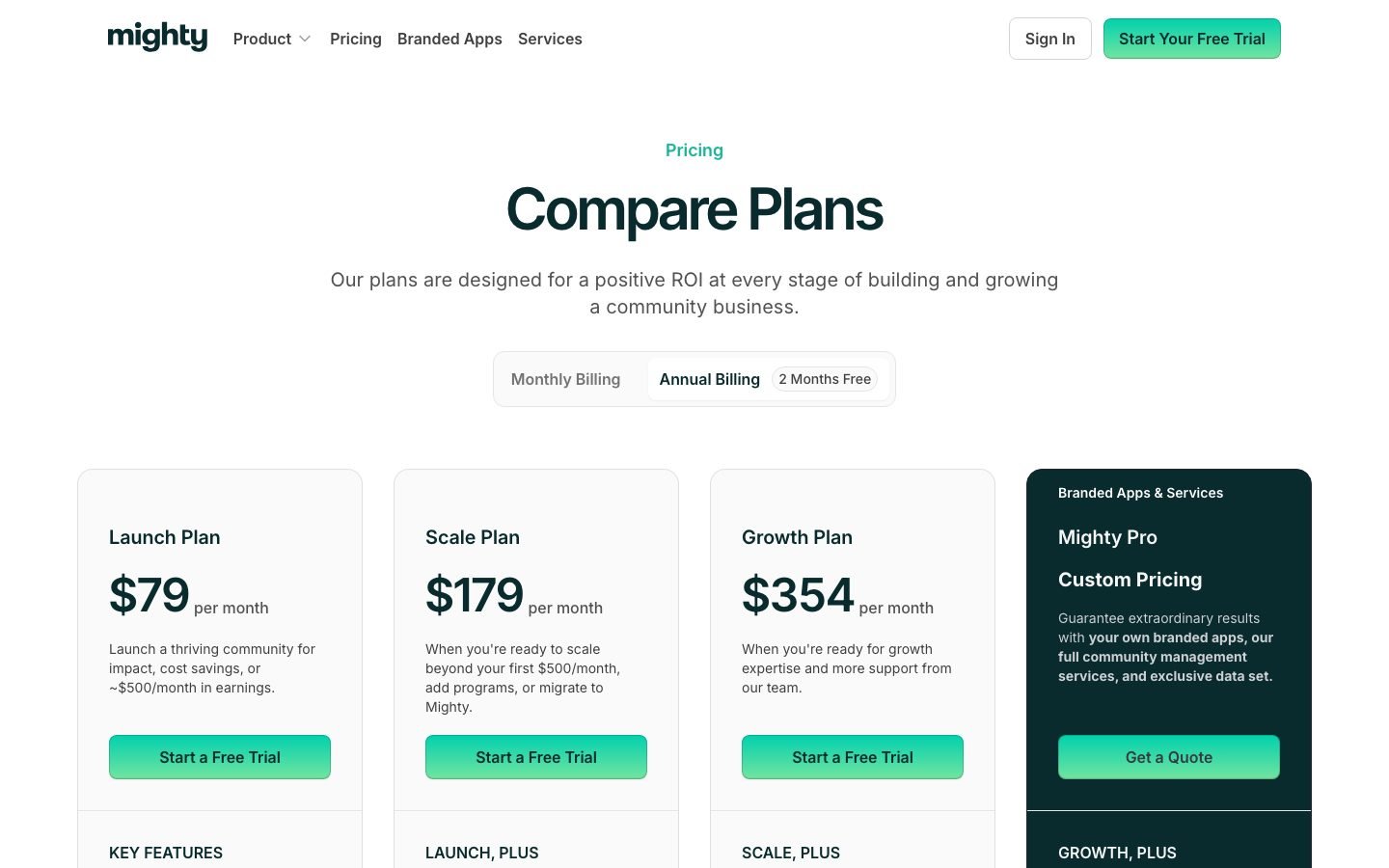
At August 2026 pricing, Skool is the cheapest entry at $9/month with a 10% fee, and mid-range at $99/month Pro with 2.9%. Circle’s cheapest listed plan is now $89/month Professional. Mighty Networks starts at $79/month Launch. Skool wins on creator simplicity, Mighty on customization and multi-space, Circle on business-grade control.
Worth noting: both rivals repriced upward during 2026 and dropped their old entry tiers, which makes Skool’s $9 Hobby plan the only genuine low-cost door left in this category.
| Feature | Skool | Circle | Mighty Networks |
|---|---|---|---|
| Entry price | $9/month (Hobby) | $89/month (Professional) | $79/month (Launch) |
| Mid tier | $99/month (Pro) | $199/month (Business) | $179/month (Scale) |
| Top tier | None above Pro | Custom (Circle Plus) | Custom (Mighty Pro) |
| Transaction fee | 10% Hobby, 2.9% Pro | 2% Professional, 1% Business | 2% Launch, 1% Scale |
| Native courses | Yes (no drip or quiz) | Yes (drip, quizzes) | Yes (drip, quizzes) |
| Gamification | Yes (points and levels) | Limited (badges only) | Yes (AI-powered matching) |
| Email marketing | No | Paid add-on (Email Hub, from $99/month) | Yes (native) |
| Multi-space | No | Yes | Yes |
| Mobile apps | Included, unbranded | Branded add-on | Branded (Mighty Pro) |
| Discovery feed | Yes (skool.com) | No | Yes (Mighty Network) |
| Whitelabel | No | Partial | Yes (Mighty Pro) |
When Skool wins: creators who want the fastest setup, the highest daily engagement, the simplest pricing logic, and free Discovery traffic. That covers most solo creators and coaches.
When Circle wins: brands that need multi-space (public, private, and paid tiers in one account), deeper course features, and can absorb $89/month before earning a dollar. See Skool vs Circle for the full matchup.
When Mighty Networks wins: creators who want native email, branded mobile apps, and AI-powered member matching, usually large paid memberships that want everything in one box. See Skool vs Mighty Networks 2026.
Course-first rather than community-first? Read Skool vs Kajabi.
Who Should Use Skool
Skool suits solo creators, coaches, and course owners who want a feed-first paid community with minimal setup, high engagement, and free Discovery traffic. It does not suit corporate training, structured multi-tier programs, or email-first businesses.
Use Skool if:
- You are a solo creator or small team building a paid community under $10k/month MRR
- Your monetization is feed-first: discussions, weekly calls, simple courses
- You want the fastest time-to-launch in the category, under two hours
- You want daily engagement to be visibly high from week one
- You are fine bolting on ConvertKit or Kit for email
- You want exposure through the Skool Discovery feed
Skip Skool if:
- You sell a structured multi-week cohort program with prerequisites
- You need certificates, quizzes, or compliance tracking
- You run corporate training or B2B enablement
- You need native email automation and do not want external tools
- You run multiple brands and do not want three separate $99 subscriptions
- You need a branded whitelabel mobile app
If Skool sounds right, the 14-day free trial gives you enough room to set up a real paid community and stress-test it. A credit card is required at signup, so put a reminder in your calendar for day 13 if you are only kicking the tires. Start on Hobby at $9/month while you are under about $1,400/month in member revenue, then upgrade when the fee math flips. See Skool’s free trial details and the full Skool pricing and fee breakdown before you sign up.
Still comparing? Our best Skool alternatives 2026 roundup covers the full competitor landscape. To see what a high-activity Skool community looks like from the inside, read our AI Video Bootcamp review, Daniel Riley’s $9/month community with 18,000+ members.
Frequently Asked Questions
Is Skool worth it in 2026?
Skool is worth it in 2026 for solo creators and coaches running a paid community under $10k/month MRR who want fast setup and high daily engagement. It is not worth it for corporate training, structured cohort programs, or email-first businesses that would need Kajabi or Mighty Networks.
How much does Skool cost?
Skool costs $9/month for the Hobby plan or $99/month for the Pro plan, both with a 14-day free trial. Hobby charges a 10% transaction fee on member payments. Pro charges 2.9% plus $0.30 per transaction. There is no free tier and no annual discount on Pro.
Who founded Skool?
Skool was founded in 2019 by Sam Ovens and Daniel Kang. Alex Hormozi joined as an investor in January 2024 and co-launched The Skool Games, a monthly competition for community creators.
Does Skool have a free trial?
Yes, Skool offers a 14-day free trial on both Hobby and Pro plans. A credit card is required at signup, but you are not charged until the trial ends. You can cancel any time before day 14.
What is the difference between Hobby and Pro on Skool?
The Hobby plan ($9/month) carries a 10% transaction fee and suits creators earning under roughly $1,400/month in member revenue. The Pro plan ($99/month) drops the fee to 2.9% plus $0.30 per transaction and is cheaper past that threshold. The feature set is otherwise near identical, and both include unlimited members, courses, videos, live calls, custom URL, affiliates, and mobile apps.
What are Skool Games?
Skool Games is a monthly competition run by Alex Hormozi and the Skool team, open to all paid Pro community owners. Top finishers win coaching with Hormozi, public co-signs, and marketing exposure. It is a platform-level event rather than a feature inside your own community.
Can I use Skool for free?
No, Skool does not have a permanent free tier. It offers a 14-day free trial on both Hobby ($9/month) and Pro ($99/month) plans. After the trial, a paid subscription is required to keep the community active.
Does Skool replace Kajabi or Teachable?
Not for structured course creators. Skool’s course engine has no drip content, no quizzes, no certificates, and no prerequisites. If you sell a multi-week cohort program, keep your curriculum on Kajabi or Teachable and use Skool as the community layer.
Is Skool good for beginners?
Yes. Skool has the shortest setup time in the category. Most new admins ship a paid, publicly joinable community in under 2 hours. The UI has almost no learning curve, and pricing is transparent.
What are the best Skool alternatives?
The three main Skool alternatives are Circle (stronger courses, multi-space), Mighty Networks (native email, AI matching, branded mobile), and Kajabi (full course/funnel/email suite). For a full breakdown, see our best Skool alternatives 2026 guide.
Reviews of Specific Skool Communities
Before you pay for any Skool community, read the individual breakdown. Here are in-depth reviews of specific communities:
- Claude Club Skool Review 2026, Claude Code-focused builder community
- AI Video Creators Skool Review, the $9/month video alternative
- Chase AI+ Skool Review, Claude Code and automation, premium tier
- Maker School Review, Nick Saraev’s AI automation community with a 90-day first-client guarantee
- AI Video Bootcamp Skool Review, structured live calls, 18,000+ members
- RoboNuggets Skool Review, 70+ AI agent and n8n courses at the premium end
At the expensive end of the platform, the closest thing to a specialist group is AI SEO Rainmakers Skool, Charles Floate’s $319/month AI SEO community (checked October 12, 2026), where the classroom unlocks by engagement level rather than by payment. Our AI SEO Rainmakers review breaks down all 1,213 of its community posts.
Full pros & cons
- Clean UI, most new admins ship a paid community in under 2 hours
- Gamification (points + levels + leaderboard) drives real daily engagement
- Skool Games + Discovery feed = free platform-driven traffic for owners
- Native iOS + Android apps with push notifications included in both plans
- Sam Ovens + Alex Hormozi-backed, platform is cash-flush and shipping fast
- No quizzes, certificates, or drip, course engine is the weakest in the category
- No native email marketing, CRM, or automation (you need ConvertKit/Kit etc.)
- One community per subscription, no multi-space workspaces
- Hobby plan charges a 10% transaction fee (Pro is 2.9%), not zero as the marketing suggests
- Limited theming, your community looks like every other Skool
Try it yourself
Ready to put it to the test?
We may earn a commission at no extra cost to you. Affiliate disclosure.
Reader feedback
Was this review helpful?
Your feedback helps us write better reviews.
Thanks for your feedback.

AI Funnel Insider is an independent review site covering AI tools, Skool communities, and online courses. Every review states what was paid for, what was accessed and what was verified before a verdict goes live. Reviews are independent and may contain affiliate links, at no extra cost to you.
Related Posts

Skool Free Trial 2026: 14 Days Free (One Catch)
Skool's 14-day free trial works on both plans, but there is a credit card catch most guides skip. How to start it and exactly what is included.

8 Best Skool Alternatives 2026 (Ranked by Fees)
The 8 best Skool alternatives for 2026, compared on price, transaction fees, and features. See which one wins before you switch.

School of Mentors Review 2026: Why We Rate It 4.5/5
We joined School of Mentors so you don't have to guess. 5,700+ members, 4.9/5 Trustpilot, 118+ sessions. Our honest 2026 verdict before you pay.

8 Best Teachable Alternatives 2026
Teachable charges a 7.5% transaction fee on its cheapest plan. Here are 8 better alternatives with lower fees and verified 2026 pricing, free to $99/mo.

Skool Pricing 2026: Real Cost After the 10% Fee
Skool's plans look simple until you add the transaction fees. The real monthly cost, the break-even point, and how it compares before you commit.

Skool vs Mighty Networks 2026: Which Fits You?
Skool vs Mighty Networks compared for 2026 on real pricing, transaction fees, engagement, and mobile apps, so you pick right before you commit.
The Insider Newsletter
New Skool communities, scored.
Each Sunday: one newly reviewed Skool community, plus any price changes in the communities we track.