Systeme.io Domain and Email Authentication: 6 DNS Records
- 6 DNS records in total
- 24-48 hours to propagate
- Free setup by support
Connecting a domain to Systeme.io and authenticating it for email takes 6 DNS records. Skip the 3 email CNAMEs and Systeme.io won't send.

Connecting a custom domain to Systeme.io and authenticating it for email takes six DNS records: two CNAMEs to point the domain at Systeme.io, three CNAMEs to authenticate it for sending, and one DMARC TXT record. You then forward the bare domain to the www version and confirm your sender address. Systeme.io won’t send email from an unauthenticated domain, so the email records aren’t optional.
Last updated: November 2026
The full DNS checklist
Systeme.io splits this into two jobs that live in different settings screens. Here’s everything you’ll add, in one table. The values are examples from Systeme.io’s help center, so copy your own from your account.
| # | Job | Type | Name (host) | Value (example) |
|---|---|---|---|---|
| 1 | Connect domain | CNAME | www | dekiiavicthi9.cloudfront.net. |
| 2 | Connect domain | CNAME | _1f8c79f78f96a2a138cfe8561bdd4c64 | _e24285f…acm-validations.aws. |
| 3 | Email auth | CNAME | si942517 | inbound.systeme.io. |
| 4 | Email auth | CNAME | systemeio1._domainkey | key1.systeme.io. |
| 5 | Email auth | CNAME | systemeio2._domainkey | key2.systeme.io. |
| 6 | Email auth | TXT | _dmarc | v=DMARC1; p=none; rua=mailto:you@example.com |
| + | Root domain | Redirect or ALIAS | yourdomain.com | www.yourdomain.com |
Records 1 and 2 come from Settings → Custom Domain. Records 3 to 6 come from Settings → Emails → Domains. Sources: Systeme.io’s guides to connecting a domain (updated June 9, 2026) and authenticating it for email (updated August 25, 2026).
Part 1: How do you connect a custom domain to Systeme.io?
Connecting a domain to Systeme.io means pointing your www address at Systeme.io’s servers with two CNAME records, then forwarding the bare domain to www. Your funnels, blog and course pages then load on your own domain instead of a systeme.io subdomain. It takes about ten minutes of setup and up to 48 hours to go live.
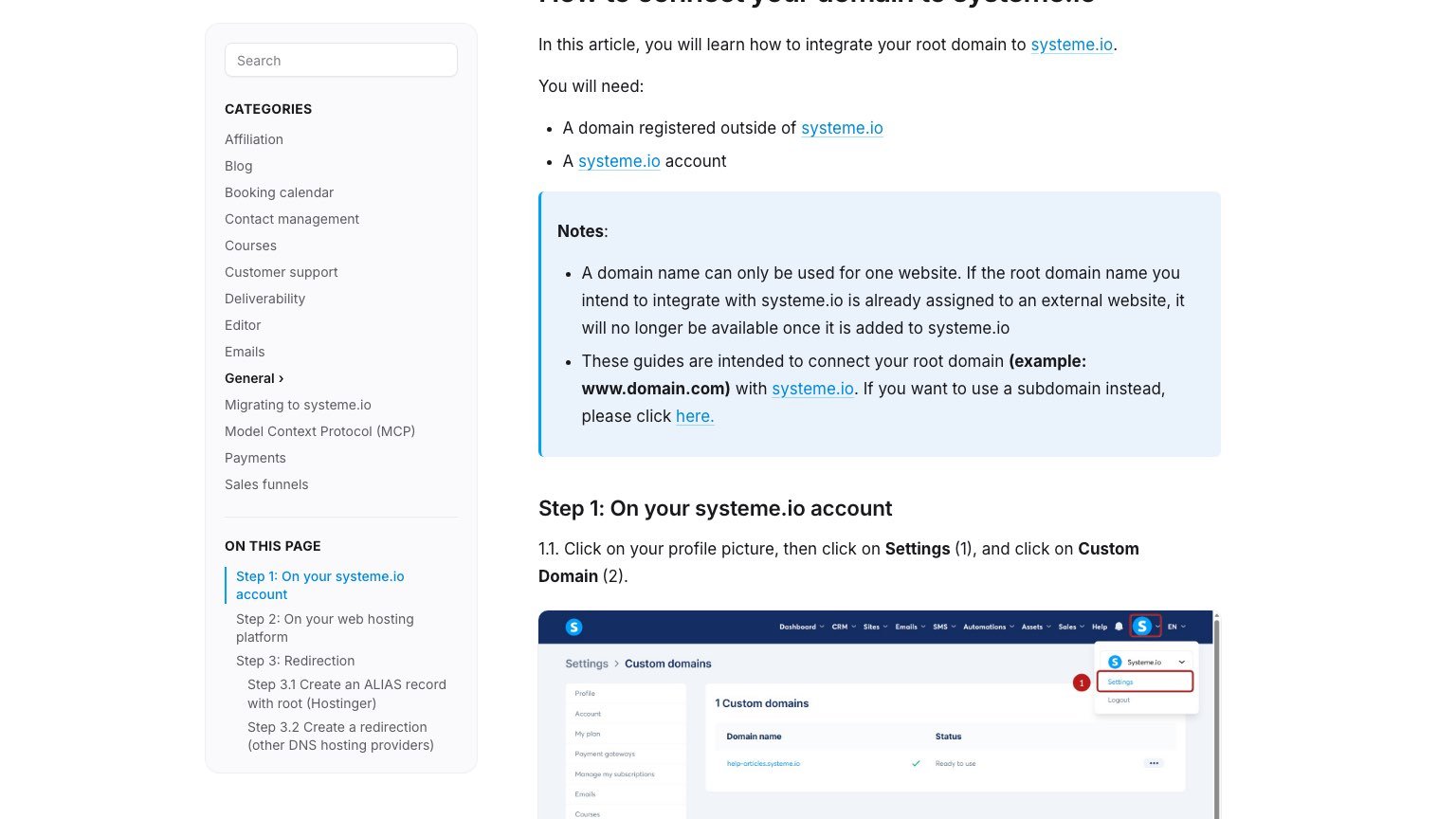
- Add the domain in Systeme.io. Click your profile picture, then Settings → Custom Domain → Add domain. Type the domain with www, like www.yourdomain.com, and click Save. A popup shows two CNAME records.
- Add both CNAMEs at your registrar. In your DNS zone, create a CNAME with host
wwwand the CloudFront value, then a second CNAME with the long underscore host and theacm-validations.awsvalue. - Forward the bare domain. On Hostinger, create an ALIAS record from the root to the same value as the www CNAME. On most other registrars, add a redirect from yourdomain.com to www.yourdomain.com.
- Check propagation. Paste the full CNAME names into DNS Checker. Every location should show the value Systeme.io gave you.
- Set a homepage. Systeme.io’s help center notes your domain needs a homepage assigned so visitors don’t land on an empty page.
Three things that break this step
- Leaving out www. Systeme.io’s help center says a domain added as yourdomain.com without www “is incorrect and will not be approved.”
- One domain, one website. If the domain already runs another site, it stops working there once you add it to Systeme.io. Use a subdomain, like go.yourdomain.com, if you want to keep your main site elsewhere.
- HTTPS on the bare domain. Most registrars only forward HTTP, not HTTPS. Systeme.io suggests a DNS provider with CNAME flattening, such as Cloudflare, or root-level CNAMEs, such as Namecheap, if you need https://yourdomain.com to redirect cleanly.
Part 2: How do you authenticate your domain for Systeme.io emails?
Authenticating your domain means adding three CNAME records and one DMARC record so inbox providers can confirm Systeme.io is allowed to send mail for you. Systeme.io makes it mandatory: you can’t send emails from your own address until the domain is authenticated.
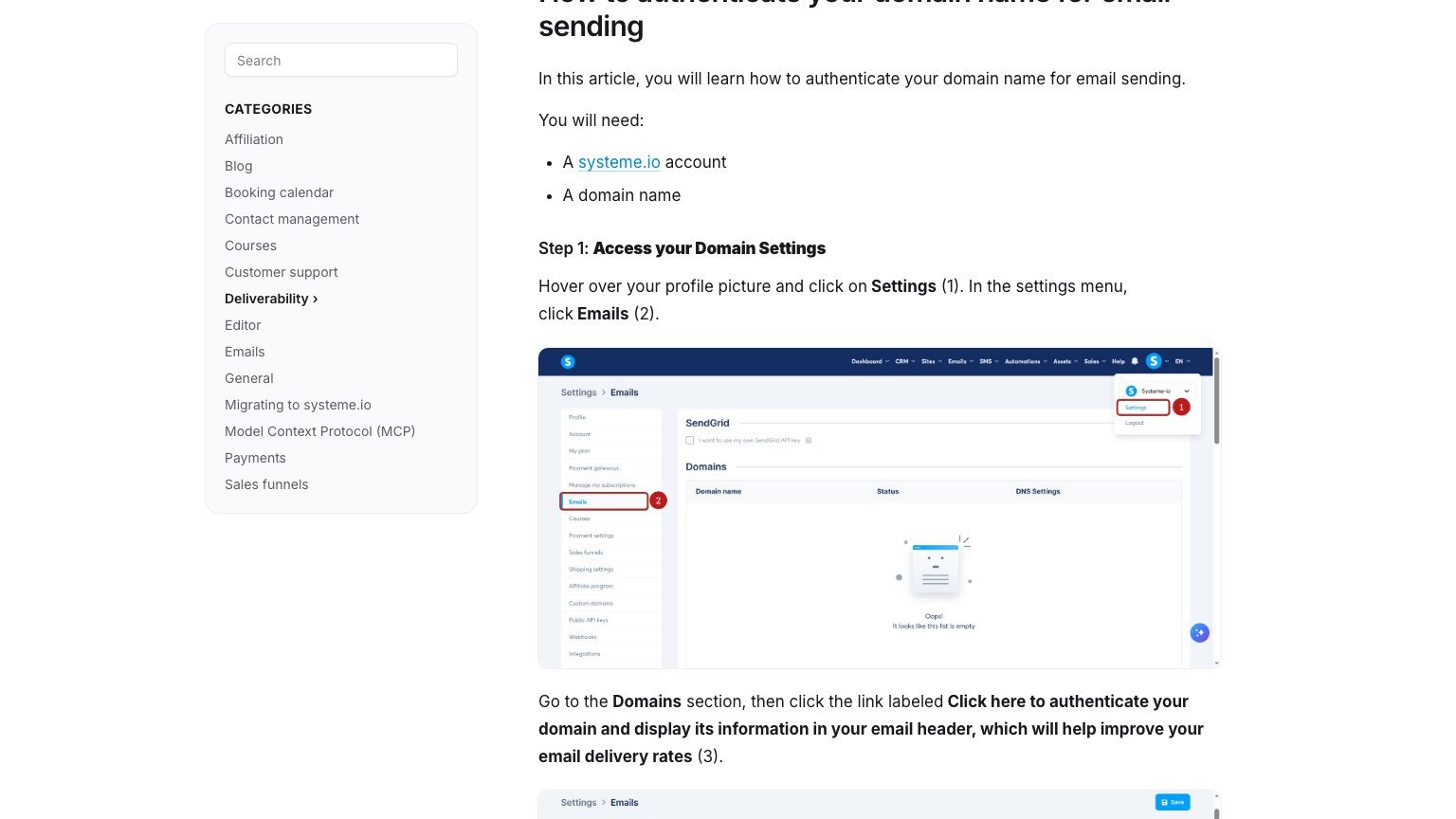
- Generate the records. Go to Settings → Emails, find Domains, and click “Click here to authenticate your domain.” Enter the domain without www and click Save. Systeme.io shows three CNAMEs and a DMARC record.
- Add the three CNAMEs. In the Name field, enter only the part before your domain. For a value of si942517.yourdomain.com, type
si942517. Paste the value with a trailing dot, likeinbound.systeme.io. - Add the DMARC TXT record. Name:
_dmarc. Value: the TXT string Systeme.io shows, such asv=DMARC1; p=none; rua=mailto:.... - Check all four. Use DNS Checker for the CNAMEs and MXToolbox’s DMARC checker for the TXT record. Green ticks on all three CNAMEs mean the domain is authenticated.
- Tell support. Systeme.io’s guide says to contact its support team after adding the records.
Rules from the help center that catch people out
- The domain needs a live website. If yourdomain.com returns a 404, inbox providers may block mail sent from it. Do Part 1 first.
- Gmail and Yahoo addresses can’t be authenticated. You need your own domain.
- One account per domain. A domain can be authenticated in only one Systeme.io account or sub-account. Authenticating it in a second account removes it from any account where it was still pending.
- Trailing dots vary by host. Systeme.io says to end values with a dot, but some hosts, such as Hover, reject it. If a record keeps dropping, try it without the dot.
Part 3: How do you verify your sender email in Systeme.io?
Verifying your sender address confirms you own the specific mailbox your emails come from, such as hello@yourdomain.com. It’s a separate step from domain authentication, and you need both before you can send from that address.
- Go to Settings → Emails and scroll to Verified email addresses.
- Click “Click here to confirm your email address,” enter the address and click Save.
- Open that inbox and click the confirmation link, then Confirm.
- The status changes to Verified.
You don’t need to verify the address you log in to Systeme.io with. It’s verified automatically (Systeme.io help center, updated January 20, 2026).
Can Systeme.io set up your domain for free?
Yes. Systeme.io offers a free domain setup service: you buy a domain from any registrar, contact support, and its team configures the records for you.
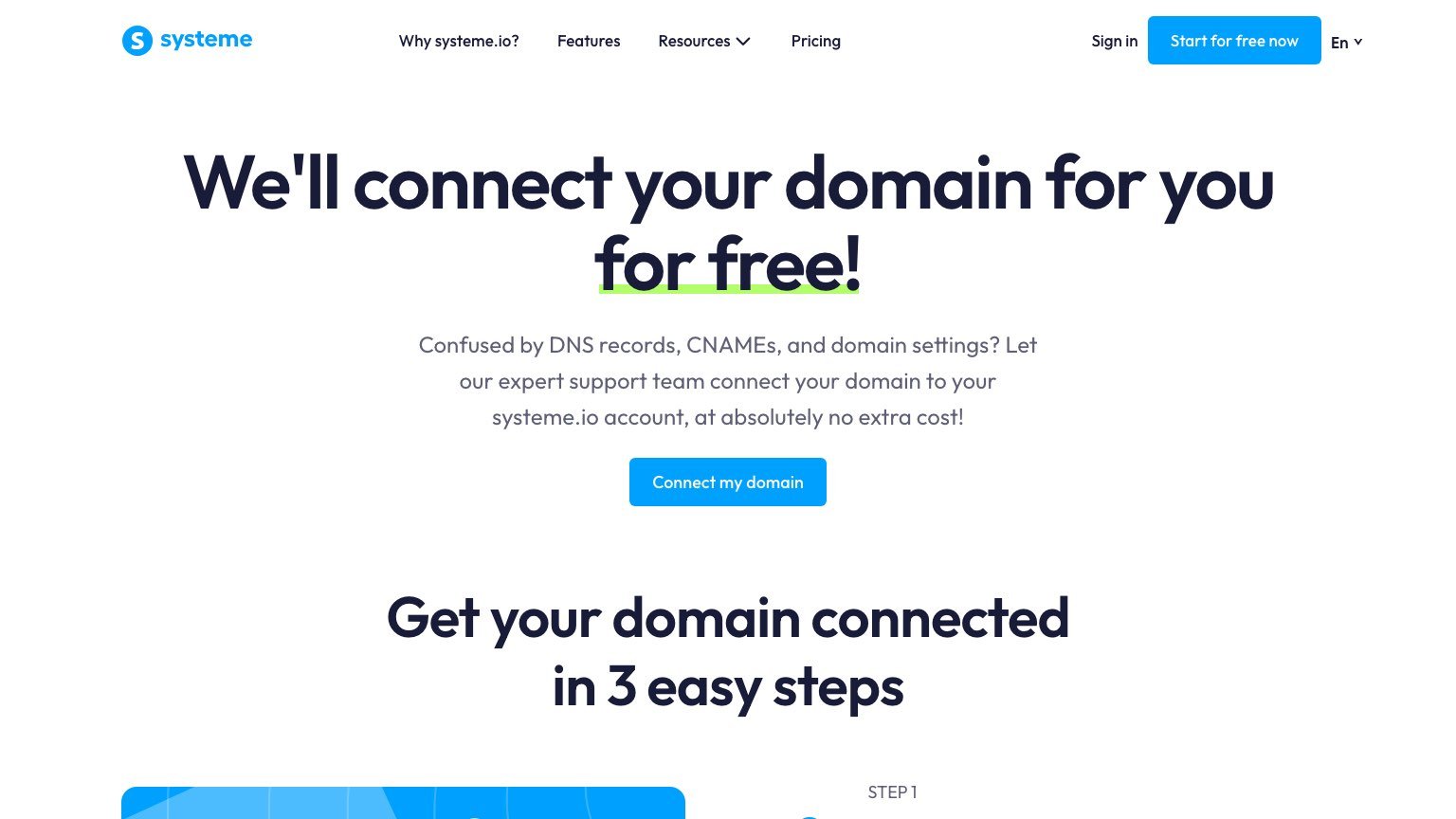
The catch is in step two of that page: you “provide us with your login details for your domain registrar.” Before you do that:
- Check whether your registrar supports delegated or team access, so you can give access without sharing your password.
- If you do share a password, change it as soon as support confirms the setup is done.
- Turn on two-factor authentication on the registrar account. Systeme.io’s setup FAQ says support will email you for the one-time code when it’s ready to log in.
Support usually finishes within a few hours, according to that FAQ. For six records, I’d do it myself with the table above. The setup is mostly copy-and-paste.
Troubleshooting: domain not approved or emails not sending
| Symptom | Likely cause | Fix |
|---|---|---|
| Domain stuck on not approved | Records still propagating | Wait up to 48 hours, then check in DNS Checker |
| Domain never approves | Added without www | Delete it and re-add as www.yourdomain.com |
| CNAME won’t save | Full hostname in the Name field, or a conflicting record | Enter only the prefix; ask your host what the conflicting record is for |
| Domain keeps losing “Ready to use” | Host rejects trailing dots | Remove the trailing dot from the values |
| Emails not delivered | Domain not authenticated, or the website returns 404 | Finish Part 2 and make sure the domain loads a page |
| Can’t send from your address | Sender not verified | Complete Part 3 |
Systeme.io’s help center says approval can take a few hours once the records have propagated.
Is Systeme.io the right place for your domain and email?
Systeme.io runs funnels, a blog, courses and email on one domain, with a free plan. It’s a good fit if you want one cheap tool for all of it. My Systeme.io review covers the free plan’s real limits, and ClickFunnels vs Systeme.io compares it with the more expensive option.
Systeme.io domain FAQ
How many DNS records does Systeme.io need?
Systeme.io needs six DNS records for a full setup: two CNAMEs to connect your domain, three CNAMEs to authenticate it for email, and one DMARC TXT record. You also need a redirect or ALIAS record so the bare domain points to the www version.
How long does Systeme.io take to approve a domain?
Systeme.io’s help center says approval can take a few hours. DNS records can take 24 to 48 hours to propagate first, so allow up to two days from adding the records.
Do I need to authenticate my domain to send emails from Systeme.io?
Yes. Systeme.io’s help center says domain authentication is mandatory to send emails from your own domain. You also need to verify the sender address, and the domain should load a working website.
Can I use a subdomain with Systeme.io?
Yes. Systeme.io supports subdomains such as go.yourdomain.com, which lets you keep your main website on another host. A root domain already used by another website stops working there once it’s added to Systeme.io.
Can I authenticate a Gmail address in Systeme.io?
No. Systeme.io only authenticates custom domains. Addresses from personal email providers such as Gmail, Yahoo or ProtonMail can’t be authenticated.
Related Reading
Reader questions
What people actually ask us
I can't add my DNS for systeme.io custom domain, can someone show me how?
Asked on Cloudflare Community
The usual cause is entering the full hostname in the Name field. Most DNS panels want only the part before your domain, like www or the long _1f8c... string. If a record still won't save, another record is probably using the same name, and you'll need to remove that one first.
Why is my systeme.io domain name not approved?
Asked on Systeme.io help center
It's usually one of two things. Either the CNAMEs haven't propagated yet, which can take 48 hours, or the domain was added without the www. Systeme.io only approves www.yourdomain.com, so re-add it that way.
Try it yourself
Ready to put it to the test?
We may earn a commission at no extra cost to you. Affiliate disclosure.
Reader feedback
Was this review helpful?
Your feedback helps us write better reviews.
Thanks for your feedback.

AI Funnel Insider is an independent review site covering AI tools, Skool communities, and online courses. Every review states what was paid for, what was accessed and what was verified before a verdict goes live. Reviews are independent and may contain affiliate links, at no extra cost to you.
Related Posts

7 Best Sales Funnel Builders in 2026, From Free to $97
The best sales funnel builders in 2026, ranked by use case. Systeme.io is free for 3 funnels; Kartra's $59 plan takes a 5% cut of sales.

Systeme.io Black Friday 2026: Why Waiting Won't Beat $170 a Year
No Systeme.io Black Friday deal yet, checked Nov 2. In 2025 it skipped the sale and shipped free features. Startup costs $170 a year today.

ClickFunnels vs Systeme.io 2026: $17 Wins Until Ads Do
Systeme.io costs $17/month, ClickFunnels $97. I run funnels on ClickFunnels and tested Systeme.io's free plan. Here's which one wins for your stage.

8 Best ClickFunnels Alternatives 2026 (1 Is Free)
ClickFunnels costs $97 to $297/mo. These 8 alternatives match it for less, and one is permanently free. Full 2026 pricing, pros, and cons inside.

Systeme.io Review: Is the Free Plan Enough?
Systeme.io's free plan gives 2,000 contacts, 3 funnels and zero fees. I went through every tier to find where the real limits kick in.
The Insider Newsletter
Funnel software price drops and trial changes.
One email when a funnel or course platform changes its pricing or trial, plus our Sunday review.
