Podia Review 2026: Cheap, But the 5% Fee Adds Up
Podia costs $42/month (annual) with 5% transaction fees on the entry plan. An honest look at who it fits, where it falls short, and how it compares.

Fastest setup of any course platform. Live product with Stripe in under 15 minutes
No mobile app and no push notifications, so the mobile experience is second-class
Quick Verdict
Podia is the fastest route from zero to a live digital product. You can have a course or download page taking Stripe payments in about 15 minutes. It bundles courses, digital downloads, coaching, webinars, community, and email marketing into one login starting at $42/month. The ceiling is low, though: no mobile app, no serious LMS tools, and analytics that stop at sales totals.
TL;DR: Podia suits beginners who want one login instead of five tools. It starts at $42/month with a 5% transaction fee on that entry plan. Best for solo operators under $840/month in sales. Past that line, the Mover fee costs more than the upgrade to Shaker (Podia, August 2026).
What Does Podia Actually Cost in 2026?
Podia raised prices and brought back a third tier this year. Mover is $42/month with a 5% transaction fee. Shaker is $84/month with 0% Podia fees. Earthquaker, which had quietly disappeared, is back at $150/month with 0% fees. Anyone quoting $33 or $75 is working off last year’s page (Podia, August 2026).
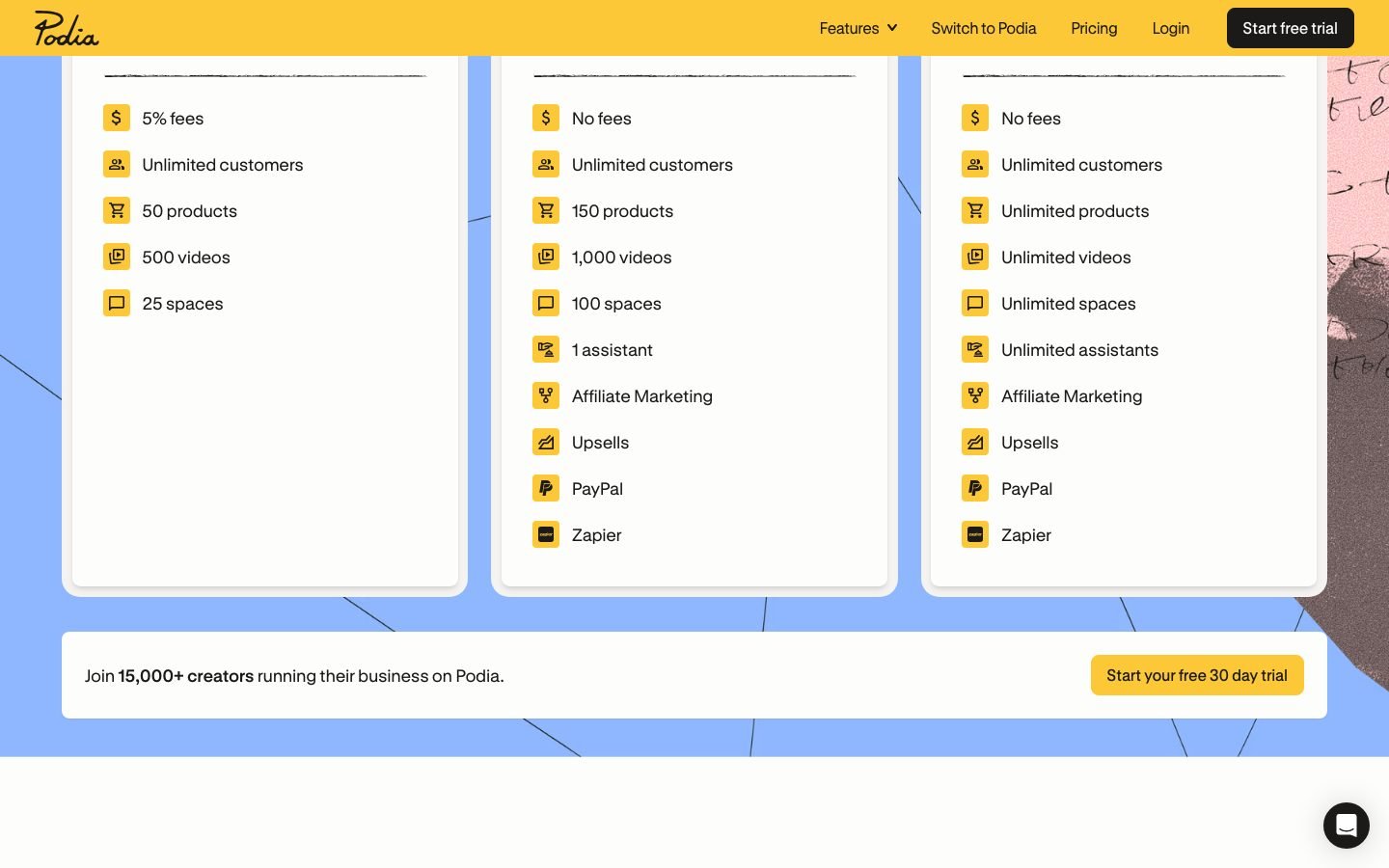
There is no free plan. The 30-day trial gives full feature access and does not ask for a card up front.
| Plan | Price | Transaction fee | Email subscribers included | Affiliate marketing | PayPal |
|---|---|---|---|---|---|
| Mover | $42/mo | 5% | 100 | No | No |
| Shaker | $84/mo | 0% | 500 | Yes | Yes |
| Earthquaker | $150/mo | 0% | 1,000 | Yes | Yes |
Every plan includes unlimited products, unlimited students, the full website builder, blogging, a custom domain, course certificates, and support seven days a week.
The 5% Fee Is the Real Price Tag
Shaker costs $42/month more than Mover. Mover takes 5% of every sale. So at $840/month in revenue, those fees hit exactly $42 and cancel out the upgrade. Past $840/month, staying on Mover is a slow leak.
Run it at $10,000/month in sales and Mover takes $500 in platform fees alone. Stripe adds 2.9% + $0.30 per transaction on top. A Mover user selling a $100 product gives up 7.9% before seeing a dollar, against 2.9% on Shaker.
The mistake I see most often is locking into annual Mover billing before you know your revenue trajectory. Cross $840/month in month three and you are overpaying on fees until renewal.
Where Earthquaker Fits
Earthquaker at $150/month buys you a bigger included email list (1,000 subscribers) rather than a different feature set. Unless your list is the bottleneck, Shaker covers most of what a growing creator needs. Compare the add-on cost of extra subscribers on Shaker against the $66/month jump before you take the higher tier.
Email List Limits
Email is included up to 100 subscribers on Mover, 500 on Shaker, and 1,000 on Earthquaker. Beyond your plan’s ceiling, Podia charges an add-on based on list size. Check the current add-on table on the pricing page before you budget, since those numbers moved along with the plan prices this year.
Is Podia Good for Beginners?
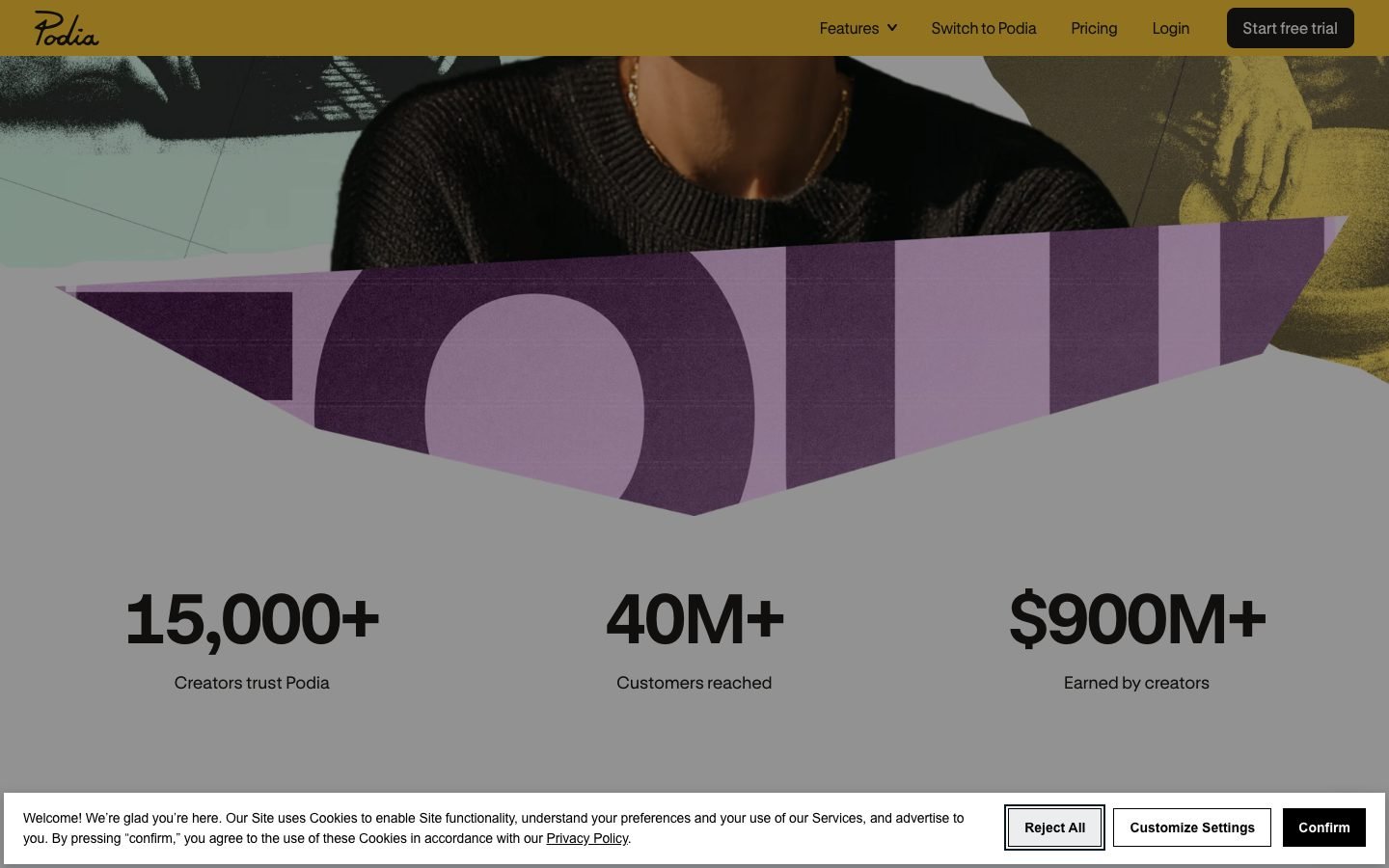
Podia is the most beginner-friendly course platform I have tested. Signup to a live product page with Stripe connected takes under 15 minutes. A first-time creator needs two tools: Podia and a Stripe account. No separate email platform, no video hosting subscription, no community tool at launch.
What You Get Out of the Box
Courses support drip scheduling, sections, video, audio, text, and PDF uploads. Video hosting is included, which kills the $15-50/month you would otherwise hand to Vimeo or Wistia for hours of content (Vimeo, 2026).
Course certificates ship on every plan now. Earlier Podia setups had none, so older reviews get this wrong.
The course builder handles basic drip sequencing and section organization cleanly. It is a light LMS. For a first course with video and PDF assets, it does the job without friction.
Product bundling stands out. You can combine a course, a PDF download, and a coaching session into one offer at one price. That lifts average order value without a separate funnel or upsell tool.
The Migration Path
Podia migrates content for free: up to 20 products on Mover, up to 30 on Shaker. Migrated items include course content, digital downloads, and customer email addresses from platforms like Teachable or Gumroad. Turnaround runs 1-2 weeks (Podia Help Center, 2026).
The Missing Mobile App Is the Biggest Gap
No mobile app is Podia’s single largest weakness in 2026. Skool, Kajabi, and Circle all ship native iOS and Android apps with push notifications. Podia’s mobile browser experience is responsive but feels second-class next to a real app. That matters when your students consume everything on a phone, and it matters more if your product leans on community engagement.
Quiz and assessment tools are minimal. Multiple choice only. No graded assignments, no branching logic, no SCORM compliance. Teachable and Thinkific both go deeper for certification-style programs.
AI features are effectively absent. Competitors have shipped AI-assisted course creation, automated student feedback, and content generation. Podia calls its approach “human-first,” which sounds principled but leaves creators doing work that other platforms now automate.
Analytics are thin. You get sales totals and email open rates. There is no cohort analysis, no student progress tracking, and no drop-off reporting by lesson. If you need to know which lesson loses people, you need a different platform.
Podia is betting that simplicity beats speed-to-ship for its target user. That bet may hold through 2026. The AI gap widens every quarter, so watch it if you plan to stay put for years.
Email Marketing Is the Feature That Earns Its Keep
Podia’s email tool is genuinely good, and it is in the base price. The email database shares data with your storefront, so you can trigger sequences off purchase history, membership status, or community activity with no third-party connector. Most platforms at this price cannot do that without Zapier.
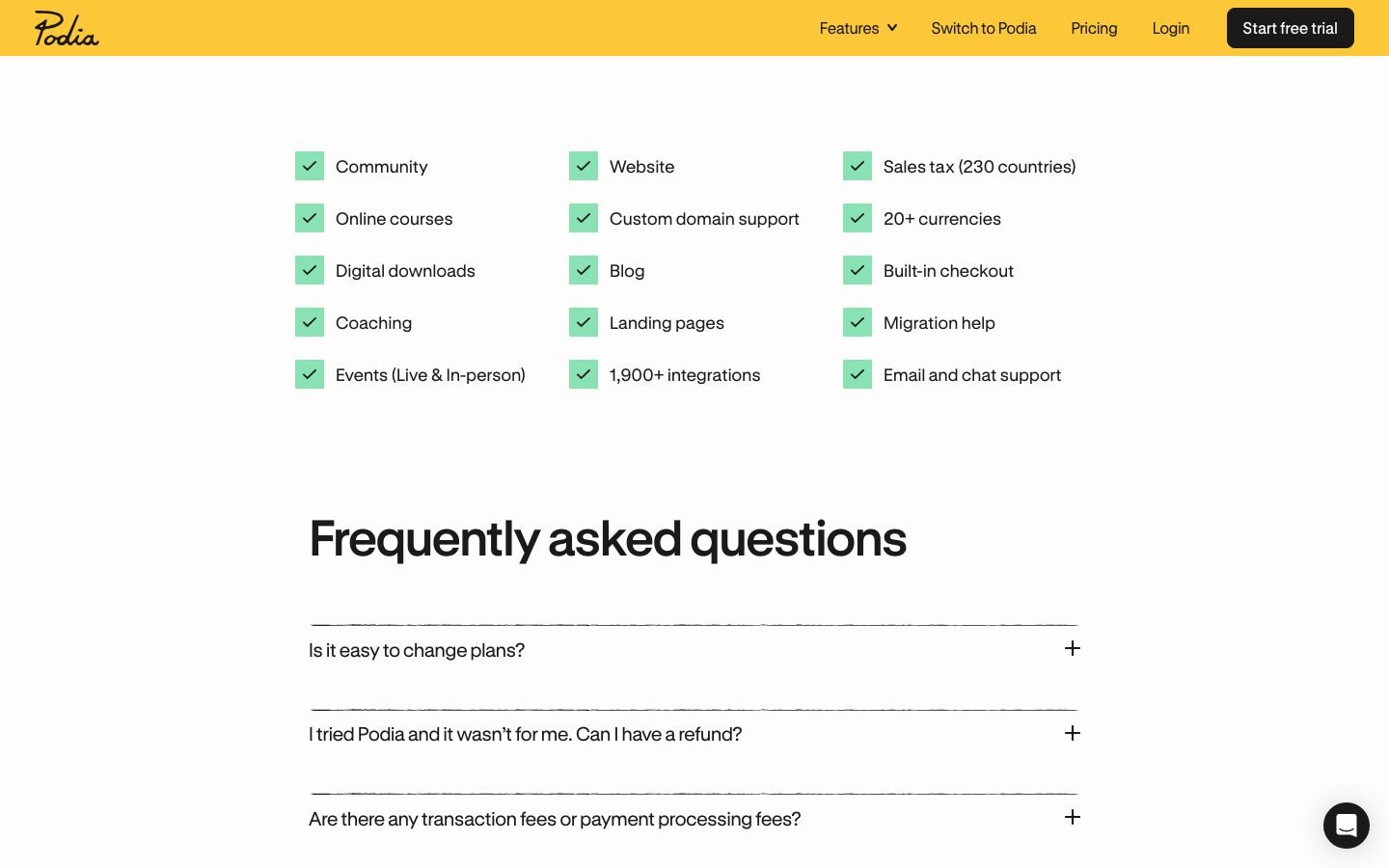
Automations cover purchase confirmations, abandoned checkout follow-ups, and post-purchase drips. Segmentation works by product ownership, tag, or engagement. Analytics show which emails drove specific sales, not just opens.
Setting up a post-purchase drip for a new course took me about 20 minutes. Configuring a ConvertKit integration from scratch takes longer and costs more once your list grows.
The catch is the included subscriber ceiling. On Mover you get 100 subscribers, which you will pass fast if the emails are working. Factor the add-on into your real monthly cost.
Podia vs Teachable: Which Is Better?
Podia wins on all-in-one pricing and setup speed. Teachable wins on quiz tools and built-in affiliate payouts. Teachable’s cheapest plan charges a 7.5% transaction fee against Podia Mover’s 5% (Teachable, 2026). For a creator doing $1,000/month, that gap is $25/month.
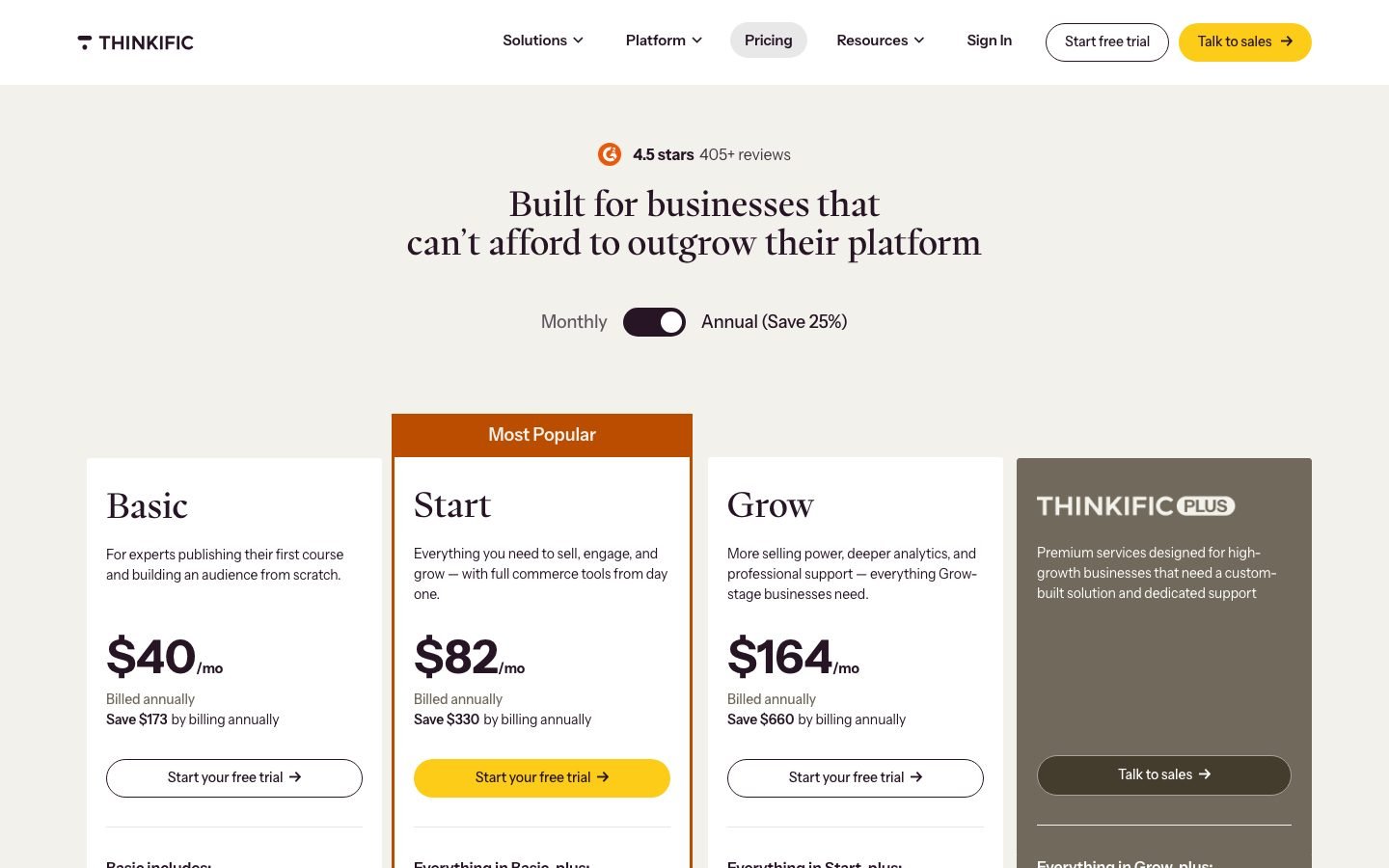
The practical difference is bundling. Podia hands you email marketing, community, and a website builder in the base price. With Teachable you would add ConvertKit, Circle, and a separate site to match. Our Podia vs Teachable breakdown runs the full feature-by-feature comparison.
Podia vs Kajabi
Kajabi starts at $143/month on annual billing, roughly 3.4x Podia’s Mover price (Kajabi, 2026). Its entry plan caps you at 3 products, 1,000 active members, and 1,000 email contacts. Podia has no such caps.
Kajabi wins on advanced automations, visual funnel builders, and a polished mobile app. At $10,000+/month with real funnel needs, that price makes sense. Below that you are paying over $1,200/year for features you will not open.
Podia vs Thinkific
Thinkific’s entry paid plan is $49/month with 0% transaction fees and better classroom tools than Podia (Thinkific, 2026). It skips email marketing, website hosting, and community. If your email is already sorted and you just need a solid course platform, compare the two directly in our Thinkific vs Teachable comparison, which covers the same classroom feature set.
Is Podia Worth It for Your Business?
Podia is worth it under specific conditions. You are launching a first course or digital product. You want one login instead of five tools. You are not building a certification program. You expect to stay under $840/month for at least the first billing cycle. Under those conditions it is one of the better value plays in the creator platform space.
Skip it if you need a mobile app, real LMS features, or deep analytics. At $42/month you are buying simplicity. Decide which you actually need before you commit.
Who should use Podia:
- Solo creators launching a first course or download who want storefront, payments, email, and community in one place
- Coaches selling a mix of downloads, courses, and live sessions under one dashboard
- Creators leaving Gumroad who want better email integration without Kajabi pricing
Who should skip Podia:
- Anyone building a certification program that needs graded assessments, SCORM, or branching paths
- Creators whose students expect a mobile app with push notifications
- Anyone past $10K/month who needs cohort analytics, team access, or advanced automation
Here is the math at a typical mid-stage number. A creator doing $2,000/month on Mover pays $100 in Podia fees plus $42 in plan cost, so $142/month. The same creator on Shaker pays $84 with zero Podia fees. Shaker saves $58/month, or $696 a year, and unlocks PayPal and affiliate tools on the way.
Frequently Asked Questions
Is Podia worth it in 2026?
Podia is worth it for solo creators who want storefront, email, and course delivery in one login without Kajabi pricing. Mover starts at $42/month. The math flips at $840/month in sales, where the 5% transaction fee exceeds the $42/month upgrade to Shaker.
What does Podia cost in 2026?
Three plans as of August 2026: Mover at $42/month, Shaker at $84/month, and Earthquaker at $150/month. No free plan. The 30-day trial covers every feature and asks for no card. Email is included up to 100 subscribers on Mover, 500 on Shaker, and 1,000 on Earthquaker (Podia, 2026).
Does Podia have transaction fees?
Yes, on Mover only. Mover charges 5% on every sale. Shaker and Earthquaker charge 0% Podia fees. Your payment processor still takes 2.9% + $0.30 per transaction on every plan. Stripe works on all plans; PayPal starts at Shaker (Podia, 2026).
How does Podia compare to Teachable?
Podia wins on all-in-one pricing, since email marketing and community tools are built in. Teachable’s cheapest plan carries a 7.5% transaction fee against Podia Mover’s 5%. Teachable wins on quiz depth and automated affiliate payouts. For a first-time creator without an email tool already in place, Podia is the cheaper and simpler start.
Is Podia good for beginners?
Yes. Most creators go from signup to a live product page with Stripe connected in under 15 minutes. You need two tools: Podia and Stripe. Email, video hosting, and a basic community are built in, so no third-party connectors at launch. The 30-day trial is long enough to collect real sales before you pay.
Does Podia have a mobile app?
No. As of August 2026 there is no native iOS or Android app and no push notifications. The platform is mobile-responsive in a browser. Skool, Kajabi, and Circle all ship dedicated apps. For community-first businesses, that gap is the deciding factor.
The Bottom Line on Podia
Podia earns a 3.8/5. It does what it promises: the fastest path from idea to live digital product, with fewer tools than any competitor near this price. Native email marketing, video hosting, and course certificates inside $42/month is real value for an early-stage creator.
The weaknesses are consistent and predictable. No mobile app. Thin analytics. Basic assessments. Those are deliberate tradeoffs for simplicity, and simplicity has a shelf life. As your business grows you hit the ceilings, and migrating off costs time.
Use Podia to validate your offer and reach your first $840/month. Reassess at that line. If you need more power before then, start on Teachable or Thinkific instead.
Last updated: August 2026
Related Reading
Full pros & cons
- Fastest setup of any course platform. Live product with Stripe in under 15 minutes
- Unlimited products and students on every plan
- Native email marketing with purchase-based segmentation included
- All video hosting included, so no Vimeo or Wistia add-on needed
- Course certificates included on every plan
- No mobile app and no push notifications, so the mobile experience is second-class
- 5% transaction fee on Mover eats margin past $840/month in revenue
- Basic quiz tools only. No SCORM, no branching logic
- AI features lag well behind competitors
- Surface-level analytics with no cohort analysis or student drop-off reports
Reader feedback
Was this review helpful?
Your feedback helps us write better reviews.
Thanks for your feedback.

AI Funnel Insider is an independent review site covering AI tools, Skool communities, and online courses. Every community and tool reviewed here is personally joined, paid for, and tested before a verdict goes live. Reviews are independent and may contain affiliate links, at no extra cost to you.
Related Posts

8 Best Podia Alternatives 2026
Podia's 5% fee costs $500/month at $10K revenue. Here are 8 better Podia alternatives with lower fees, stronger tools, and free plans for 2026.

Podia vs Teachable 2026: Which Keeps More of Your Money?
Podia takes 5% per sale, Teachable up to 7.5%. Which platform keeps more money in your pocket in 2026? Full fee and feature comparison inside.

LearnWorlds Review 2026: Real Pricing and the Limits
LearnWorlds is a G2 Spring 2026 Leader, but the pricing tiers hide real limits. My honest review vs Teachable and Thinkific before you commit.

9 Best Kajabi Alternatives 2026 (Cheaper, Tested)
Kajabi starts at $143/mo. Here are 9 cheaper alternatives for courses, community, and funnels, with verified 2026 pricing and real pros and cons.

8 Best Teachable Alternatives 2026
Teachable charges a 7.5% transaction fee on its cheapest plan. Here are 8 better alternatives with lower fees and verified 2026 pricing, free to $99/mo.

7 Best SamCart Alternatives 2026
SamCart has no free trial and a steep price. Here are 7 checkout platforms that match or beat it in 2026, including free plans and a lifetime deal.
The Insider Newsletter
One honest review, every Sunday.
Get our weekly breakdown of which AI tools and Skool communities are worth buying. Built for marketers, founders & solopreneurs.