Kajabi vs Teachable 2026: Full Fee and Feature Math
Evidence Review Built from public, vendor and customer evidence. We did not buy or use it.Kajabi vs Teachable in 2026: pricing, fees, and features compared side by side. Which platform actually wins at your revenue level?

- Review type
- Evidence Review. Built from public, vendor and customer evidence. We did not buy or use it.
- Last verified
- August 20, 2026
- Affiliate relationship
- No
| Closest alternatives | Price | Score |
|---|---|---|
| ClickFunnels 2.0 | $97/month | 4.2/5 |
| Systeme.io | Free-$97/month | 4.1/5 |
| LearnWorlds | $24/mo (annual) - custom enterprise | 4/5 |
The Verdict: Kajabi vs Teachable in One Paragraph
Kajabi wins for established course creators making over $1,500/month who want email, funnels, and courses in one subscription. Teachable wins for new creators launching their first course who need a low entry point and automatic global tax compliance. The breakeven sits at roughly $1,520/month in course revenue. Above that line, Kajabi’s zero transaction fees make it cheaper despite its higher sticker price. (Kajabi Pricing Page, 2026; Teachable Pricing Page, 2026)
TL;DR: Kajabi starts at $143/month on annual billing with zero transaction fees (October 2026). Teachable starts at $29/month on annual billing but takes 7.5% of every sale on its cheapest plan. At $1,520/month in revenue, Kajabi becomes cheaper. Below that, Teachable’s lower sticker price holds. Choose based on your current revenue level, not the headline price. (Kajabi, Teachable, 2026)
What Is Kajabi?
Kajabi is an all-in-one platform for digital product creators. Kajabi says creators have earned more than $12 billion on the platform (Kajabi, October 2026). One subscription covers courses, coaching, communities, websites, email marketing, sales funnels, and a student mobile app. You don’t need external tools to run a complete online education business.
Kajabi targets experts and educators who want everything connected. The trade-off is price. It costs more upfront than any Teachable plan. But the included tools replace subscriptions that would otherwise cost $200+ per month separately.
Kajabi briefly sold a $71/month Starter tier in 2026, but as of October 2026 its pricing page lists only Basic, Growth and Pro, so Basic at $143/month is the entry point. I’ll cover the math in detail below.
What Is Teachable?
Teachable is a course hosting platform with a simpler, narrower feature set. Teachable says more than 150,000 experts and businesses rely on it and that they have earned $10B+ (Teachable About Page, October 2026). The platform focuses on what course creators actually need to launch: a course builder, checkout, certificates, and basic analytics.
Teachable’s biggest differentiator is tax compliance, not price. Teachable acts as Merchant of Record. It handles US sales tax, EU VAT, and GST automatically across all plans. That one feature alone saves international creators real time and legal exposure.
The platform doesn’t include email marketing or funnels. You connect external tools via Zapier or native integrations instead.
How Does Kajabi Pricing Compare to Teachable?
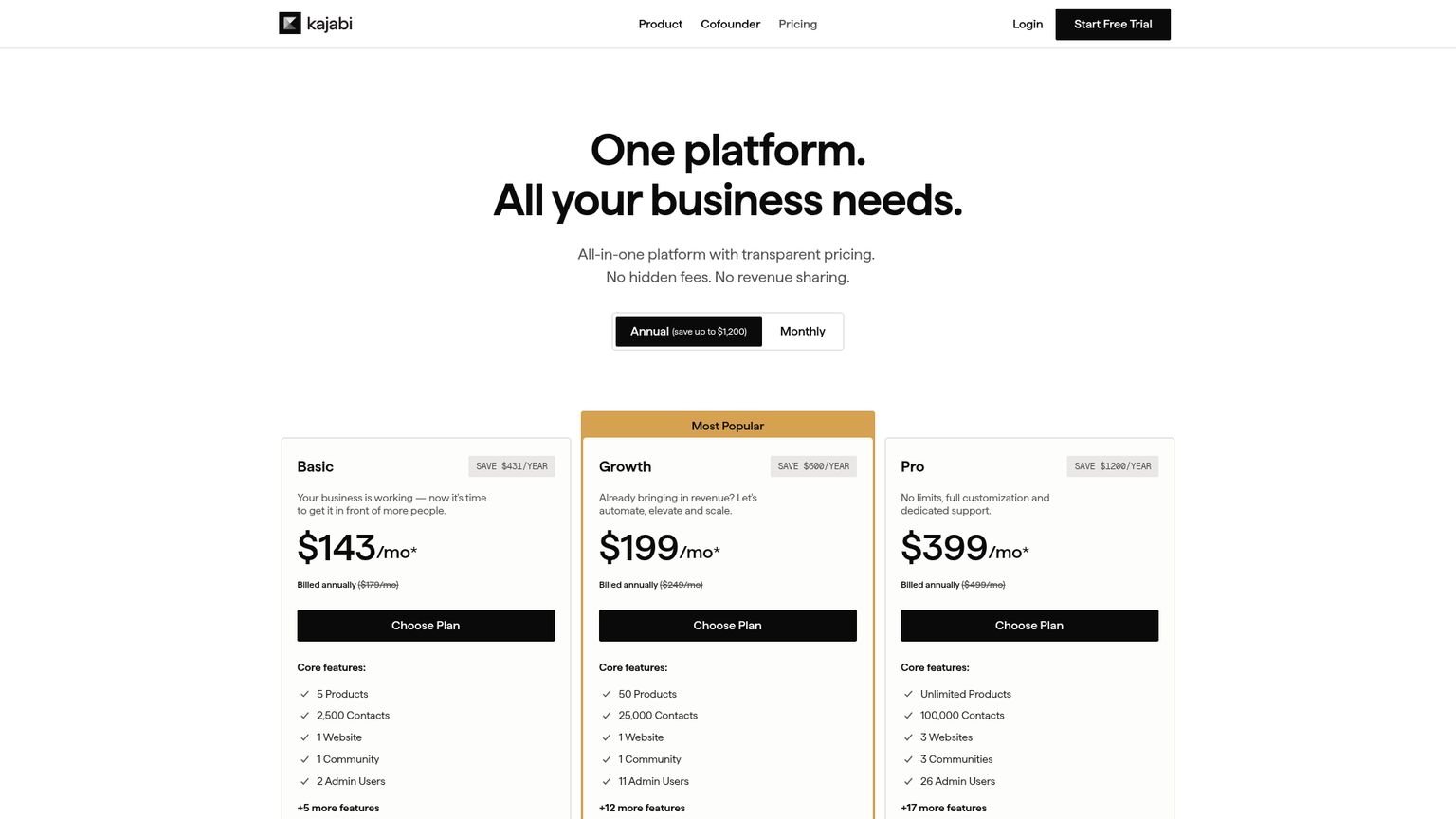
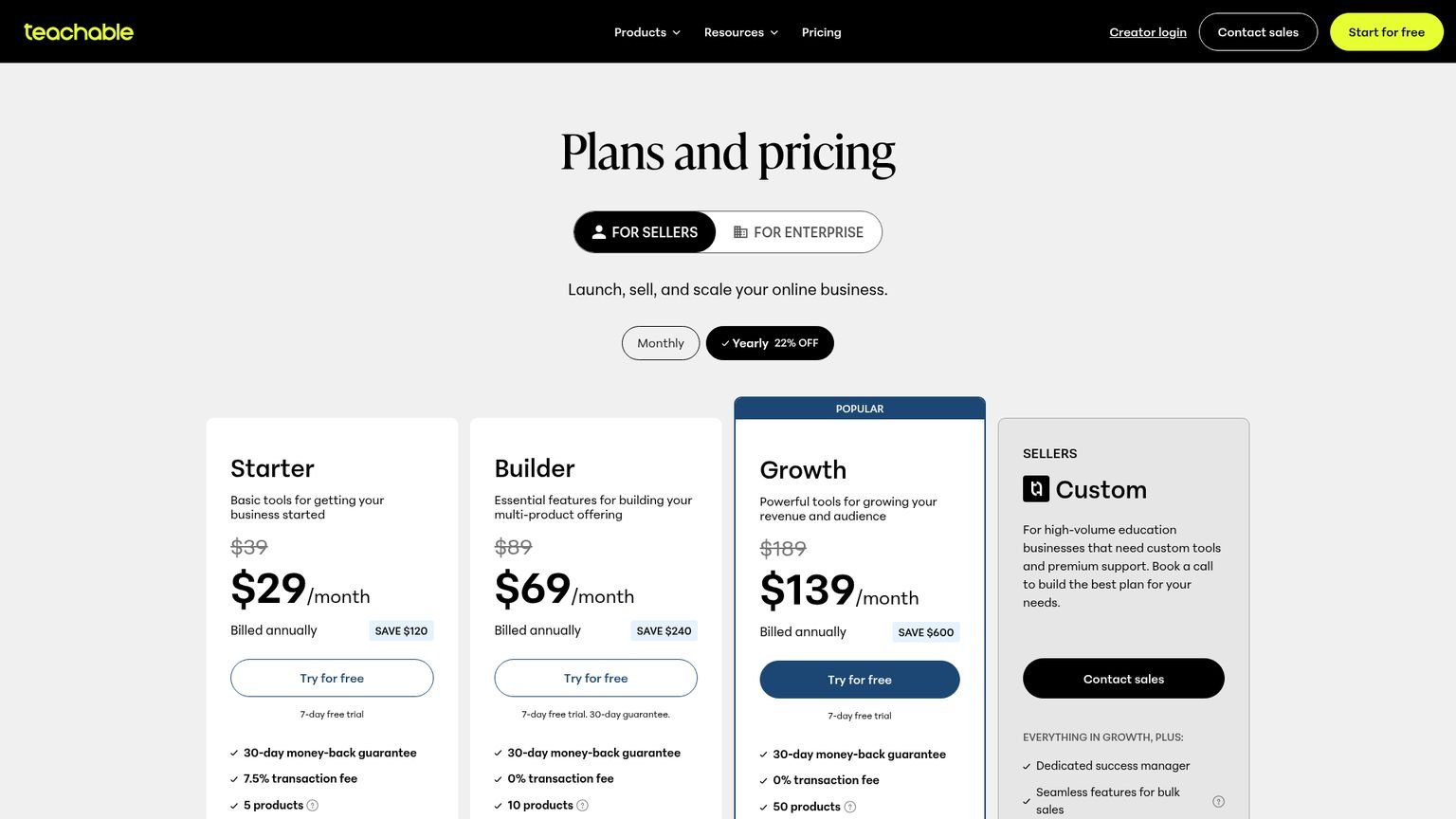
Kajabi has three tiers starting at $143/month on annual billing ($179 month-to-month), as of October 2026. Teachable has its own tiers starting at $29/month annual ($39 month-to-month). The sticker price favors Teachable, but Teachable’s Starter plan adds a 7.5% transaction fee on every sale, which erases that advantage at modest revenue levels. (Kajabi Pricing, 2026; Teachable Pricing, 2026)
Full Pricing Table: Kajabi vs Teachable 2026
| Kajabi Basic | Teachable Starter | Teachable Builder | |
|---|---|---|---|
| Monthly (annual billing) | $143/mo | $29/mo | $69/mo |
| Monthly (no commitment) | $179/mo | $39/mo | $89/mo |
| Transaction fee (own processor) | 2% surcharge | 7.5% on all sales | 0% |
| Products | 5 | 5 | 10 |
| Contacts/Students | 2,500 | 100 active students | 1,000 active students |
| Email marketing | Included | Not included | Not included |
| Funnels | Included | Not included | Not included |
| Community | Included | Basic | Basic |
| Student mobile app | Shared app | Shared app | Shared app |
| Tax compliance (VAT/GST) | Your responsibility | Included | Included |
| Free trial | 14 days | 7 days | 7 days |
Teachable also sells a Growth plan at $139/month annual ($189 month-to-month) with 50 products and 5,000 active students. And one detail most comparisons skip: Teachable stops charging its usage fees once your school sells more than $10,000/year through its native gateways. (Teachable usage fees, October 2026)
The Transaction Fee Math
On Teachable Starter, you pay $29/month (annual) plus 7.5% of every sale.
At $500/month in revenue: $29 + $37.50 = $66.50 total platform cost. At $1,000/month: $29 + $75 = $104/month. At $1,520/month: $29 + $114 = $143/month. That’s exactly Kajabi Basic territory, but without email or funnels.
The breakeven point sits at $1,520/month. Above that, Kajabi Basic at $143/month is cheaper. And it includes email marketing, funnel pipelines, and a community that would cost $150-$200/month in separate tools on Teachable.
I’ve found that most creators who move from Teachable to Kajabi do so between $1,500 and $2,500/month in revenue, right when the third-party tool pile-up gets expensive and chaotic to manage.
Which Is Cheaper: Kajabi or Teachable?
Teachable is cheaper at low revenue. Its Starter plan at $29/month annual beats Kajabi Basic at $143/month when you’re making under $1,520/month. Above that, Teachable Starter’s 7.5% transaction fee flips the advantage. Teachable Builder at $69/month has no transaction fee, but also has no email or funnels. (Teachable Pricing, 2026; Kajabi Pricing, 2026)
The “cheap” comparison breaks down fast when you account for tools. A Teachable Builder creator who adds ConvertKit for email ($29/month), Systeme.io for funnels ($27/month), and Circle for community ($49/month) pays $174/month. Kajabi Basic at $143/month includes all three.
At feature parity, Kajabi Basic is $31 cheaper than an equivalent Teachable Builder stack.
The subscription fee is not even the real cost difference. Context-switching is. Managing three platforms with Zapier connections adds 3-5 hours per month in maintenance that never shows up in a pricing comparison table.
If transaction fees are your main gripe with Teachable, Thinkific vs Teachable is worth a read too: Thinkific charges 0% on every plan.
Which Is Better for Beginners?
For absolute beginners launching a first course, Teachable wins on simplicity and risk. You can have a course live in a few hours. The 7-day free trial is enough to build and publish your first product. If it doesn’t sell, you’ve spent $39, not $179. (Teachable Pricing, 2026)
Kajabi Basic at $143/month (annual) is a bigger commitment, though Kajabi gives you a 14-day free trial, twice Teachable’s window. But the platform still has a steeper learning curve. Setting up email automations, pipelines, and a community properly takes days, not hours. For someone validating their first course idea, that complexity is wasted setup time.
Teachable Starter’s 100-active-student limit is a real constraint, though it bites less than it used to. Usage fees stop once you cross $10,000/year in sales through Teachable, and upgrading to Builder at $89/month kills the 7.5% fee, which changes the economics entirely.
Course Building: Which Platform Has Better Lesson Tools?
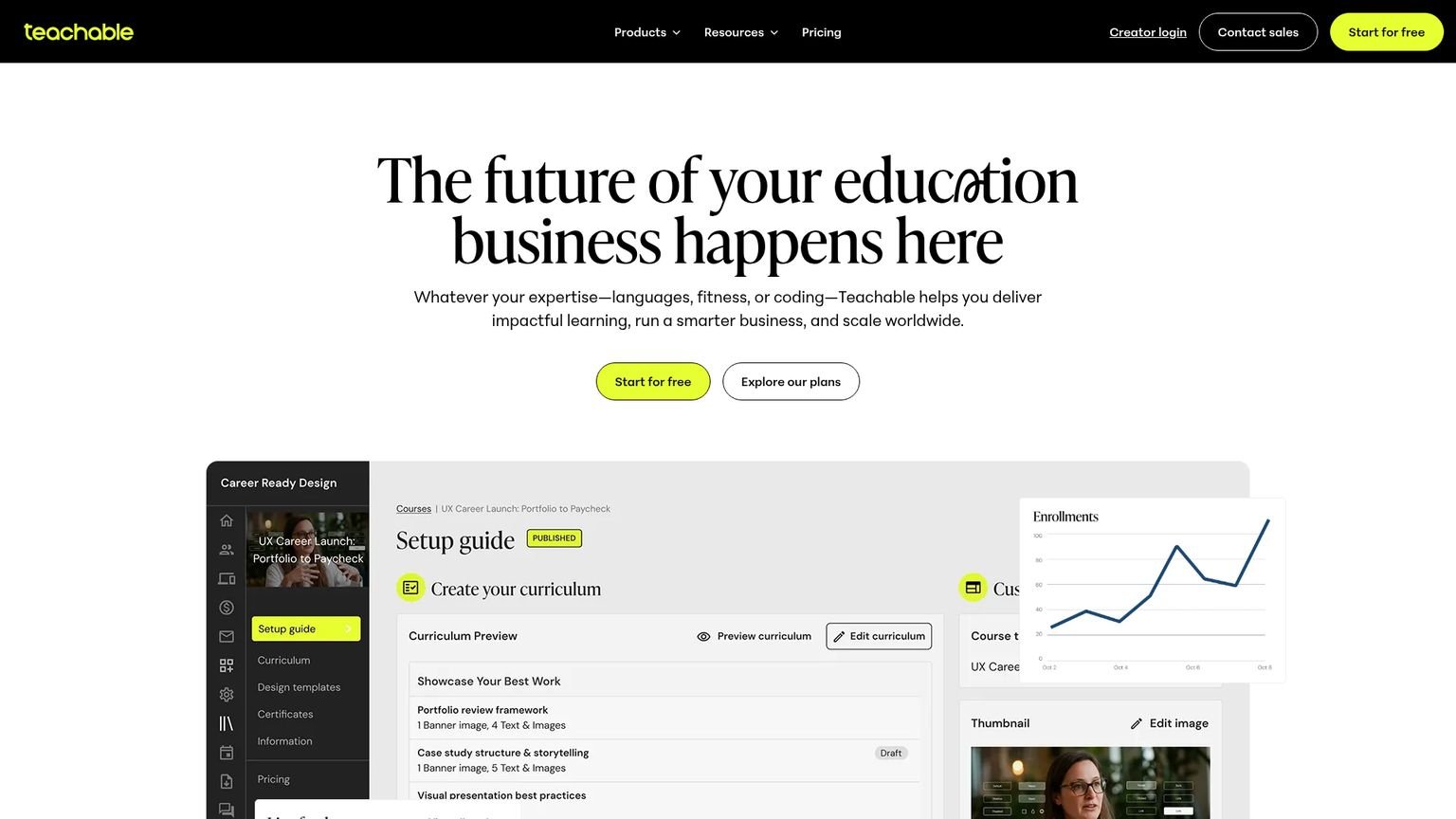
Teachable wins the course building comparison. It lets you mix video, audio, PDF, text, and quizzes inside a single lesson. Kajabi forces a one-media-per-lesson structure: one video or one audio file per lesson, with quizzes as separate entities. Teachable also supports bulk uploads for large course libraries. (Teachable Feature Page, 2026)
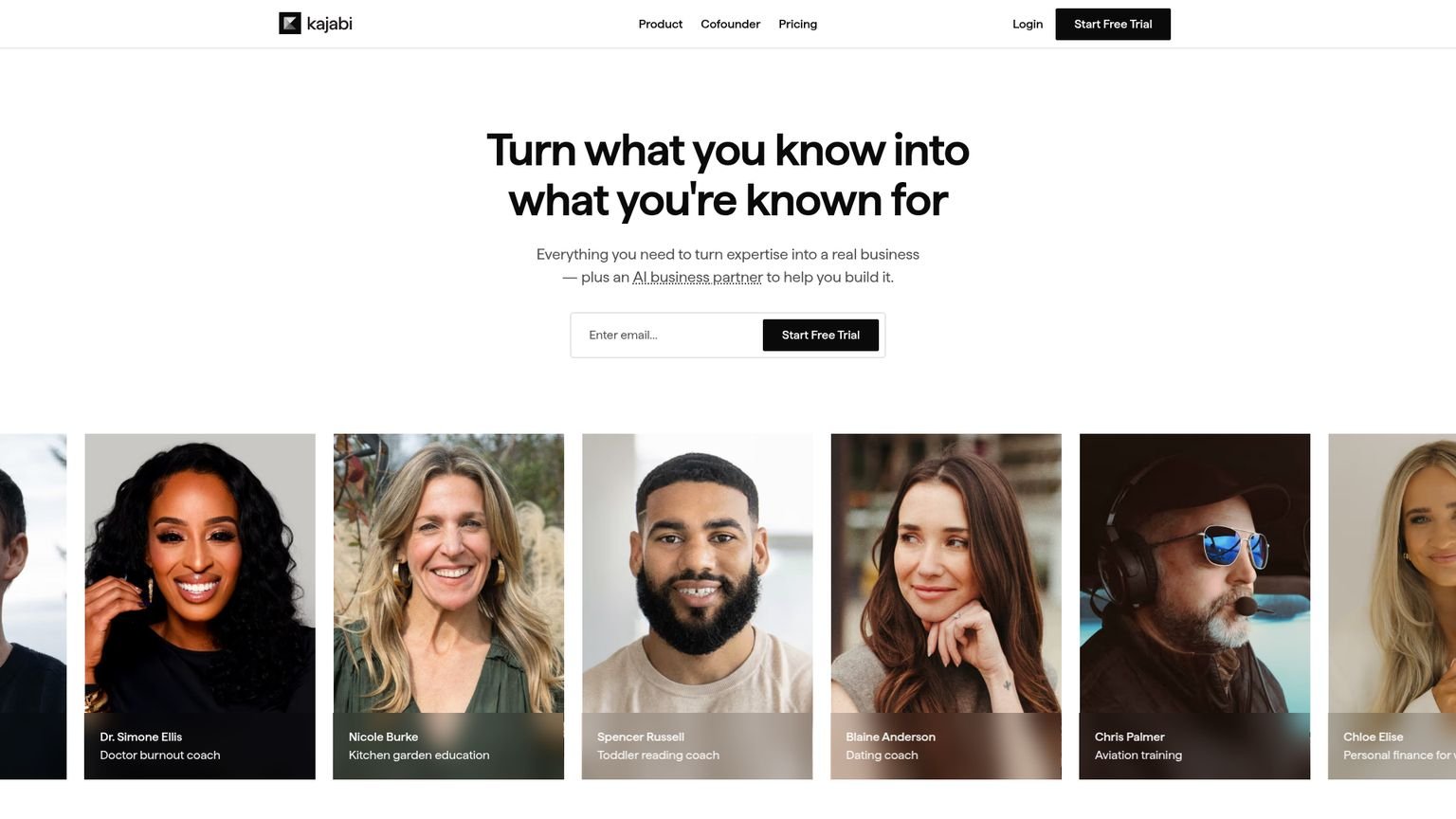
Kajabi fights back on design. It offers professionally designed course themes versus Teachable’s templates, with product-level customization so each course can look different. Teachable applies design changes at the school level, which means every course shares the same template.
For student engagement, Teachable supports time-stamped notes so students can bookmark moments in a video. Kajabi counters with native gamification: badges, points, and leaderboards. Different approaches to the same retention problem.
Does Teachable Have Email Marketing?
Teachable does not include email marketing on any plan. You get purchase confirmations, abandoned cart emails, and basic broadcast emails. For real email sequences, drip campaigns, and behavioral automations, you need a third-party tool like Kit (formerly ConvertKit) or Mailchimp. (Teachable Feature Page, 2026)
Kajabi includes full email marketing on every plan: broadcast emails, drip sequences, and behavioral automations, all connected to student activity inside your course. A student who fails a quiz can auto-enter a remedial sequence. A student who hasn’t logged in for 14 days gets an automated re-engagement email. None of that is possible on Teachable without a third-party integration.
Kajabi’s 2026 Creator Studio update takes this further. One long-form video can become 40+ content pieces across LinkedIn, blogs, and email sequences. That feature has no equivalent on Teachable.
Which Has Lower Transaction Fees?
Kajabi has lower effective transaction fees for most creators. Kajabi Payments charges 2.9% + $0.30 on Basic, the same rate as Stripe directly. Teachable’s Starter plan charges an additional 7.5% transaction fee on top of standard processing fees. Teachable Builder and above have 0% transaction fees. (Kajabi Pricing, 2026; Teachable Pricing, 2026)
The comparison gets more nuanced if you want to use your own payment processor.
Kajabi’s surcharge for using a third-party payment provider (not Kajabi Payments):
- Basic: 2% surcharge
- Growth: 1% surcharge
- Pro: 0.5% surcharge
Teachable charges 0% on Builder and above when using teachable:pay or a monthly payment gateway. Standard processing fees (2.9% + $0.30 for US cards) still apply on both platforms.
If you’re on Kajabi Basic using your own Stripe account, you’re paying 2% surcharge plus Stripe’s 2.9% + $0.30. On $5,000/month in sales, the Kajabi surcharge alone adds $100/month. That’s more than two-thirds of Teachable Builder’s subscription cost.
Marketing Tools: Which Platform Gives You More?
Kajabi’s marketing tools are the platform’s core competitive advantage. Visual funnel templates, behavioral email automations, a full CRM, and AI content repurposing come standard on every plan. Teachable provides coupons, upsells, order bumps, and affiliate programs, but no funnel builder and no behavioral email system. (Kajabi Feature Page, 2026)
Matching Kajabi’s marketing feature set on Teachable requires adding:
- ConvertKit for email: $29/month
- Systeme.io for basic funnels: $27/month
- Or ClickFunnels 2.0: $147/month
That’s $56-$174/month in additions to a plan that already costs $69/month. Most Teachable creators who need real marketing infrastructure eventually consolidate on Kajabi or move their email to a dedicated platform and live with the fragmentation. If funnels matter more to you than courses, my Kajabi vs ClickFunnels breakdown covers that angle.
Mobile App: Which Platform Has a Better Student Experience?
Kajabi offers a branded mobile app on its Pro plan ($399/month annual, as of October 2026). Your school appears in the App Store and Play Store under your brand name, not Kajabi’s. Students get custom push notifications. Teachable has a shared student app where all enrolled schools appear together with no brand isolation. (Kajabi Mobile App Page, 2026; Teachable Mobile App Page, 2026)
Most course consumption now happens on phones, so platform-level mobile experience matters for completion rates and retention.
On Kajabi Basic and Growth, students use the shared Kajabi Customer App. It works, but your brand competes for attention alongside every other Kajabi school the student has enrolled in. The branded app is a Pro-plan feature worth noting if mobile experience is a priority.
Tax Compliance: Who Handles VAT and Sales Tax?
Teachable acts as Merchant of Record on all plans. It calculates, collects, and remits US sales tax, EU VAT, and UK VAT automatically. Kajabi makes you the Merchant of Record. You carry the international tax compliance burden yourself, with TaxJar and Quaderno available as integrations. (Teachable Pricing Page, 2026; Kajabi Help Center, 2026)
For solo creators selling globally, this difference matters. Teachable’s Leila Gharani of XelPlus Academy, who has students in 188 countries, cited tax handling as the reason she stays on Teachable despite the platform’s limitations (Teachable Success Stories, 2026).
Kajabi’s approach works fine if you use TaxJar or operate primarily in the US. But it adds recurring admin overhead that Teachable eliminates entirely.
Community Features: The Weak Spot on Both Platforms
Kajabi’s community features include challenges, assessments, tier-gated access groups, and 2026 community automations. Teachable added community features but they stay basic: polls, discussions, and shared spaces without deeper engagement tools. Most serious Teachable creators still push their community to Circle or Discord. (Kajabi Product Page, 2026)
Neither platform matches a dedicated community platform for engagement-driven businesses. But for creators who want courses and community in the same ecosystem, Kajabi is the stronger option of the two.
One real-world note: if community engagement is your primary business model (not just a retention tool), a dedicated platform handles it better than either of these. I ran that exact comparison in Skool vs Kajabi if community is your main product.
Real Cost Breakdown: Teachable vs Kajabi at Feature Parity
Here’s what you actually pay when you match features side by side. Teachable Builder at $69/month (annual) doesn’t include email, funnels, or strong community tools. Adding those brings the true cost well above Kajabi Basic’s $143/month. (Kajabi Pricing, 2026; Teachable Pricing, 2026)
Teachable Builder equivalent stack (annual billing):
- Teachable Builder: $69/month
- Kit (ConvertKit Creator): $29/month
- Systeme.io Basic: $27/month
- Circle Basic: $49/month
- Total: $174/month
Kajabi Basic (annual billing):
- Email marketing: included
- Funnel pipelines: included
- Community: included
- Student app access: included
- Total: $143/month
At feature parity, Kajabi Basic is $31 cheaper per month than the equivalent Teachable Builder stack. The only scenario where Teachable stays cheaper: you already pay for email and funnel tools, you don’t need community features, and you specifically need the Merchant of Record tax compliance that Kajabi doesn’t provide.
Most comparison articles miss that Teachable Builder caps you at 1,000 active students until you pass $10,000/year in Teachable sales, at which point the cap lifts. If you’re running a live challenge or summit launch before you hit that threshold, you can fill the ceiling in a single campaign week. Kajabi Basic supports up to 2,500 contacts with no student enrollment limit per course.
How to Migrate from Teachable to Kajabi
Migrating from Teachable to Kajabi takes 1-4 weeks and doesn’t carry over student progress, quiz scores, certificates, or order history. Course videos and email lists export cleanly. Drip sequences, tax compliance setup, and community structure need to be rebuilt from scratch. (Kajabi Help Center, 2026)
What carries over:
- Course video files: download from Teachable’s media library, re-upload to Kajabi
- Student email list: CSV export from Teachable, import into Kajabi contacts
- Basic course structure: rebuild manually in Kajabi’s product builder
What doesn’t carry over:
- Student progress, lesson completions, quiz scores, and certificates
- Order history (Teachable sales records stay in Teachable)
- Email automations: drip sequences need rebuilding in Kajabi’s automation system
- Tax compliance setup: you become Merchant of Record on Kajabi
Time estimate: 1-2 weeks for a single course with a small student list. 3-4 weeks for a multi-course library with established email sequences.
Who should migrate: creators earning $1,500+/month on Teachable who also pay for a separate email tool. The consolidation typically saves $50-$100/month and eliminates platform-switching overhead.
Who should stay on Teachable: creators with heavy global sales who rely on automatic VAT and sales tax compliance. Moving to Kajabi means taking on that burden.
Teachable vs Kajabi: Verdict by Use Case
The right choice depends on your revenue level, audience geography, and whether you want bundled tools or best-in-class specialists. Kajabi wins on consolidation above $1,500/month. Teachable wins on entry cost, tax compliance, and course-building flexibility. Neither is universally better. (Kajabi, Teachable, 2026)
Pick Kajabi if:
- You’re earning over $1,500/month and want to consolidate email, funnels, and courses into one subscription
- You need behavioral email automations triggered by student activity
- You want a branded mobile app for students (Growth plan and up, $199/month annual)
- You sell primarily in the US and prefer managing your own Stripe account
Pick Teachable if:
- You’re launching your first course and want the lowest possible entry cost to validate demand
- You sell globally and want automatic VAT, GST, and US sales tax handled with zero setup
- You prefer mixing media types inside a single lesson (video + text + quiz on one page)
- You want bulk upload workflows for large course libraries
Pick neither if:
- Community retention and peer-to-peer engagement are the core of your product. Both platforms treat community as a bolt-on, not the primary experience
FAQ
Is Kajabi worth the higher price?
If you’re making over $1,500/month in course revenue, yes. The built-in email marketing, funnels, and automation tools replace $150-$200/month in separate subscriptions. Kajabi Basic costs $143/month and includes everything Teachable Builder plus ConvertKit plus Systeme.io would cost combined. Below $1,500/month in revenue, you’re paying for infrastructure you’re not fully using yet. (Kajabi Pricing, 2026)
Does Kajabi charge transaction fees?
Kajabi charges 0% transaction fees when you use Kajabi Payments. If you use a third-party processor like Stripe directly, surcharges apply: 2% on Basic, 1% on Growth, 0.5% on Pro. Standard processing fees (2.9% + $0.30) still apply regardless of which processor you use. (Kajabi Pricing Page, 2026)
Which platform is easier to set up?
Teachable. You can have a course live within a few hours. Kajabi’s full feature set (automations, pipelines, community, email sequences) takes days to configure properly. The trade-off is depth vs. speed. For rapid validation, Teachable wins. For a complete business infrastructure, Kajabi’s longer setup time pays off long-term.
Can Kajabi replace ConvertKit or Mailchimp?
For most course creators, yes. Kajabi handles broadcasts, automated sequences, and behavioral triggers based on student activity. It doesn’t have Kit’s Creator Network or affiliate growth tools. But for standard email marketing to a course audience, Kajabi’s built-in system is solid and eliminates a separate monthly subscription.
Does Teachable have a free plan in 2026?
No. Teachable retired its permanent free plan. You get a 7-day free trial on paid plans, then pay starting at $39/month (or $29/month annual) for the Starter plan with a 7.5% transaction fee. A 30-day money-back guarantee is available on all plans. (Teachable Pricing Page, 2026)
Which platform is better for coaching programs?
Kajabi wins for structured coaching programs. It combines courses, live calls, community, and behavioral automations in one system. Teachable offers coaching as a product type, but the integration between courses, community, and follow-up automations is more fragmented. For high-ticket group coaching programs, Kajabi’s workflow is tighter.
Related Reading
Full pros & cons
- All-in-one platform: email, funnels, website, and courses in one subscription
- Zero transaction fees with Kajabi Payments on all plans
- Branded student mobile app included on the Pro plan
- AI dubbing and translation in 100+ languages on Growth and Pro
- Cheaper than Teachable above $1,520/month in course revenue
- Entry cost starts at $143/month on annual billing, far pricier than Teachable Starter
- Basic caps you at 5 products and 2,500 contacts
- 2% surcharge on Kajabi Basic if you use your own payment processor
- One media type per lesson, so no mixed video + quiz layouts
Reader feedback
Was this review helpful?
Your feedback helps us write better reviews.
Thanks for your feedback.

AI Funnel Insider is an independent review site covering AI tools, Skool communities, and online courses. Every review states what was paid for, what was accessed and what was verified before a verdict goes live. Reviews are independent and may contain affiliate links, at no extra cost to you.
Related Posts

Podia vs Teachable 2026: Which Keeps More of Your Money?
Podia takes 5% per sale, Teachable up to 7.5%. Which platform keeps more money in your pocket in 2026? Full fee and feature comparison inside.

Thinkific vs Teachable 2026: The 7.5% Fee Decides
Thinkific charges 0% transaction fees; Teachable takes up to 7.5% on its cheapest plan. Which is better in 2026? Full pricing and my verdict.

8 Best Skool Alternatives 2026 (Ranked by Fees)
The 8 best Skool alternatives for 2026, compared on price, transaction fees, and features. See which one wins before you switch.

Kajabi vs ClickFunnels 2026: Pick by Business Type
Kajabi vs ClickFunnels in 2026: pricing, courses, funnels, and email compared side by side. Which one wins depends on what you sell.

Kartra vs Kajabi 2026: Pick by Use Case
Kartra looks cheaper than Kajabi, but price alone does not pick the winner. The full 2026 breakdown by use case so you choose right the first time.

LearnWorlds Review 2026: Real Pricing and the Limits
LearnWorlds is a G2 Spring 2026 Leader, but the pricing tiers hide real limits. My honest review vs Teachable and Thinkific before you commit.
The Insider Newsletter
Funnel software price drops and trial changes.
One email when a funnel or course platform changes its pricing or trial, plus our Sunday review.
