LearnWorlds Review 2026: Real Pricing and the Limits
Evidence Review Built from public, vendor and customer evidence. We did not buy or use it.LearnWorlds is a G2 Spring 2026 Leader, but the pricing tiers hide real limits. My honest review vs Teachable and Thinkific before you commit.

Interactive video editor with mid-lesson quizzes and branching paths, unique at this price tier
No auto-save in website builder. Close a tab and your work is gone
- Review type
- Evidence Review. Built from public, vendor and customer evidence. We did not buy or use it.
- Last verified
- October 19, 2026
- Affiliate relationship
- No
| Closest alternatives | Price | Score |
|---|---|---|
| ClickFunnels 2.0 | $97/month | 4.2/5 |
| Systeme.io | Free-$97/month | 4.1/5 |
| Podia | $42/month to $150/month | 3.8/5 |
The 60-second verdict on LearnWorlds
LearnWorlds earned G2 Spring 2026 Leader badges in Course Authoring and Corporate Learning Management Systems (Europe), which makes it the top-rated course platform for training-heavy use cases at its price point (G2, Spring 2026). No other platform under $300/month combines native SCORM, LTI 1.3, interactive video, and a white-label mobile app. The catch: the advanced versions of those features live behind the $249/month Learning Center plan, not the $79 Pro Trainer most buyers start on.
Last updated: September 2026
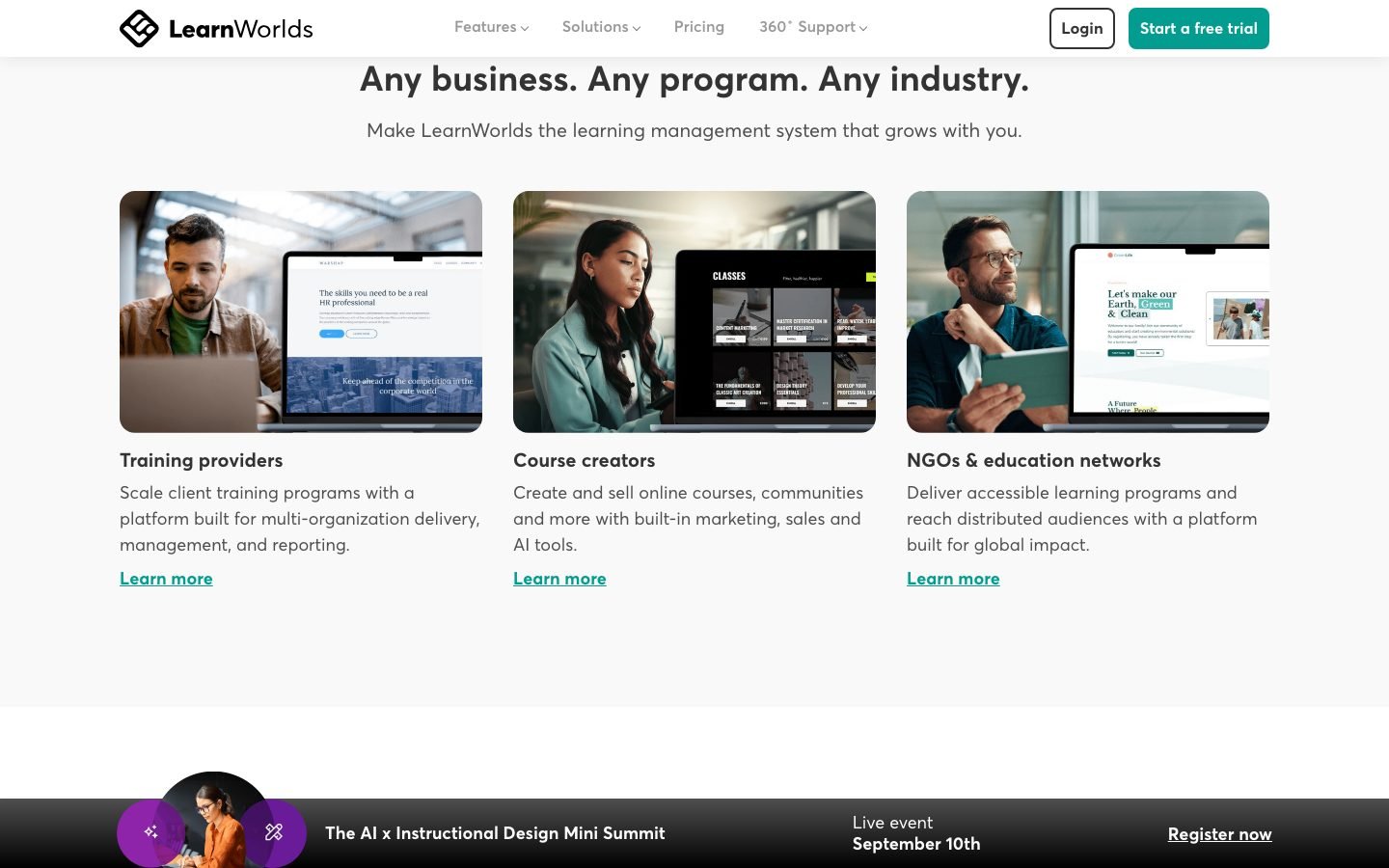
If you sell high-ticket courses or serve corporate clients, this review will tell you exactly which plan makes sense. If you just want to host a few videos and take payments, it’s probably more platform than you need.
TL;DR: LearnWorlds is the strongest course platform for interactive video and SCORM compliance, and it holds G2’s Spring 2026 Course Authoring Leader badge. Starter costs $24/month annual but hides a $5 per-enrollment fee. The real entry point for serious creators is Pro Trainer at $79/month annual. Advanced interactive video requires the $249/month Learning Center plan. 30-day free trial on all tiers (LearnWorlds pricing, verified August 2026).
My pick for most creators: LearnWorlds is built for corporate and high-ticket training. If you’re a solo creator who wants courses plus an engaged community in one place, with a far simpler setup than an enterprise LMS, I’d start with Skool (free for 14 days) before paying for LearnWorlds.
What does LearnWorlds cost in 2026?
LearnWorlds pricing starts at $24/month on annual billing, but the $5 per-enrollment fee on the Starter plan makes it more expensive than Pro Trainer after just 14 sales per month. That’s a math trap most buyers miss (LearnWorlds pricing, August 2026). Pro Trainer at $79/month annual is where zero transaction fees begin, along with 20 SCORM slots and full certification tools.
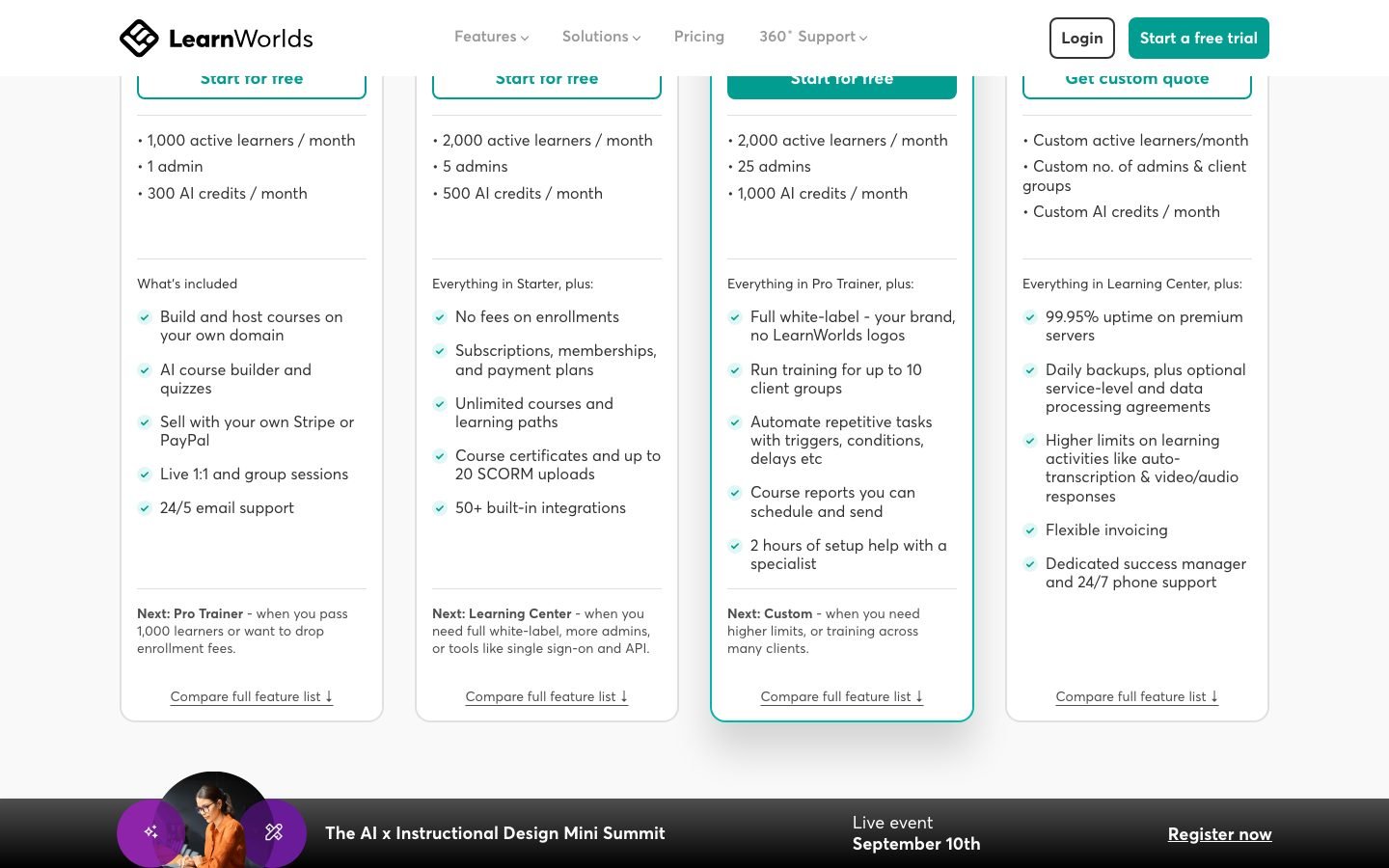
I re-checked the pricing page in August 2026. Same four tiers, same prices, one rename: the top plan now sells as “Corporate” instead of “High Volume.”
| Plan | Annual (per mo) | Monthly | Transaction fee | Key unlock |
|---|---|---|---|---|
| Starter | $24 | $29 | $5 per enrollment | 3 pages, basic AI, unlimited paid courses |
| Pro Trainer | $79 | $99 | 0% | 20 SCORMs, memberships, certificates, mass emails |
| Learning Center | $249 | $299 | 0% | Advanced interactive video, unlimited SCORMs, LTI 1.3, white-label |
| Corporate | Custom | Custom | 0% | 99.95% SLA, dedicated Success Manager, custom SSO |
The enrollment fee math. Sell a $50 course on Starter and every sale costs $5 in platform fees, a 10% cut. At 14 enrollments per month you’ve paid $70 in fees plus $29 for the plan, $99 total. That’s exactly what Pro Trainer costs with zero additional fees. Past 14 sales, Starter is the more expensive option.
Where advanced interactive video actually lives. LearnWorlds’ pricing page now lists “interactive video with AI” as Basic on Pro Trainer and Advanced on Learning Center and Corporate. Pro Trainer buyers get an entry-level version. If you’re budgeting for the full interactive toolkit (branching paths, watermarking), plan for $249/month annual, not $79.
What monthly billing costs you. Paying monthly rather than annually adds roughly 20-25% to each plan: Pro Trainer becomes $99/month, Learning Center becomes $299/month. The annual discount saves $240 on Pro Trainer and $600 on Learning Center per year.
To sum up the tiers: Starter at $24/month annual carries the $5 per-enrollment fee, Pro Trainer at $79/month annual drops fees and adds 20 SCORM imports, Learning Center at $249/month annual adds advanced interactive video and unlimited SCORMs, and Corporate runs custom pricing with a 99.95% uptime SLA (LearnWorlds pricing, August 2026).
LearnWorlds ratings: G2 and Capterra scores in 2026
LearnWorlds holds a 4.7 out of 5 rating on both G2 (398 reviews) and Capterra (196 reviews) as of October 2026, with a 4.5 ease-of-use score and 4.7 for customer service on Capterra (Capterra, 2026; G2, Spring 2026).
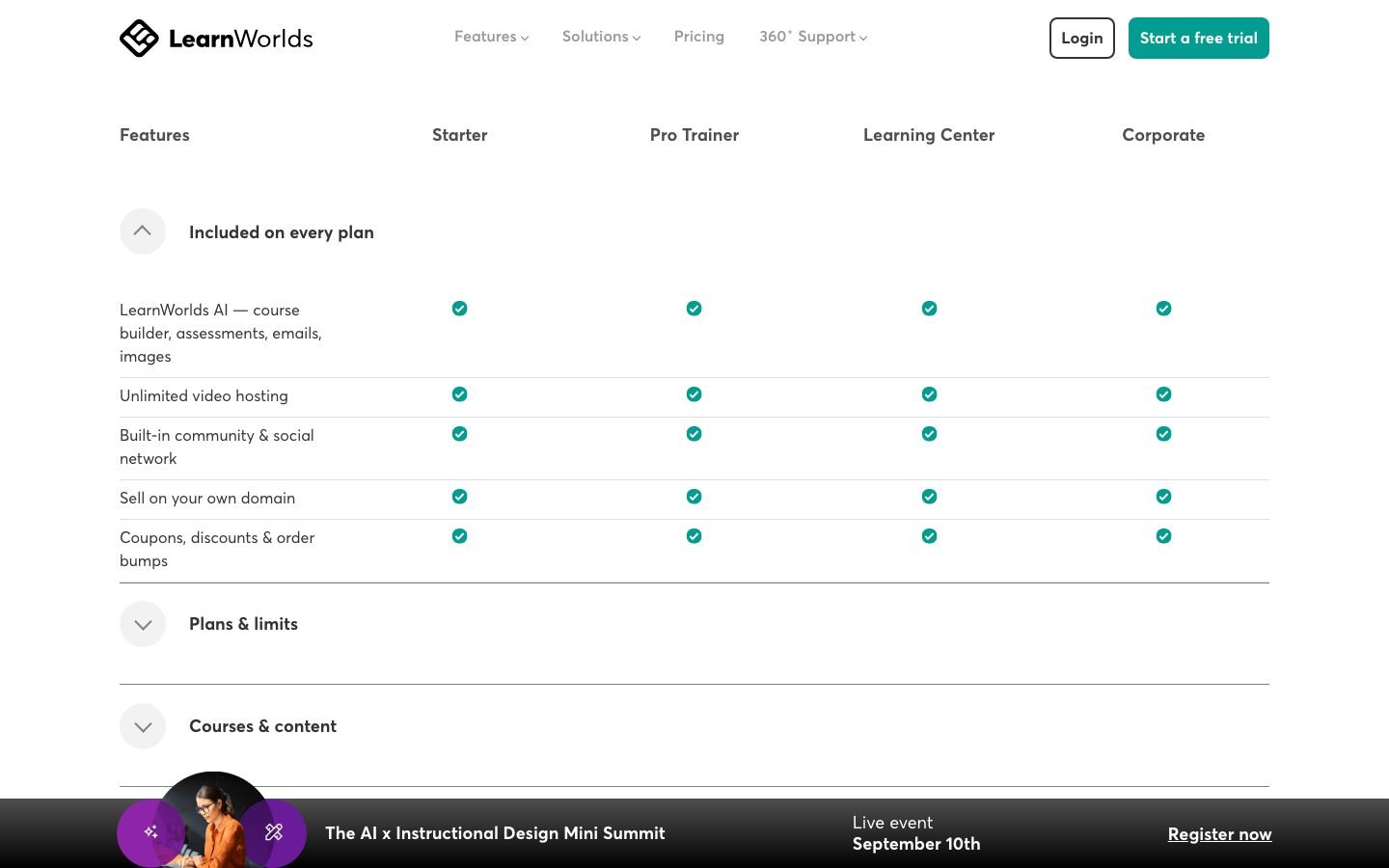
- Ease of use scores 4.5, not the near-perfect number some listicles quote. Reviewers call the interface intuitive once past the initial setup, which matches the learning-curve complaint I cover below.
- Customer service rates 4.7, backed by the personalized video walkthroughs the support team sends new schools.
- Most Capterra reviews are positive, so a bad experience is the exception.
LearnWorlds updates: what’s new in 2026
Three things changed on LearnWorlds in 2026: the top plan renamed from “High Volume” to “Corporate,” interactive video split into Basic and Advanced tiers, and the AI toolset moved to monthly credit caps (LearnWorlds pricing, verified September 2026).
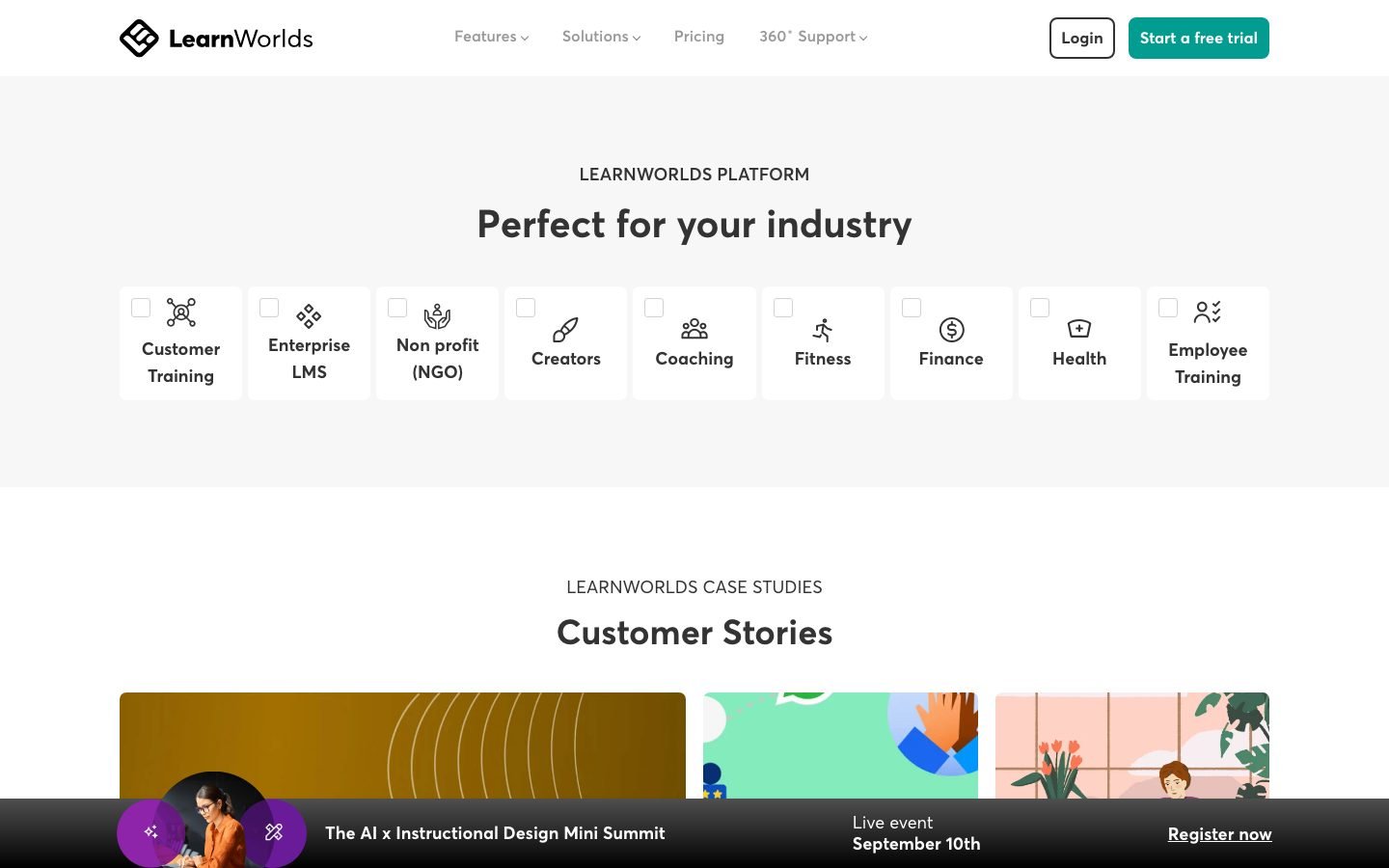
- Interactive video with AI now reads Basic on Pro Trainer and Advanced on Learning Center and Corporate, so branching paths and watermarking sit on the $249/month annual plan.
- AI Course Planner and AI Feedback Generator run on monthly credits: 300 on Starter, 500 on Pro Trainer, 1,000 on Learning Center.
- Tier prices held flat year over year at $24, $79, $249, and custom on annual billing.
Is LearnWorlds worth it for online course creators?
For independent creators selling courses above $100, LearnWorlds Pro Trainer at $79/month annual offers better training infrastructure than any competitor at the same price: unlimited courses, unlimited students, 20 SCORM slots, and a certification engine that Teachable and Thinkific don’t match (G2 comparison data, 2026). The platform’s 4.7-star average across 398 G2 reviews reflects consistent satisfaction on the training side.
What you’re buying at Pro Trainer:
- Unlimited free and paid courses (Starter limits to paid only)
- Certificates with custom branding and expiry dates
- Subscription and membership billing
- 20 SCORM package imports with progress tracking
- AI translations for multi-language delivery
- Affiliate management for your own referral program
- 15 sales funnels and mass email campaigns
What you’re not getting at Pro Trainer: the advanced interactive video tools (branching paths, watermarking), LTI 1.3 for external content, white-label removal of the LearnWorlds brand, or advanced API and webhook access. Those live at Learning Center.
The most common mistake I see is creators signing up for Starter to save money, then discovering the $5 per-enrollment fee structure after their first month of sales. Run the breakeven calculation before choosing a plan: at 14 enrollments, Starter costs the same as Pro Trainer.
Is it worth it versus Teachable? At the Pro Trainer level, yes. Teachable’s Growth plan ($139/month annual) costs more for fewer training features and no SCORM. Is it worth it versus Kajabi? Depends on what you need. Kajabi’s Basic plan at $149/month includes email marketing and funnels but caps you at 3 products and has no interactive video or SCORM. LearnWorlds Pro Trainer gives you unlimited products for $70/month less, but you’ll need a separate email tool.
Interactive video is the reason to pay for Learning Center
Interactive video is the single feature that separates LearnWorlds from every other course platform under $300/month. Pro Trainer includes a basic version, but the advanced editor sits on the Learning Center plan at $249/month annual. It lets course creators embed quizzes, branching paths, and clickable buttons directly on the video timeline rather than as simple overlays (LearnWorlds features, 2026). No other platform at this price has it.
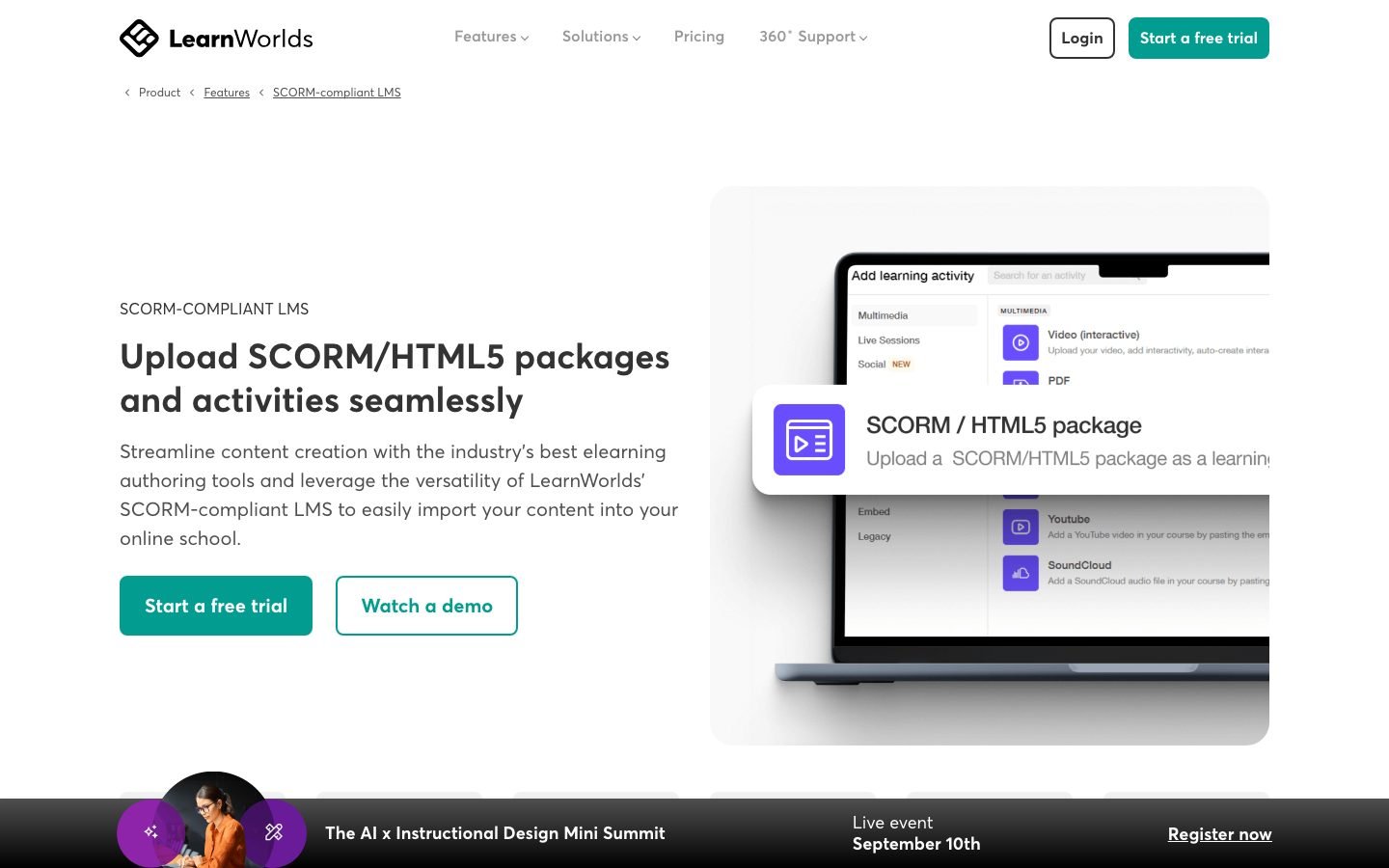
Here’s what the interactive video editor actually does:
Mid-lesson quizzes that pause playback. A 20-minute lesson can have 3-4 forced comprehension checks. The video stops, presents the question, and won’t continue until the student answers. This is the feature compliance trainers pay for. It proves engagement for audit purposes.
Branching paths. Students make a choice and the video jumps to a different segment. Corporate trainers use this for safety scenarios: what happens if you follow the protocol versus ignore it? The outcome plays out differently depending on the student’s decision.
Dynamic watermarking. The student’s email address is overlaid on the video in real time during playback. If someone screen-records your $500 course and shares it, you know exactly who leaked it. This alone justifies the Learning Center price for high-ticket content.
Interactive transcripts. Students can search the transcript and click directly to any moment in the video. Useful for reference-heavy professional training where learners need to revisit specific points.
AI-generated subtitles. Learning Center includes automated subtitle generation across languages, useful for international course delivery without manual transcript work.
Most LearnWorlds users underuse the branching path feature because it requires pre-planning the video shoot with multiple outcome clips. Creators who script 2-3 decision points before recording get far better engagement than those who try to retrofit interactivity into existing footage. The platform supports it; the workflow requires planning.
The full package (mid-lesson quizzes that pause playback, branching scenario paths, dynamic watermarking with student email overlays, and AI-generated subtitles) is absent from Teachable, Thinkific, and Kajabi at any price tier.
Is LearnWorlds good for corporate training?
LearnWorlds is one of the only platforms under enterprise pricing with native SCORM 1.2, SCORM 2004, and LTI 1.3 support, which matters for corporate L&D teams that need compliance reporting and content interoperability with existing systems (LearnWorlds SCORM features, 2026). The 99.95% uptime SLA at the Corporate tier is a commitment no other creator platform offers.
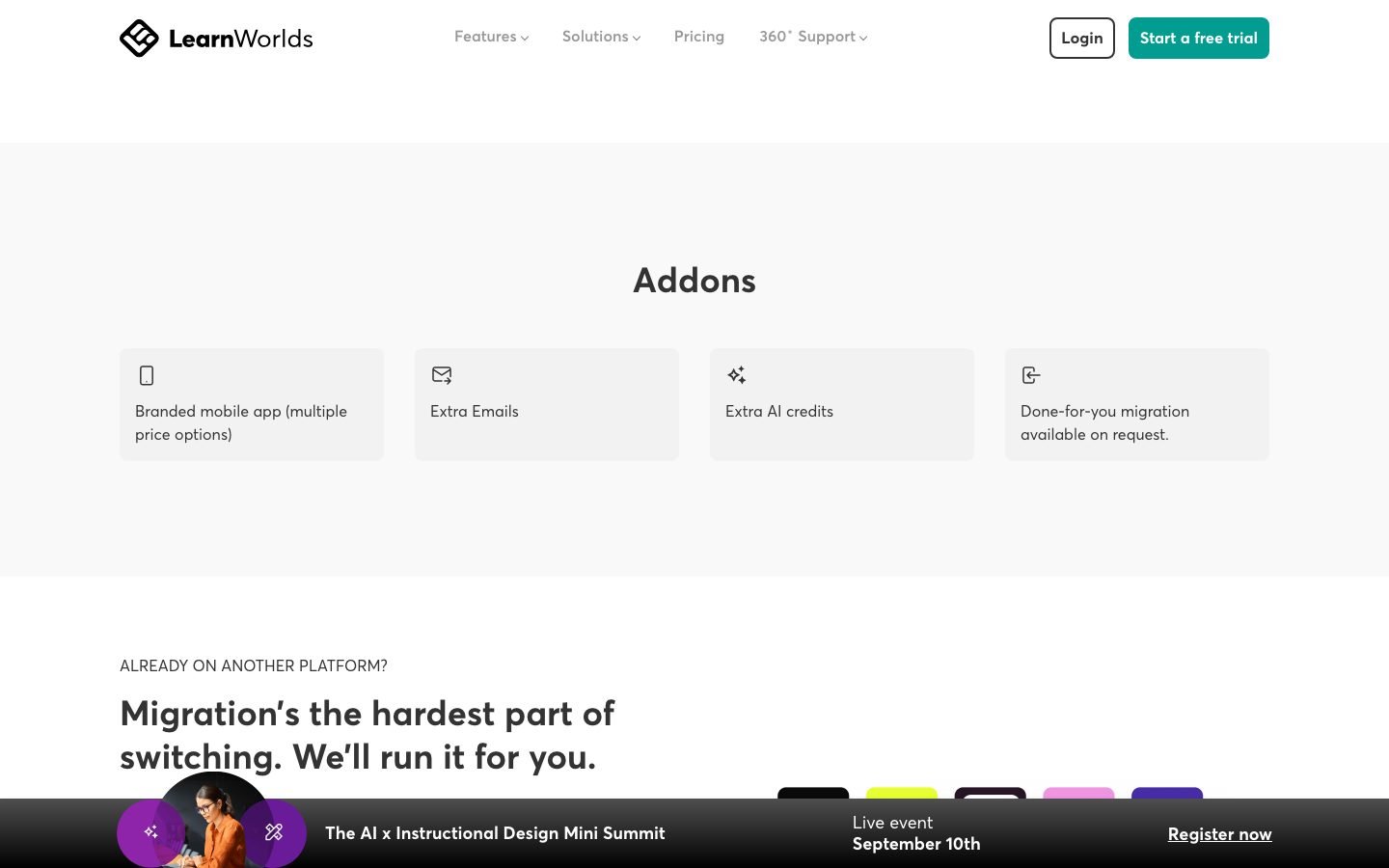
What corporate buyers get that competitors don’t:
License Manager. Corporate clients buy seat licenses in bulk. The License Manager distributes them to employees or reseller clients without the course creator touching individual accounts. The HR contact handles onboarding on their side; the course creator sees clean reporting.
Activity Matrix. A compliance reporting view that shows which employees have completed which required training, certificate expiry dates, and who’s overdue. This replaces the manual tracking spreadsheet most L&D managers still use.
LTI 1.3. Lets you pull in external content modules from providers like LinkedIn Learning and track everything in the LearnWorlds gradebook. No re-uploading content; just connect the external source and the learner’s progress syncs back.
SSO. Learning Center supports 3 SSO connections; Corporate supports 8. For enterprise clients that require employees to use corporate login credentials, this is a non-negotiable requirement.
Branded mobile app. A $149/month add-on that creates a fully native iOS and Android app, not a web wrapper. Offline downloads, biometric login, in-app purchases. For organizations where employees need access without a desktop or browser, this is the play.
The G2 Spring 2026 badge data shows LearnWorlds holding the Leader position in Corporate Learning Management Systems for the Europe region specifically. That points to strong adoption among European corporate training departments, where SCORM compliance requirements are enforced more strictly than in North American markets (G2, Spring 2026).
LearnWorlds vs Teachable: which one wins?
LearnWorlds beats Teachable on every training-depth metric. SCORM, LTI 1.3, interactive video, white-label mobile app, and branching paths are all absent from Teachable at any price (Teachable pricing, 2026). Teachable wins on simplicity and initial setup speed, which matters to beginners building their first course.
Here’s the head-to-head on what actually matters:
| Feature | LearnWorlds | Teachable |
|---|---|---|
| Interactive video | Basic on Pro Trainer; advanced on Learning Center ($249/mo annual) | No |
| SCORM support | Native (1.2 + 2004) | No |
| LTI 1.3 | Yes (Learning Center) | No |
| White-label mobile app | Yes (add-on, $149/mo) | No |
| Native email marketing | No | Basic (Pro+ only) |
| Transaction fees | $5 on Starter / 0% above | 0% on Pro ($119/mo) |
| Unlimited courses | Yes (all plans) | Yes (all plans) |
| Certificates | Yes (Pro Trainer+) | Yes (Pro+) |
| SCORM exports | Yes | No |
| Pricing entry point | $24/mo annual | $39/mo annual |
The practical decision point: if your course content is video-heavy and completion rates matter to your reputation or compliance requirements, LearnWorlds is the better platform. If you’re selling a simple course and don’t need assessments or SCORM, Teachable’s cleaner interface will get you live faster.
What about Thinkific? Thinkific sits between the two on simplicity. Better community features than either competitor, no SCORM, no interactive video, no white-label app. If community engagement is your primary retention driver, Thinkific has an edge. If structured coursework and assessments drive retention, LearnWorlds wins.
What about Kajabi? Different tool for a different job. Kajabi Basic at $143/month (annual) caps you at 5 products and 2,500 contacts but includes email marketing and funnels. LearnWorlds Pro Trainer at $79/month gives you unlimited products and students with better training features, but you bring your own email stack.
LearnWorlds vs Kajabi 2026
LearnWorlds wins on training depth and price per product. Kajabi wins on built-in marketing. LearnWorlds Pro Trainer is $79/month annual for unlimited courses and students with SCORM and interactive video, while Kajabi Basic is $143/month annual, caps you at 5 products and 2,500 contacts, but bundles email marketing and funnels (LearnWorlds pricing, 2026; Kajabi pricing, 2026).
| Factor | LearnWorlds Pro Trainer | Kajabi Basic |
|---|---|---|
| Price (annual) | $79/mo | $143/mo |
| Products | Unlimited | 5 |
| SCORM / interactive video | Yes | No |
| Email marketing / funnels | No (bring your own) | Yes, built in |
| Best for | Training depth, compliance | All-in-one marketing |
Choose LearnWorlds when course structure and completion rates drive the business, and Kajabi when you want courses plus email automation under one login. For the wider set of trade-offs, see my Kajabi vs Teachable comparison and Kajabi vs ClickFunnels breakdown.
What doesn’t work in LearnWorlds
LearnWorlds’ three structural weaknesses (no native email marketing, no auto-save in the website builder, and a steep learning curve) have been consistent since 2023 and haven’t been addressed in recent updates (G2 reviews, 2026). For platforms in the $79-$249/month range, these gaps feel out of place.
No native email marketing. You need a third-party tool (Kit, ActiveCampaign, Mailchimp) from the moment you start selling. LearnWorlds has mass email for announcements inside Pro Trainer, but not a proper email sequence builder or automation rules tied to purchase behavior. Kajabi solves this. LearnWorlds doesn’t.
No auto-save in the website builder. Close a browser tab while editing a page and the work is gone. This is a product decision that should have been fixed years ago. Every competing platform auto-saves. It’s the most-mentioned complaint in recent G2 reviews.
Steep learning curve. The backend is deep. Five different course player skins, CSS customization options buried in sub-menus, an events system that isn’t intuitive, and a website builder that behaves differently from the course builder. Non-technical users consistently report getting stuck in the first week.
Reliability concerns at mid-tier. The 99.95% uptime SLA only applies to the Corporate plan. Users on Learning Center and below reported intermittent outages and photo-disappearing bugs during high-traffic periods in mid-2025. The status page (status.learnworlds.com) shows historical incidents.
Credit limits on AI features. The AI Course Planner and AI Feedback Generator are useful, but the monthly AI credit allowances are low: 300 on Starter, 500 on Pro Trainer, 1,000 on Learning Center (LearnWorlds pricing, August 2026). Serious creators building multiple courses per quarter will hit those caps.
Pros and cons summary
What works well:
- Interactive video editor with branching paths and forced quizzes (Learning Center)
- Native SCORM 1.2, SCORM 2004, and LTI 1.3 for corporate compliance (Learning Center)
- Dynamic watermarking to deter course leaks
- License Manager and Activity Matrix for B2B training delivery
- White-label native mobile app (iOS + Android) as a paid add-on
- G2 Spring 2026 Leader in Course Authoring and Corporate LMS (Europe)
- 30-day free trial on all plans
- Personalized video walkthroughs from support team
- Affiliate management built into Pro Trainer and above
What falls short:
- No native email marketing at any plan level
- No auto-save in the website builder, a persistent and avoidable frustration
- Advanced interactive video requires Learning Center ($249/month); Pro Trainer gets only a basic version
- $5 per-enrollment fee on Starter creates a hidden cost most buyers miss
- Steep learning curve; backend is cluttered for non-technical users
- AI credit limits are low for active course creators (300-1,000/month)
- Uptime SLA only at the Corporate tier
Who should use LearnWorlds (and who should skip it)
LearnWorlds fits three buyer profiles: creators selling $100+ courses where completion rates drive reputation, training agencies serving corporate clients with SCORM requirements, and established academies that want a white-label mobile app without custom development (LearnWorlds solutions, 2026).
Best fit:
Independent creators selling $100+ courses where student completion affects reviews, referrals, and repeat purchases. The Pro Trainer plan at $79/month annual is the entry point; Learning Center at $249/month brings the advanced interactive video tools that measurably improve completion in assessment-heavy content.
Training consultants and agencies with corporate clients. You need SCORM, LTI 1.3, the License Manager, and the Activity Matrix. The Learning Center plan is your minimum viable tier. Corporate adds the SLA and dedicated Success Manager for enterprise-grade client commitments.
Established academies with 500+ students considering a branded mobile app. The $149/month native app add-on makes sense at scale, once you’re not paying per-student for the platform.
Skip it if:
You’re pre-revenue or just validating a first course. The Starter plan’s $5 per-enrollment fee and steep learning curve create friction you don’t need before you’ve confirmed the course sells.
Your business depends on email marketing and funnels driving course sales. You’ll need a separate email tool from day one. Budget $30-$79/month for Kit or ActiveCampaign on top of your LearnWorlds plan.
You want simple. If five course player skins, deep CSS settings, and a backend that takes 2-3 days to configure sounds like overhead you don’t want, Teachable or Thinkific will get you live faster.
LearnWorlds lifetime deal, discounts, and Zoom integration
Does LearnWorlds have a lifetime deal?
No. LearnWorlds does not offer a lifetime deal and has never sold one on AppSumo, because the model doesn’t cover its ongoing hosting and support costs (LearnWorlds pricing, 2026). The standing discount is annual billing, which cuts about 20% off every tier: Pro Trainer drops from $99 to $79/month and Learning Center from $299 to $249. Black Friday promotions have surfaced in past years but are not guaranteed, so plan your budget at the annual price.
Does LearnWorlds run a Black Friday deal?
Yes, it has in the past, but there is no 2026 offer yet. LearnWorlds ran a Black Friday page in 2025 with an early-bird countdown. Learning Revolution reported 30% off the Pro Trainer and Learning Center plans that year (Learning Revolution, November 2025). I could not confirm the percentage on LearnWorlds’ own site, and on October 19, 2026 the pricing page showed only the standard 20% annual discount.
If 30% comes back on top of annual billing, Learning Center drops by about $900 for the year. That makes it worth waiting if you are buying that tier in November. On Pro Trainer the gap is smaller. Start the free trial, which needs no card, and decide on Black Friday. My Black Friday software deals tracker covers the other tools I review.
Does LearnWorlds integrate with Zoom?
Yes, natively. LearnWorlds connects to Zoom for both Meetings and Webinars as in-course learning activities, and students join straight from the course player without installing the Zoom client (LearnWorlds Zoom integration, 2026).
- Attendance is pulled automatically from Zoom (and Microsoft Teams) into your LearnWorlds reports.
- You activate it under Settings, then Integrations, then Live Sessions, and connect your Zoom account.
- Live sessions run on Pro Trainer and above, which makes LearnWorlds a fit for cohort courses and live office hours.
Frequently asked questions
Is LearnWorlds worth it for beginners?
Only if you plan to sell courses above $50 and expect more than 14 enrollments per month. Below those thresholds, the Starter plan’s $5 per-enrollment fee makes the platform more expensive than it appears. If you’re validating your first course, a simpler platform reduces setup friction before you have revenue to justify the complexity (LearnWorlds pricing, 2026).
Does LearnWorlds support SCORM?
Yes. Native SCORM 1.2 and SCORM 2004 support is available from Pro Trainer upward. Pro Trainer allows 20 SCORM package imports; Learning Center offers unlimited imports. You can also import xAPI (Tin Can) and HTML5 packages. LearnWorlds is one of the few creator-focused platforms to offer this. Teachable, Thinkific, and Kajabi don’t support SCORM at any price (LearnWorlds SCORM page, 2026).
Can I build a mobile app with LearnWorlds?
Yes, through the no-code mobile app builder available as a $149/month add-on. It creates a fully white-labeled native app for iOS and Android (not a web wrapper) with offline downloads, biometric login, and in-app purchases. The add-on requires a Learning Center plan or above (LearnWorlds mobile app feature, 2026).
Does LearnWorlds have transaction fees?
The Starter plan charges $5 per course enrollment in addition to the monthly subscription. Pro Trainer, Learning Center, and Corporate plans have zero transaction fees from LearnWorlds. Your payment processor (Stripe, PayPal) still charges their standard rate, approximately 2.9% + $0.30 per transaction, on every plan (LearnWorlds pricing FAQ, 2026).
What happens when I cancel my LearnWorlds plan?
Your school and student data are preserved during a grace period after cancellation, but student access to courses is suspended. Downgrading to a lower plan keeps the school live but removes features tied to the higher tier, including SCORM on Pro Trainer and advanced interactive video on Learning Center. Plan your exit or downgrade timing around active student cohorts.
Does LearnWorlds offer a free trial?
Yes. All plans include a 30-day free trial with full access to the features of whichever plan you select. The Learning Center trial lets you test interactive video, SCORM imports, and LTI 1.3 before committing to $249/month (LearnWorlds free trial, 2026).
Key takeaways
- Real entry price for serious creators: Pro Trainer at $79/month annual, not Starter’s $24, which carries a $5 per-enrollment fee that exceeds Pro Trainer’s cost after 14 sales
- Advanced interactive video requires Learning Center: $249/month annual. Pro Trainer includes only a basic version, whatever other reviews claim
- G2 Spring 2026 standing: Leader in Course Authoring, Momentum Leader in Online Learning Platform, Leader in Corporate LMS (Europe)
- Best use case: Compliance training, corporate L&D, and $100+ courses where student completion directly affects creator reputation
- Biggest miss: No native email marketing and no auto-save in the website builder, both absent across all plan tiers
- My rating: 4/5. The strongest training feature set at this price, held back by UX gaps that have persisted too long
LearnWorlds plays in the same lane as the major course platforms. I cover the realistic alternatives in my best Teachable alternatives roundup, the Kajabi vs Teachable comparison, and the head-to-head Podia vs Teachable comparison. Most LearnWorlds shoppers end up choosing between these instead.
Related reading
Full pros & cons
- Interactive video editor with mid-lesson quizzes and branching paths, unique at this price tier
- Native SCORM 1.2, SCORM 2004, and LTI 1.3 support for corporate and compliance training
- Dynamic watermarking overlays student email on video to deter screen-recording leaks
- Genuine B2B engine: License Manager, Activity Matrix, and bulk license distribution
- White-label branded mobile app (iOS + Android, offline downloads) as a paid add-on
- G2 Spring 2026 Leader in Course Authoring and Momentum Leader in Online Learning Platform
- No auto-save in website builder. Close a tab and your work is gone
- No native email marketing, so you need a third-party tool from day one
- Steep learning curve with a cluttered backend that overwhelms non-technical users
- $5 per-enrollment fee on Starter makes it more expensive than Pro Trainer past 14 sales/month
- Advanced interactive video (branching, watermarking) needs Learning Center ($249/mo annual); Pro Trainer gets only a basic version
Reader feedback
Was this review helpful?
Your feedback helps us write better reviews.
Thanks for your feedback.

AI Funnel Insider is an independent review site covering AI tools, Skool communities, and online courses. Every review states what was paid for, what was accessed and what was verified before a verdict goes live. Reviews are independent and may contain affiliate links, at no extra cost to you.
Related Posts

Podia Review 2026: Cheap, But the 5% Fee Adds Up
Podia costs $42/month (annual) with 5% transaction fees on the entry plan. An honest look at who it fits, where it falls short, and how it compares.

Kajabi vs Teachable 2026: Full Fee and Feature Math
Kajabi vs Teachable in 2026: pricing, fees, and features compared side by side. Which platform actually wins at your revenue level?

Podia vs Teachable 2026: Which Keeps More of Your Money?
Podia takes 5% per sale, Teachable up to 7.5%. Which platform keeps more money in your pocket in 2026? Full fee and feature comparison inside.

Thinkific vs Teachable 2026: The 7.5% Fee Decides
Thinkific charges 0% transaction fees; Teachable takes up to 7.5% on its cheapest plan. Which is better in 2026? Full pricing and my verdict.

Skool Free Trial 2026: 14 Days Free (One Catch)
Skool's 14-day free trial works on both plans, but there is a credit card catch most guides skip. How to start it and exactly what is included.

Systeme.io Review 2026: The Free Plan's Real Limits
Systeme.io's free plan gives 2,000 contacts, 3 funnels and zero fees. I went through every tier to find where the real limits kick in.
Price watch
Get told if LearnWorlds changes price.
It is $24/mo (annual) - custom enterprise today. We re-check prices on everything we review and email you once when this one moves, plus the Sunday review.